
15 December 2022
Published on 2022-12-15
You can now use the Bulk Product Editor to edit product recommendations for Shopify's Search & Discovery app. No more manually setting up related or complimentary products one at a time.
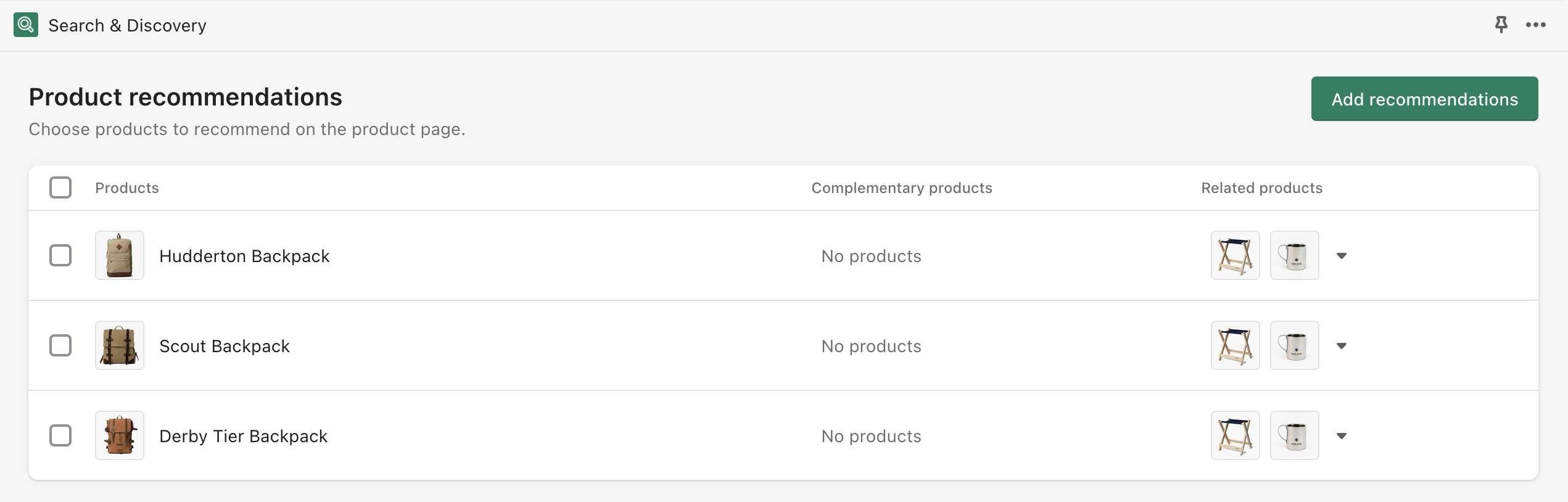
To edit the data in bulk, choose one of the fields in the "Search & Discovery" section of the "Field to Edit" dropdown:
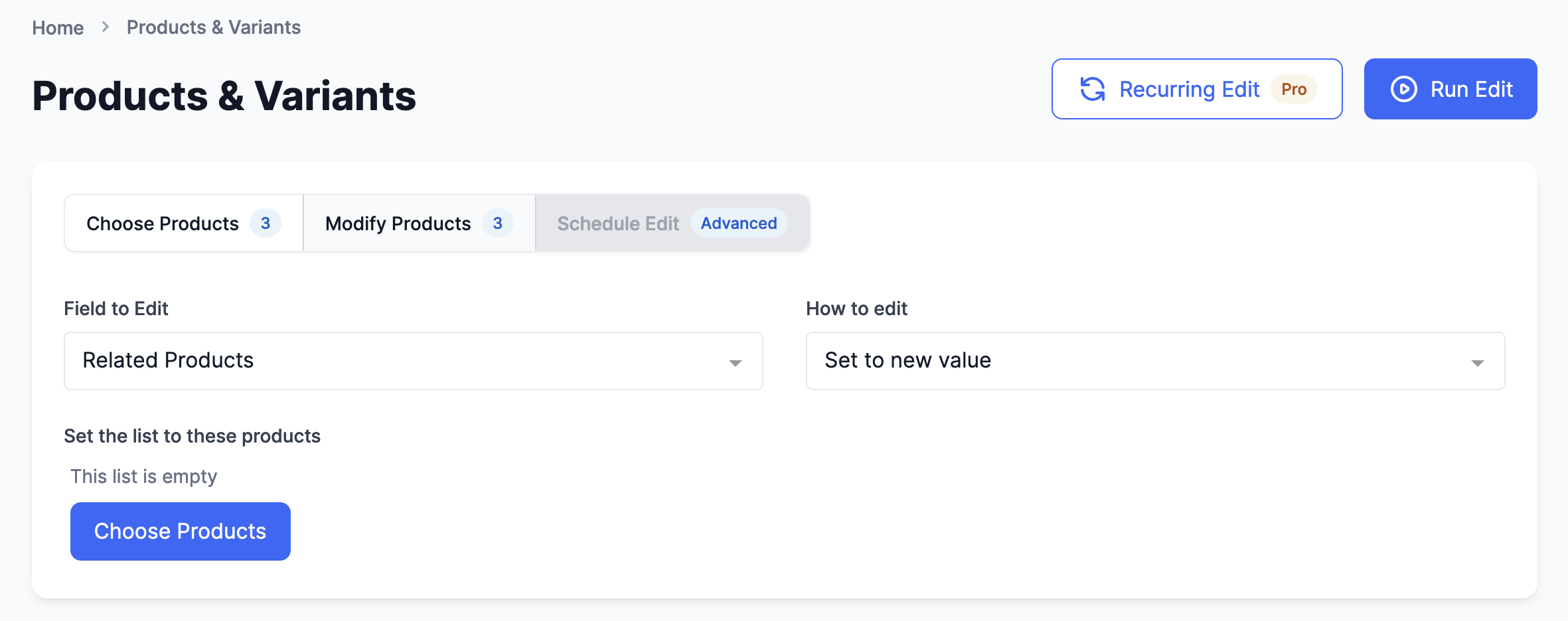
Then you can proceed to configure the edit as usual.
Learn more about bulk editing Shopify's Search & Discovery fields.
14 December 2022
Published on 2022-12-14
We added two new ways to edit text that will make it easier to remove words from the start or end of HTML product descriptions:
- Remove text from a word to the end
- Remove text up to and including a word
With these options you can specify a word (or HTML tag) and remove everything before or after it, including that text.
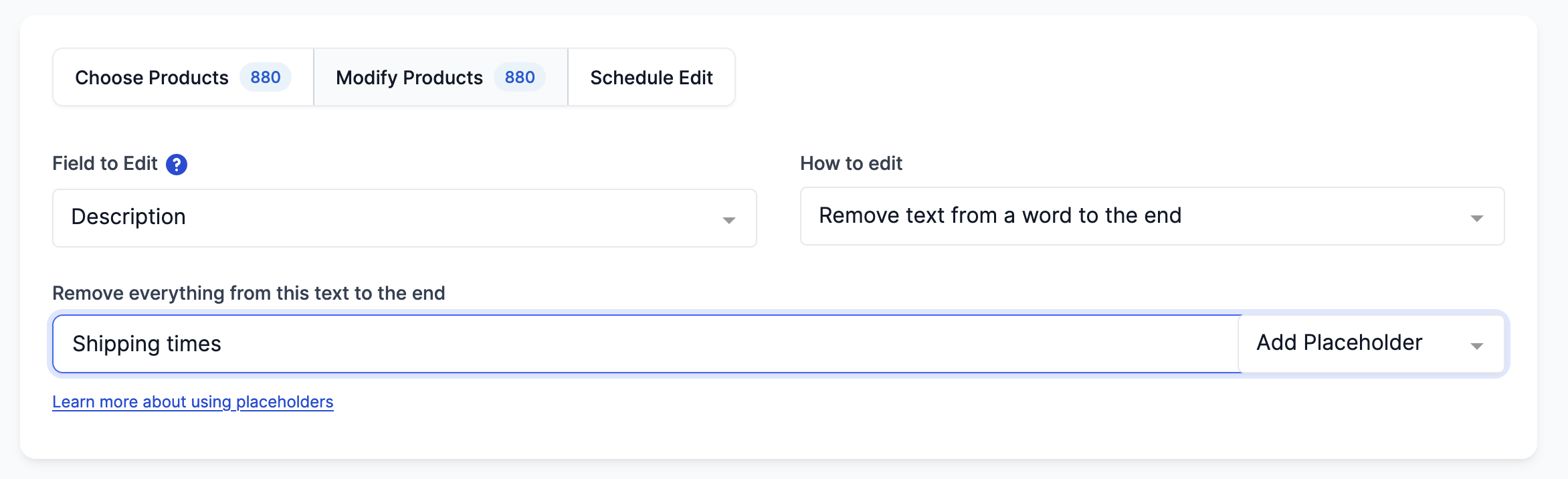
We've seen lots of merchants include some generic information like shipping times in each product description. Previously we recommended using the Search and Replace edit to remove this kind of text however the presence of HTML tags and invisible characters can make it hard to get right.
Learn more about editing HTML descriptions in Shopify
13 December 2022
Published on 2022-12-13
Today we're launching our changelog, a site to keep everyone up-to-date with new features and changes across Ablestar. When we make a change to one of our apps or launch a new feature, you'll be able to read about it here.
In addition to checking this site, you can also receive updates by:
- Following @AbChangelog on Twitter
- Subscribing to our RSS feed
As we continue to grow we've realized the importance of having a single place to publish our updates instead of trying to remember who to reach out to for each new feature. We hope this site is useful to the community and, as always, please reach out if there's anything we can help you with.
9 December 2022
Published on 2022-12-09
We've made several improvements to the autocomplete functionality in the Bulk Editor. These affect product searches for tags, vendors and product types.
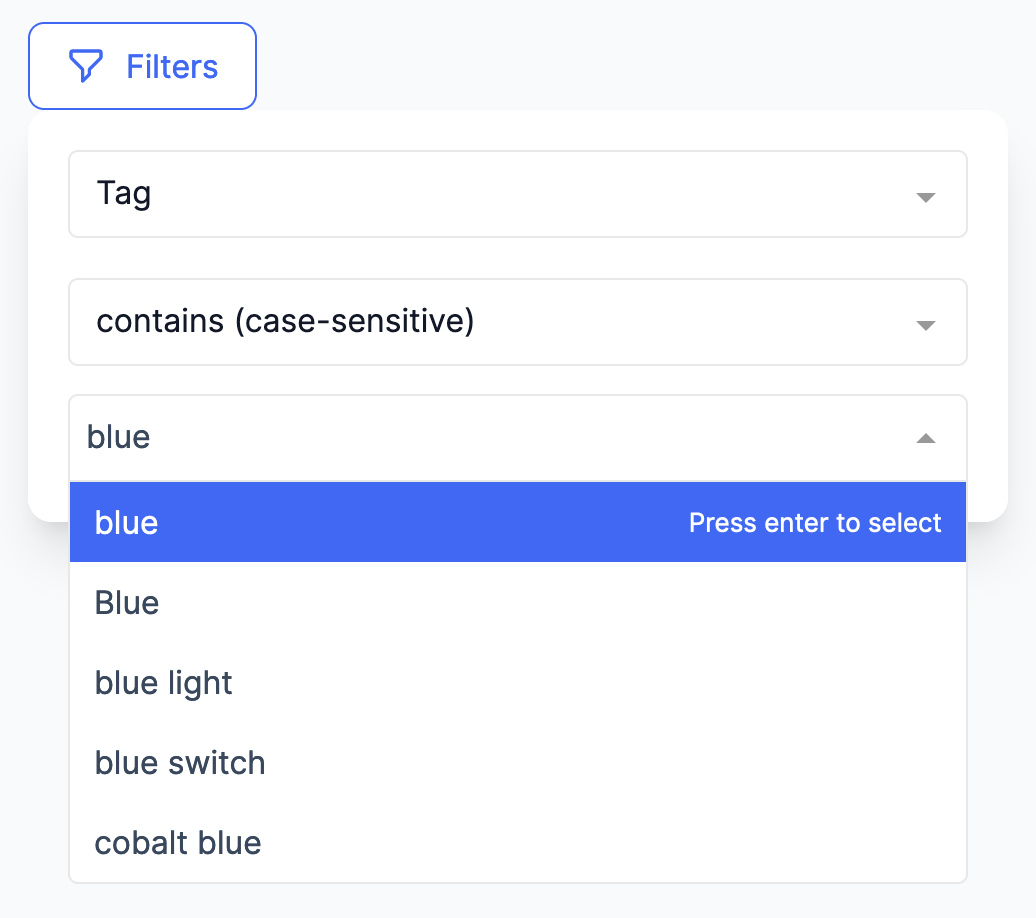
New tags, vendors, and product types will show in the autocomplete list almost immediately after they're first added to your Shopify store. We've also increased performance of autocompleting for stores with a large amount of unique tags.
5 December 2022
Published on 2022-12-05
You'll notice a new layout when you go to the page to generate a spreadsheet of your product data. The file format options have been moved up and the options below will change depending on which format you choose.
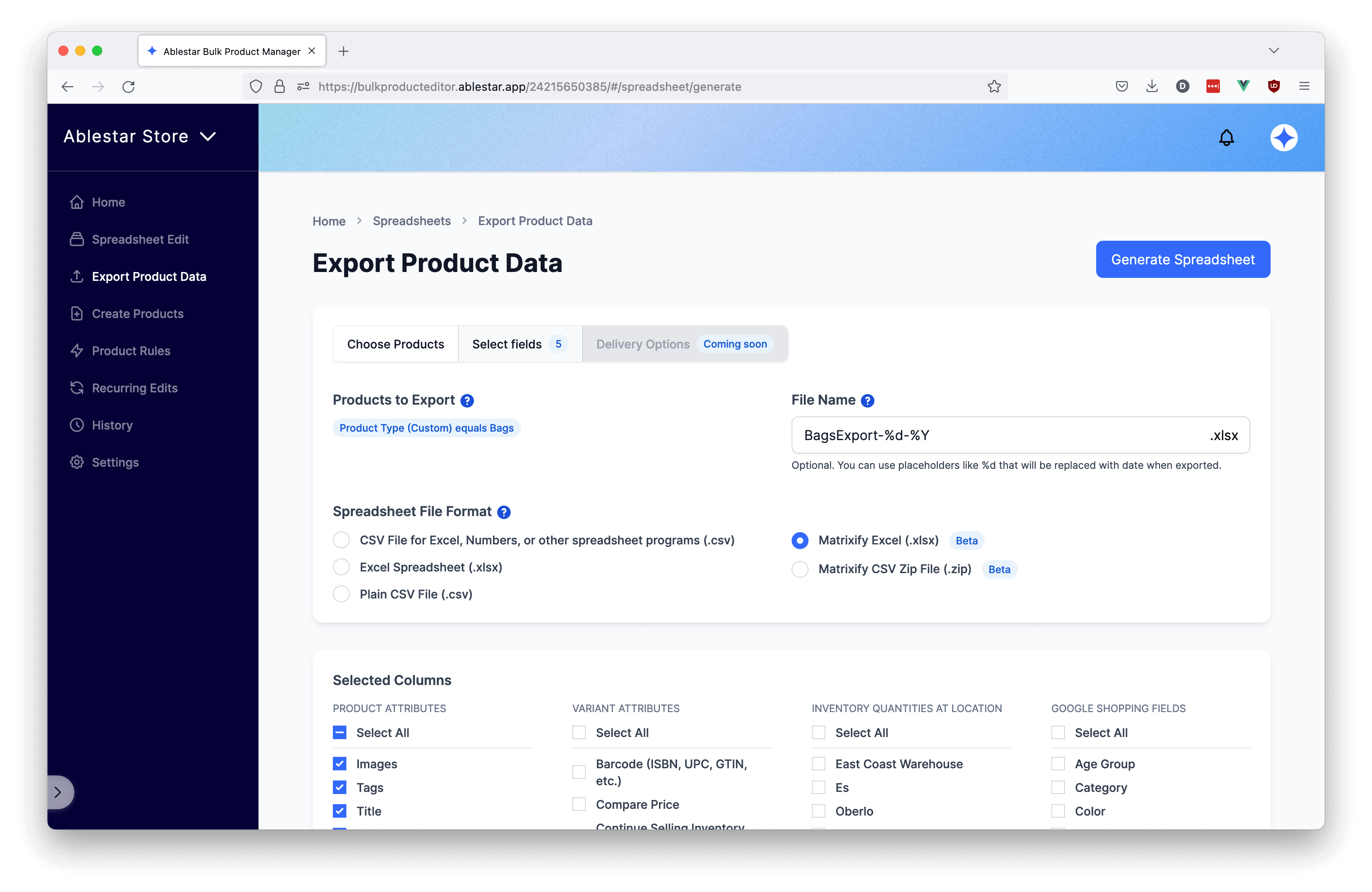
This change was made to support additional file formats (like Google Shopping) that have a different set of configurations that the current formats.
1 December 2022
Published on 2022-12-01
You can now use metafield values as dynamic placeholders when doing a metafield edit. For example, you have a "Country of Origin" metafield you could set the add the following text to all your product descriptions:
This product was made in [COUNTRY OF ORIGIN VALUE].
Learn more about using placeholders for text edits.
1 December 2022
Published on 2022-12-01
We've added a condition for order tagging rules to determine if an order was placed an arbitrary number of days ago.
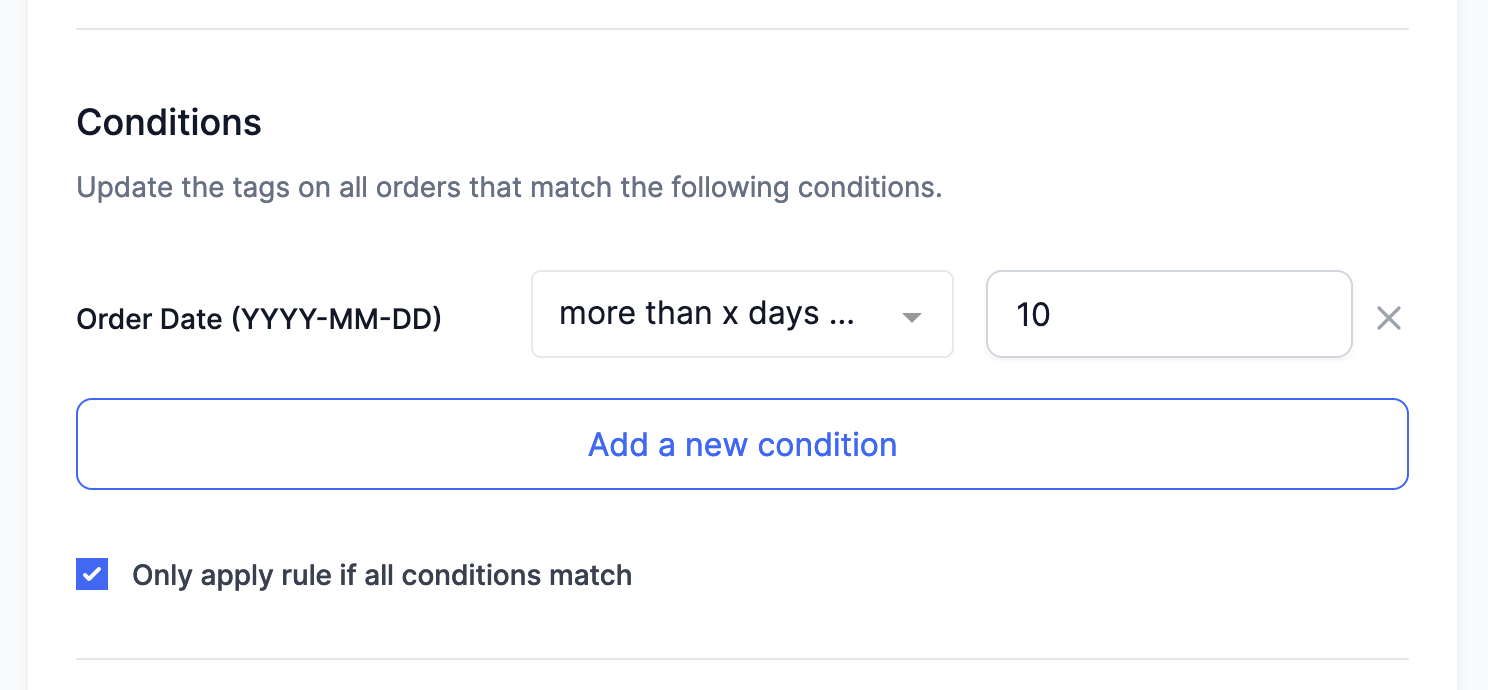
The condition can either match either: - Orders placed more than a certain number of days ago - Orders placed less than a certain number of days ago
This can be used to treat older orders that are still open differently or flagging them for manual review.
1 December 2022
Published on 2022-12-01
An Automatic Product Rule will be paused if the app detects that the rule is continuously being applied against the same product. This situation most commonly occurs when two automations are acting against eachother, changing a field back and forth.
You can now opt to receive an email if one of your Product Rules gets paused for this reason. You can configure these notifications on the Settings page in the Product Rules section near the bottom.
1 December 2022
Published on 2022-12-01
In WooCommerce products can have an arbitrary list of attributes, like Style: Holiday. We can import these to Shopify as metafields on request.
Previously the key for the metafield would be the exact name of the attribute in WooCommerce. For example, if the attribute was named Shipping Origin in WooCommerce, the key in Shopify would be the same.
We've changed this so that the key is now normalized: all characters are in lowercase and any spaces or special characters are replaced with a single underscore. To use the example above, the metafield key in Shopify would now be shipping_origin.
This was done so that you can create metafield definitions for these imported metafields. Shopify doesn't allow you to create metafield definitions if the key of the metafield contains spaces or other special characters.
Learn more about importing WooCommerce product attributes as metafields in Shopify
15 November 2022
Published on 2022-11-15
We are establishing a code freeze between November 21 and November 30. During this period we will only deploy critical fixes. The idea is to reduce the possibility of introducing bugs and unexpected system interactions that could cause the service to be compromised during the peak days of the holiday season.
After November 30 we will resume deploying changes as usual.
11 November 2022
Published on 2022-11-11
When using the Bulk Product Editor you can now filter for products by the number of variants the it has. The option is named Variant Count in the filter dropdown menu:
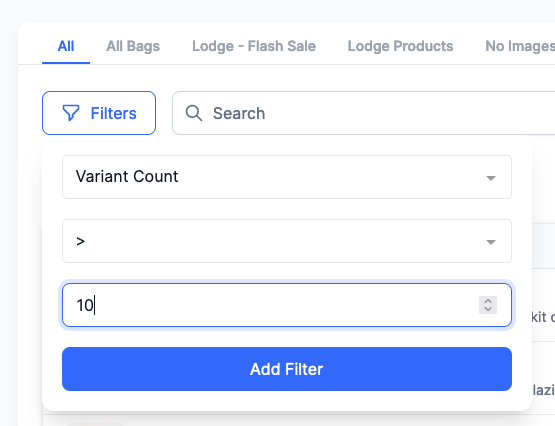
Keep in mind that all products in Shopify have at least one variant. Products with a single variant are displayed differently in the Shopify Admin but still have a variant.
10 November 2022
Published on 2022-11-10
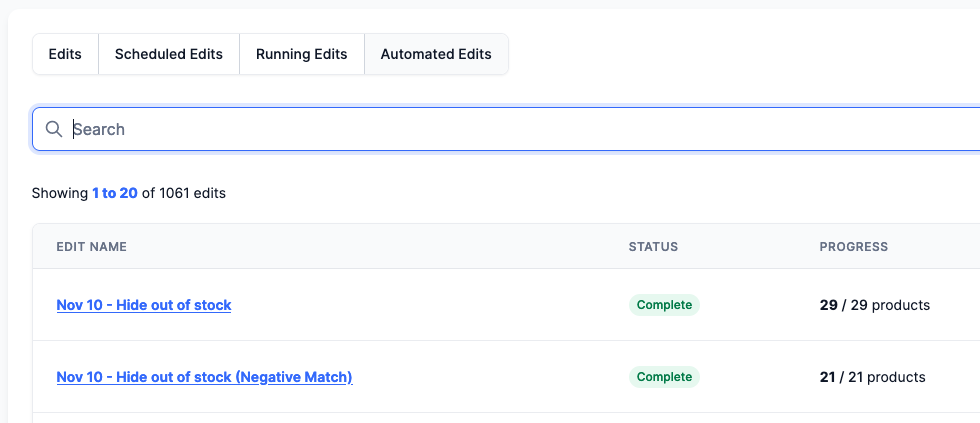
Previously, a separate edit was created each time a product rule ran automatically against a product. The edit was created so there would be an audit log of activity but this resulted in a large number of edits for busy stores.
Starting today, all product rule modifications for a specific rule are grouped together as a single edit for that date:
27 October 2022
Published on 2022-10-27
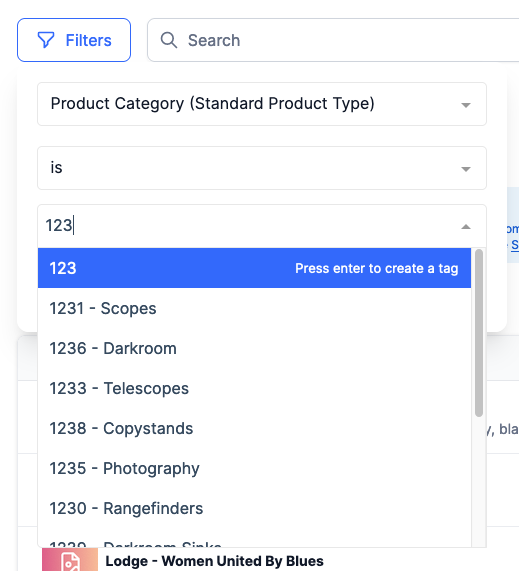
The Bulk Product Editor now supports searching and editing the Product Category field. (Please note that up until September 2022 the "Product Category" field was called the "Standard Product Type" field.)
There's full autocomplete support for the categories to minimize input errors and you can bulk edit the Product Category field with a few clicks.
Learn more about bulk editing the Product Category field in Shopify
21 October 2022
Published on 2022-10-21
With Shopify multilocation inventory you can track the inventory quantity of a single product at different locations or warehouses. Today you can set which locations to track the inventory at across multiple products at once using the Bulk Product Editor.
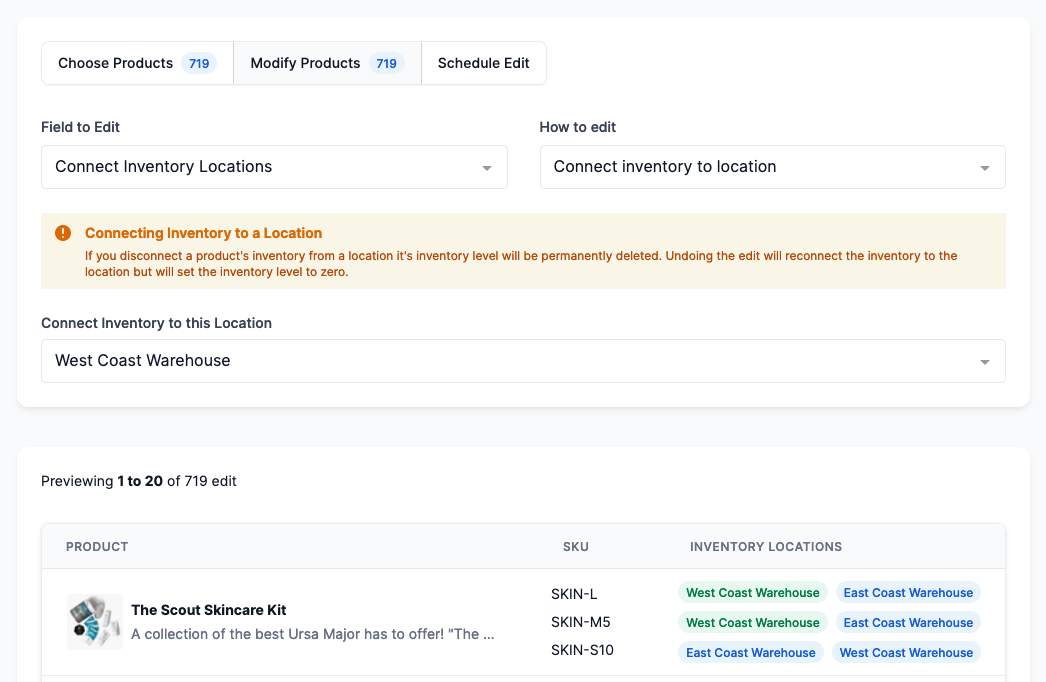
We've also added a search filter to identify if a product is connected to a location or not.
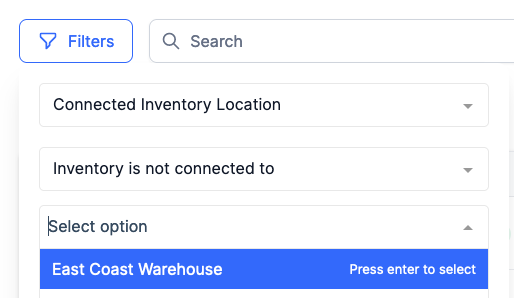
Used together, these new features allow you to quickly identify
Learn more about connecting inventory to locations in bulk.
21 October 2022
Published on 2022-10-21
We've added support for in-app edits to modify metafields that are of the color list (list.color in the API) type. With the list edit you can set the metafield to a new sequence of colors or add/remove a certain number of elements from the start/end of the list.
19 October 2022
Published on 2022-10-19
When you run an in-app edit to modify Google Shopping Categories the category input is now selectable instead of being a plain text input box. This should prevent input errors and ensure that the category ID is correct.
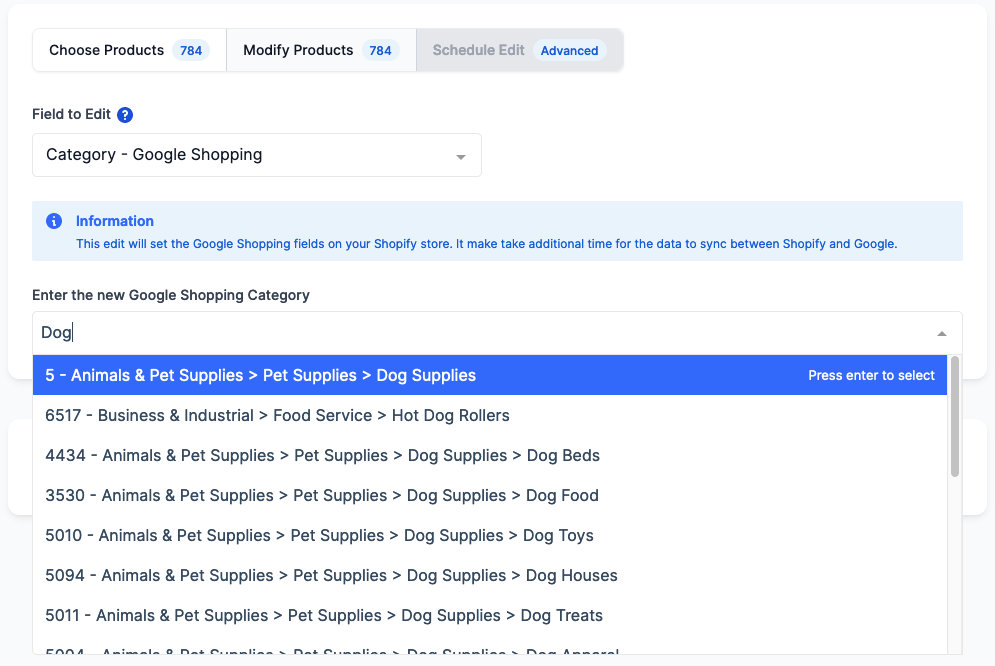
Learn more about bulk editing Google Shopping Categories
11 October 2022
Published on 2022-10-11
You can now add additional variants to a set of products with a bulk edit. Select Add variants in the "Field to Edit" dropdown and you'll see the following popup to configure the new variants:
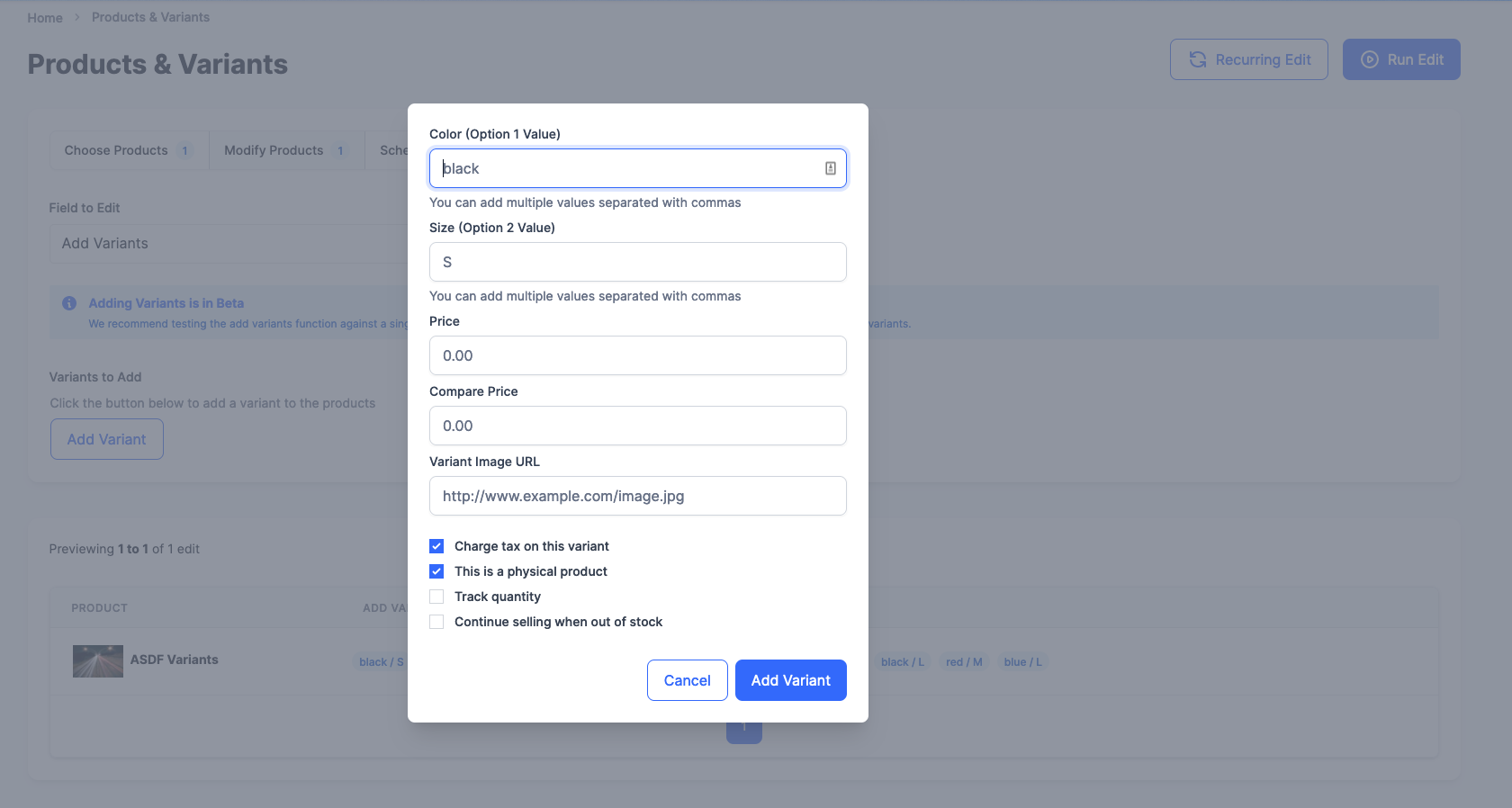
You can add multiple combinations at once by separating the option values with commas. For example, setting Option 1 to Red,Black and Option 2 to S,M,L will create six additional variants on the product (skipping variant combinations that already exist).
10 October 2022
Published on 2022-10-10
When you search for a text field like SKU or product type there is now an option named is empty/blank to filter for empty values. Depending on the field in the Shopify API this will match on both null values and empty strings.
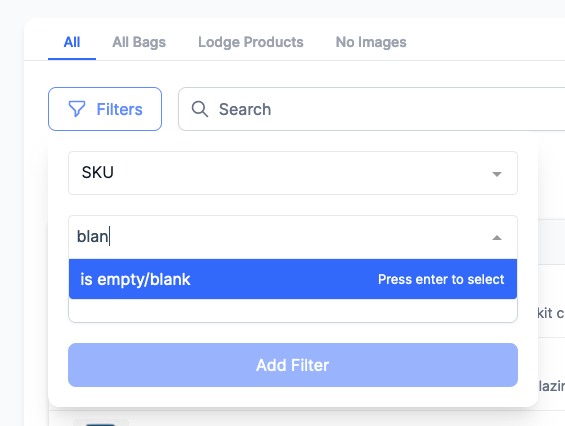
Previously you could accomplish this by doing a search where the text equals [EMPTY] however this wasn't easily apparent.
7 October 2022
Published on 2022-10-07
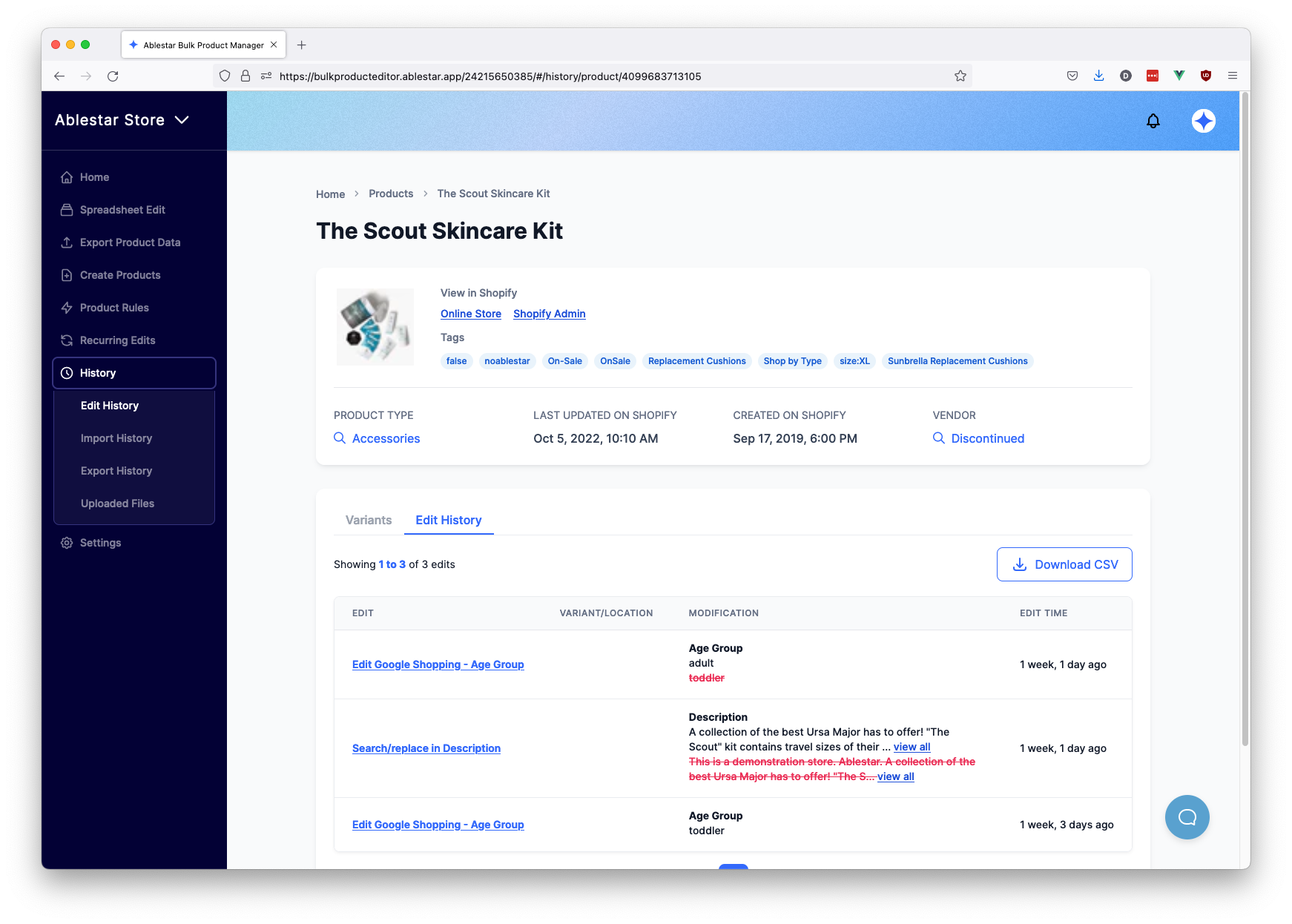
We've release several updates to the product detail pages in the Bulk Product Editor including:
- A Download CSV button to download the edit history for a product
- Clicking on the Product Type, Vendor or Tags will take you to the search page and show all matching products
- A list of all variants with their stock levels
6 October 2022
Published on 2022-10-06
When migrating orders from WooCommerce to Shopify the app will migrate the shipping and billing addresses if present. In WooCommerce the first and last name fields for addresses are not required, however Shopify will reject the address if the first and last name are not present.
To fix this, first and last names in the shipping and billing addresses will be set to a period if there is now value in the WooCommerce API. (We tried a single space character but that didn't work.) This is needed for Shopify to accept the address.