
14 January 2025
Published on 2025-01-14
We will be sunsetting our Ablestar Automatic Order Tags app on February 13, 2025.
When we launched the app in 2021 we felt there was significant room to improve order tagging automation. However, since then Shopify has invested significantly in Shopify Flow and made it available for all Shopify stores. Much of the functionality provided by our app is now available in Shopify Flow for free and we think this is a better solution for store automation.
Read More15 November 2024
Published on 2024-11-15
We are establishing a code freeze between November 25 and December 6. During this period we will only deploy critical fixes to our Shopify apps.
The idea behind a code freeze is to reduce the possibility of introducing bugs and unexpected system interactions that could cause problems during the peak holiday shopping days.
After December 6 we will resume deploying changes as usual.
14 December 2023
Published on 2023-12-14
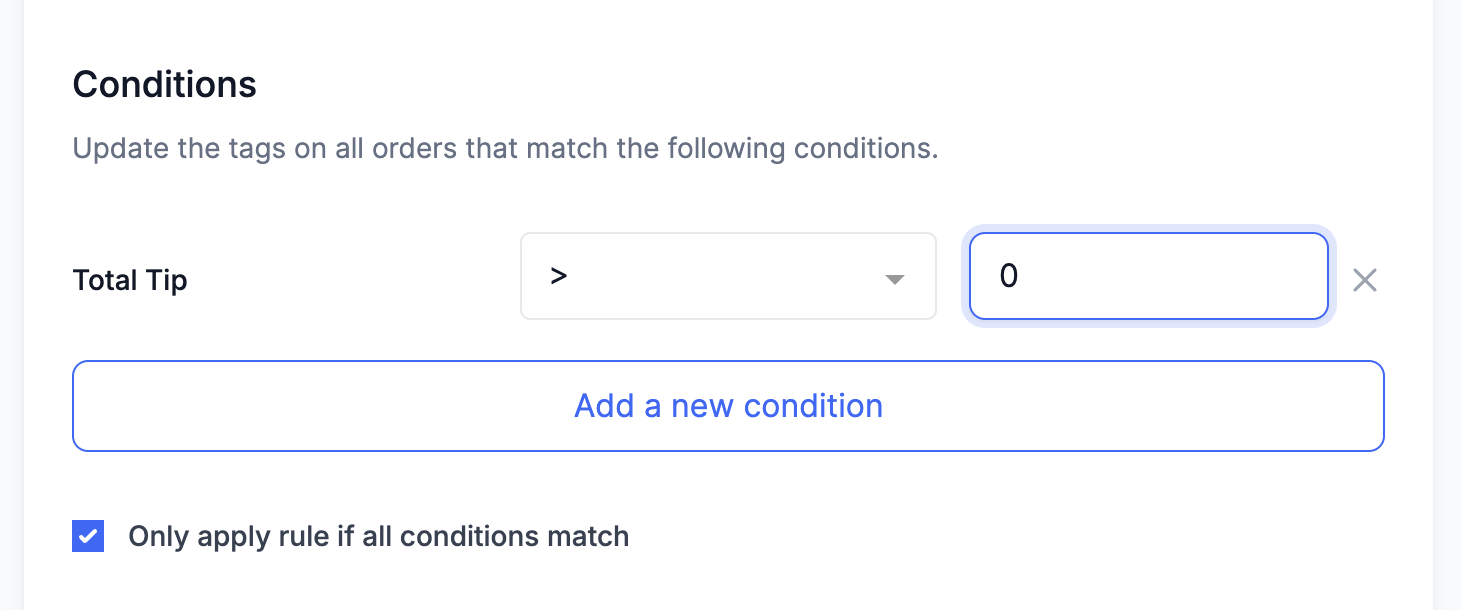
We’ve added a condition to the Order tags app that let’s you filter based on the total tip for an order. Now you can automatically add tags to orders that have a tip.
13 November 2023
Published on 2023-11-13
For the last three years we have implemented a feature freeze during the Black Friday/Cyber Monday season. The primary goal is to maintain the stability of our app.
We’ve found that, after a certain point, most of the bugs we encounter stem from recent changes or additions to the app. By refraining from making any changes or introducing new features for a brief period, we can minimize the chances of disruptions and ensure smooth operation throughout the holiday season.
Read More14 February 2023
Published on 2023-02-14
You can now tag orders based on the order note attribute. Depending on your use-case you can tag:
- Orders with no note
- Orders with a note
- Orders with a note that contains, or does not contain, certain words
- Orders with a note that matches, or does not match, an exact string of text
10 February 2023
Published on 2023-02-10
Building off of yesterday’s update, now you can add dynamic tags to an order for all SKUs that are in stock at one or more locations. When you’re editing a rule click on the Add Dynamic Tag button and select ‘Product SKUs (In Stock at Location)’. Then select the location(s) you want to include from the list below.
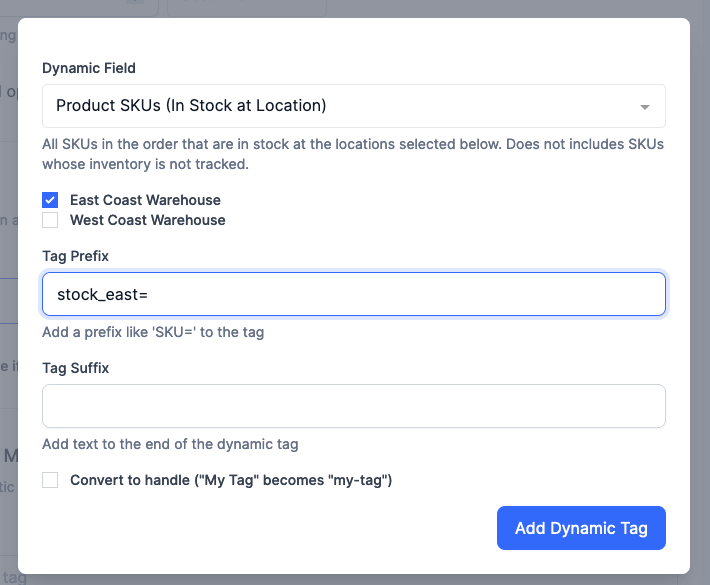
This will only match on products that have their inventory tracked by Shopify and have at least one unit of inventory at any of the selected locations.
Read More9 February 2023
Published on 2023-02-09
Now you can automatically tag orders with all SKUs that are in stock. To do this, edit your rule in the Automatic Order Tags app and click on the Add Dynamic Tag button. From the field list select ‘Product SKUs (In Stock)’.
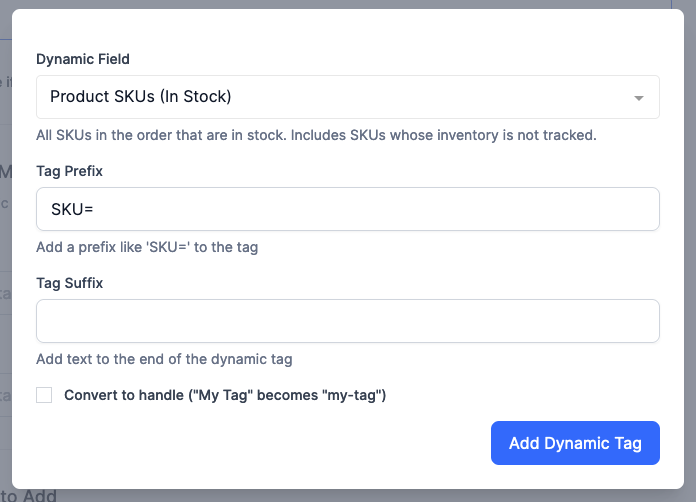
A SKU is considered in stock if the inventory is tracked and greater than zero or if the inventory is not tracked.
In addition to tagging orders with SKUs that are in stock you can tag the order with all SKUs, SKUs that are fulfillable and unfulfillable SKUs.
Read More1 December 2022
Published on 2022-12-01
We’ve added a condition for order tagging rules to determine if an order was placed an arbitrary number of days ago.
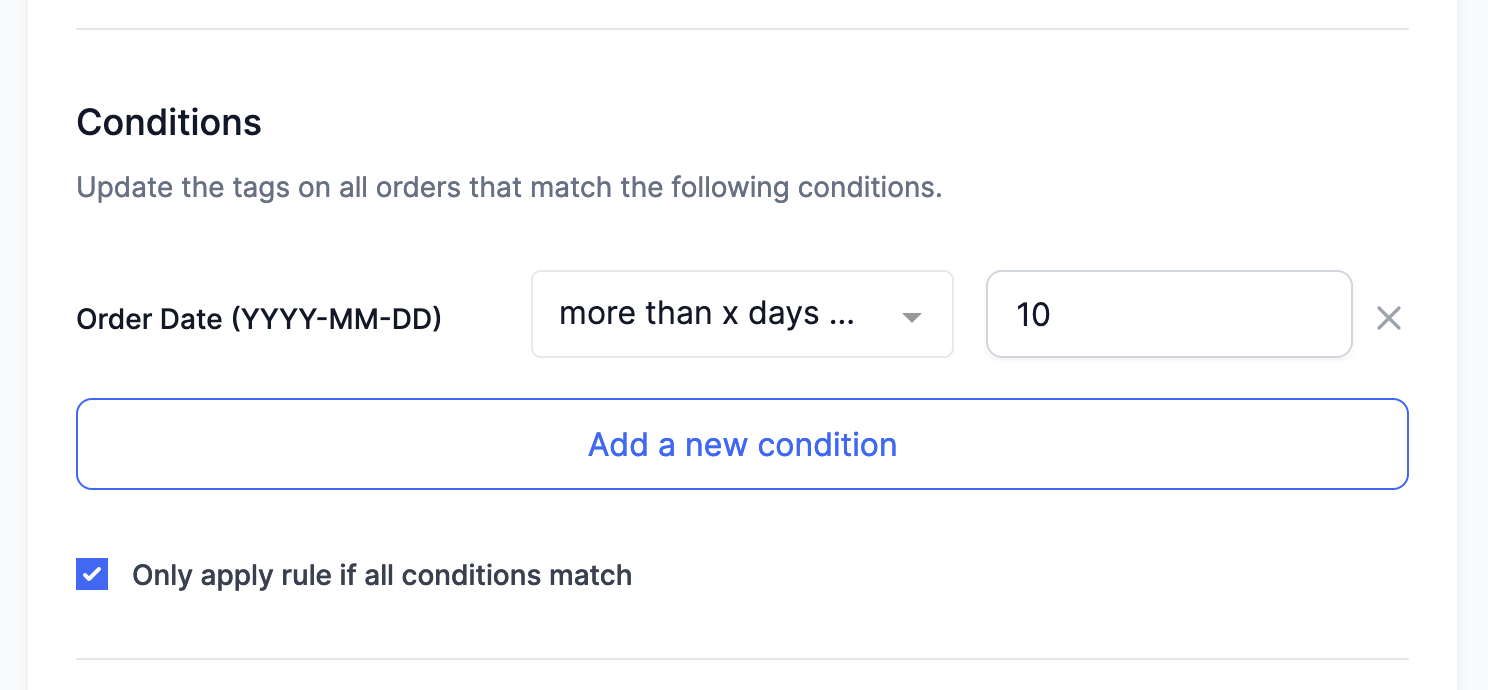
The condition can either match either:
- Orders placed more than a certain number of days ago
- Orders placed less than a certain number of days ago
This can be used to treat older orders that are still open differently or flagging them for manual review.
Read More15 November 2022
Published on 2022-11-15
We are establishing a code freeze between November 21 and November 30. During this period we will only deploy critical fixes. The idea is to reduce the possibility of introducing bugs and unexpected system interactions that could cause the service to be compromised during the peak days of the holiday season.
After November 30 we will resume deploying changes as usual.
14 September 2022
Published on 2022-09-14
You can now tag orders based on their refering site. This is the URL of the referrer that brought the customer to your store and it may be blank.