
3 October 2024
Published on 2024-10-03
We’ve changed the way that undoing tag edits work. Now, when you undo a tag edit, the app will:
- Remove any individual tags that were added by the edit
- Add any individual tags that were removed by the edit
Previously, undoing a tag edit would reset the whole tags field the value it was when the edit started. This could cause conflicts if other, unrelated tags, had been edited between when the edit started and when it was undone.
Read More1 October 2024
Published on 2024-10-01
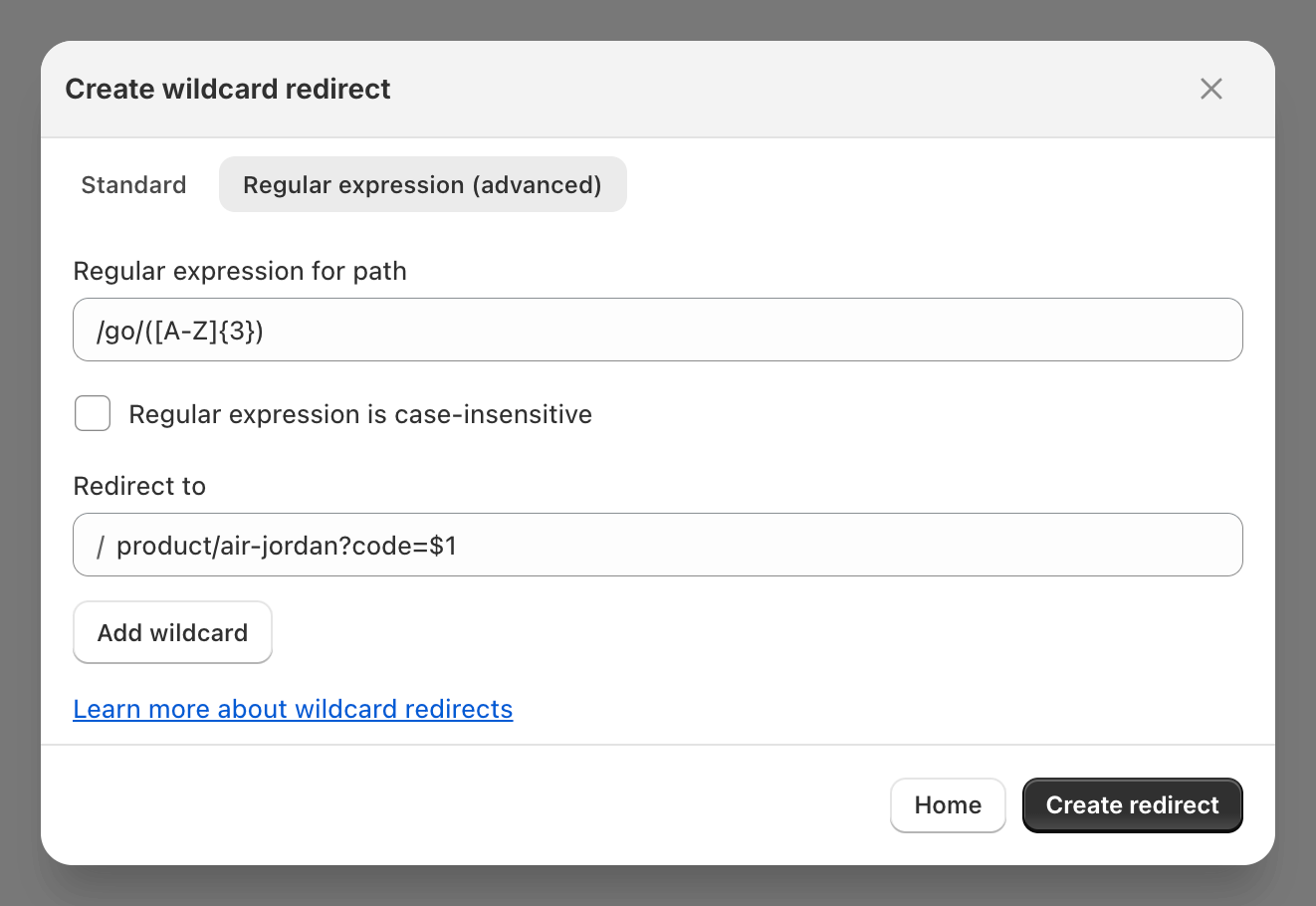
You can now use regular expressions when creating wildcard redirects using Ablestar Link Manager. Regular expressions (or regex) allow you to perform more advanced matching against URLs including looking for patterns or just certain groups of characters.
Learn more about 
1 October 2024
Published on 2024-10-01
We’ve improved the preview process for products with lots of variants. Now, you’ll be able to preview the modifications for all variants in a popup window. Within the window you can filter for specific variants by option values or by SKU.
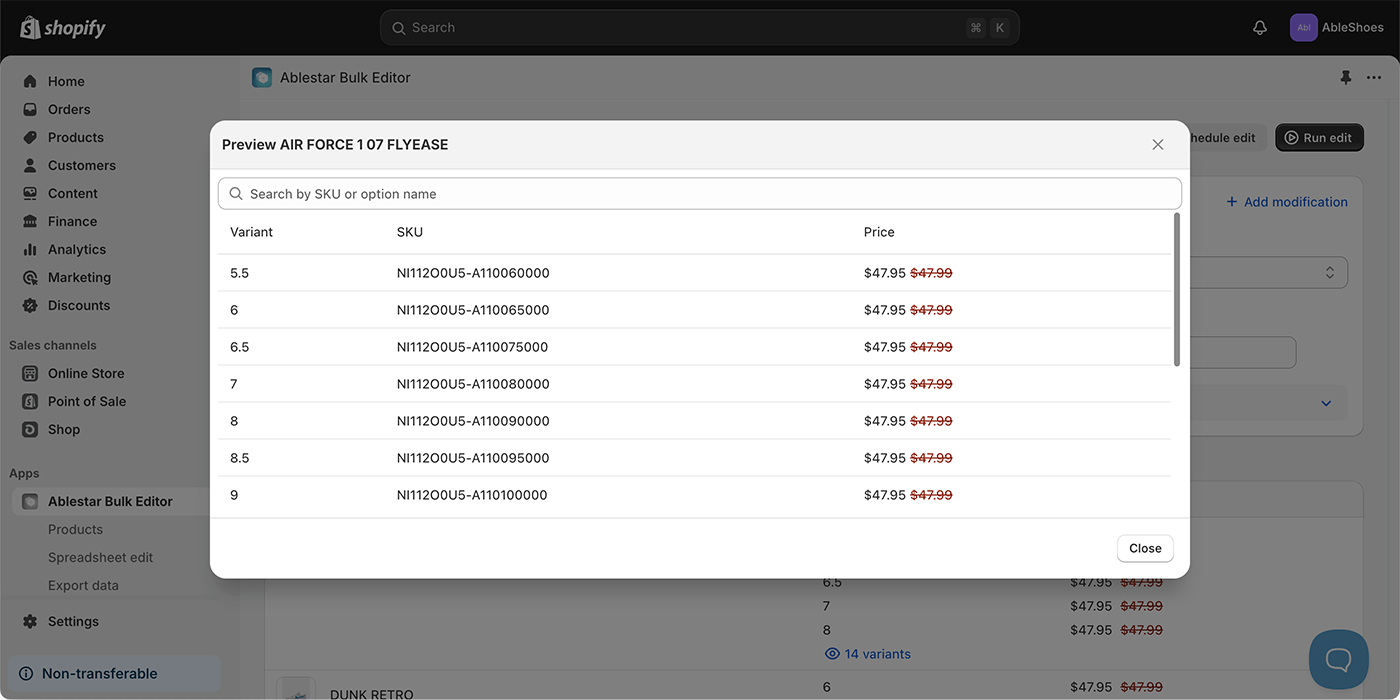
These changes should make it easier to manage products with many variants and will be especially useful when Shopify begins to release the new 2,000 variant limit.
27 September 2024
Published on 2024-09-27
We’ve updated the screen in the app where you select the fields for a product export. Now, the product and variant fields will appear separately and will be sorted alphabetically (case-insensitive). This should make it easier to find the correct metafield, especially if you have product and variant metafields with the same name.
Learn more about exporting your Shopify products to a spreadsheet.
27 September 2024
Published on 2024-09-27
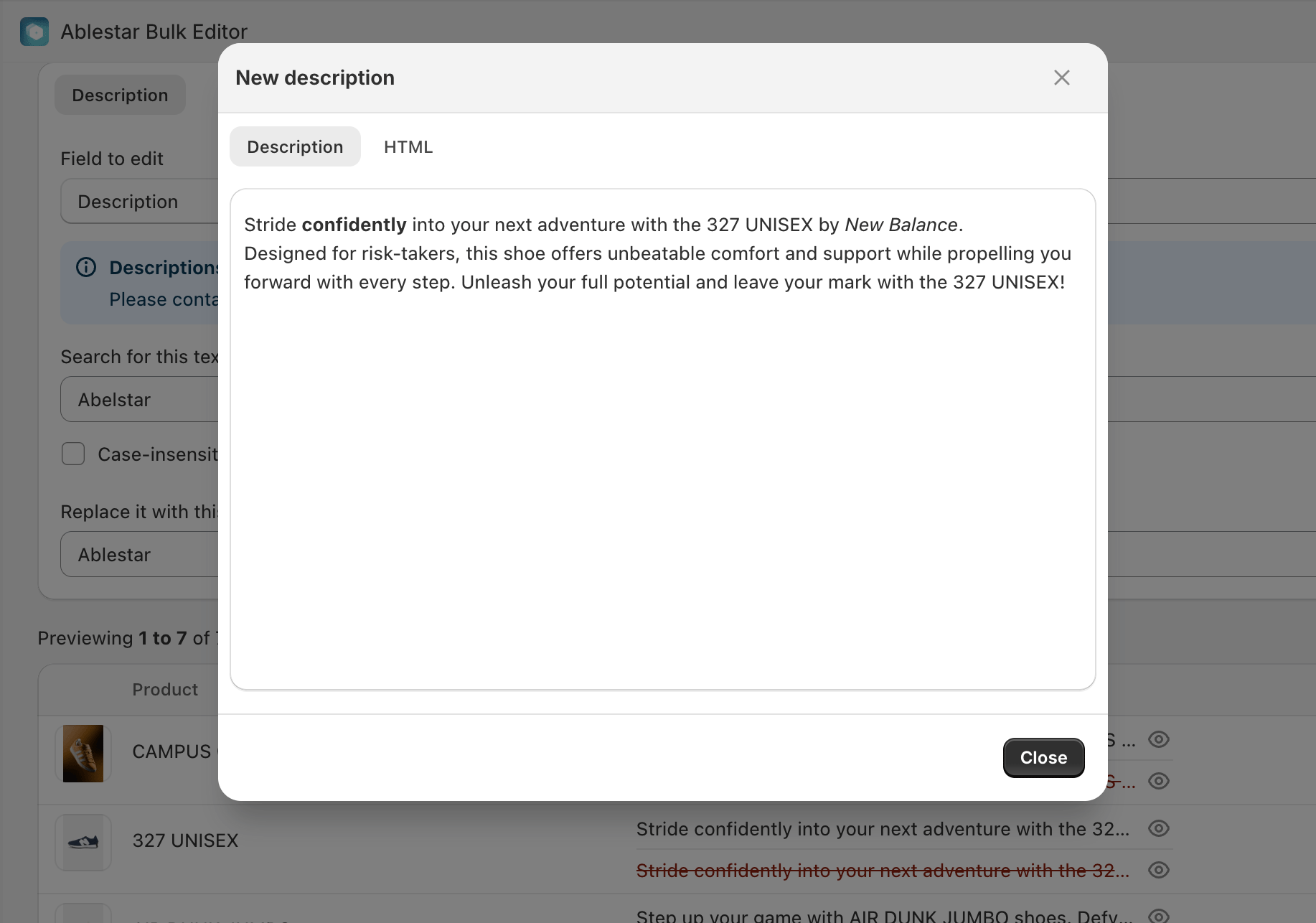
We’ve made it easier to see your changes when bulk editing product descriptions with an in-app edit. Now, you can see both the full descriptions and HTML output for the description. This should make it easier to see changes when modifying part of a description, for example when doing a search/replace on a few words.
Learn more about bulk editing product descriptions.
27 September 2024
Published on 2024-09-27
We’ve added a filter to search for products by their Harmonized System (HS) Tariff Code. You can use the filter to identify products containing a certain code or for products that do or don’t have the field set.
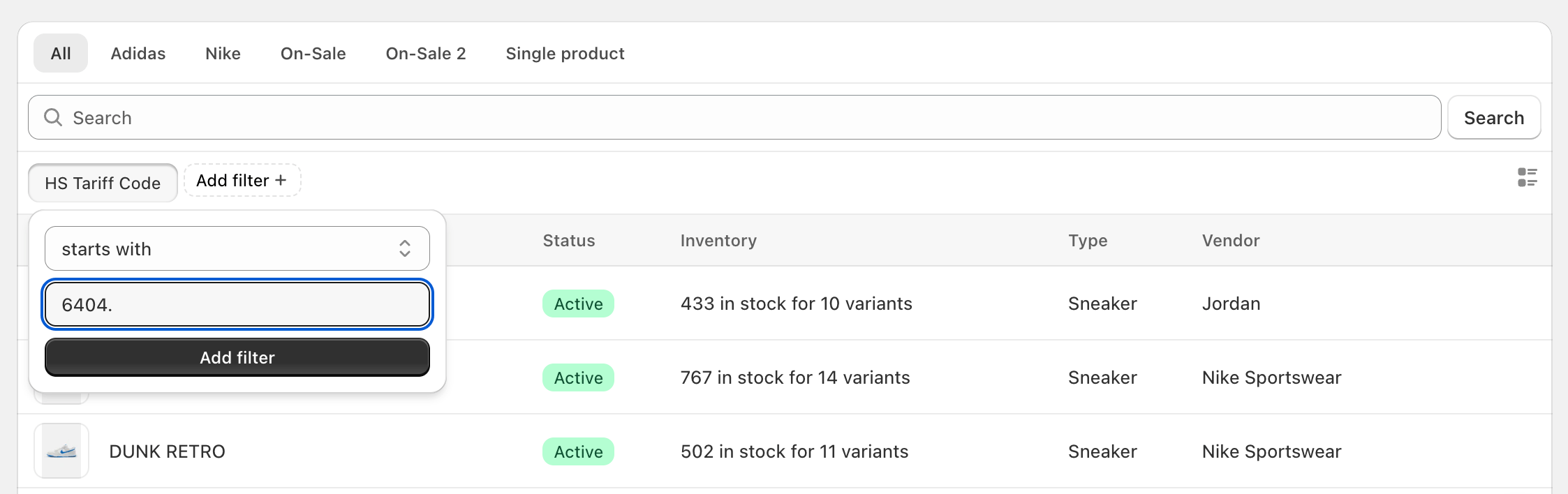
Discover more search tips for Ablestar Bulk Product Editor.
25 September 2024
Published on 2024-09-25
Today we’re rolling out changes that should significantly increase the speed of edits in many situations. The updates allow us to more efficiently take advantage of Shopify’s increased API limits. This improvement will be particularly noticable on Shopify Plus and Advanced stores. If you run into any issues, please let us know.
13 September 2024
Published on 2024-09-13
We’ve added links to view the edit or price history for a specific variant directly from the Shopify admin. Now, when you’re viewing variant details in the Shopify admin, the ‘More actions’ menu includes the following:
- Price history
- Edit history
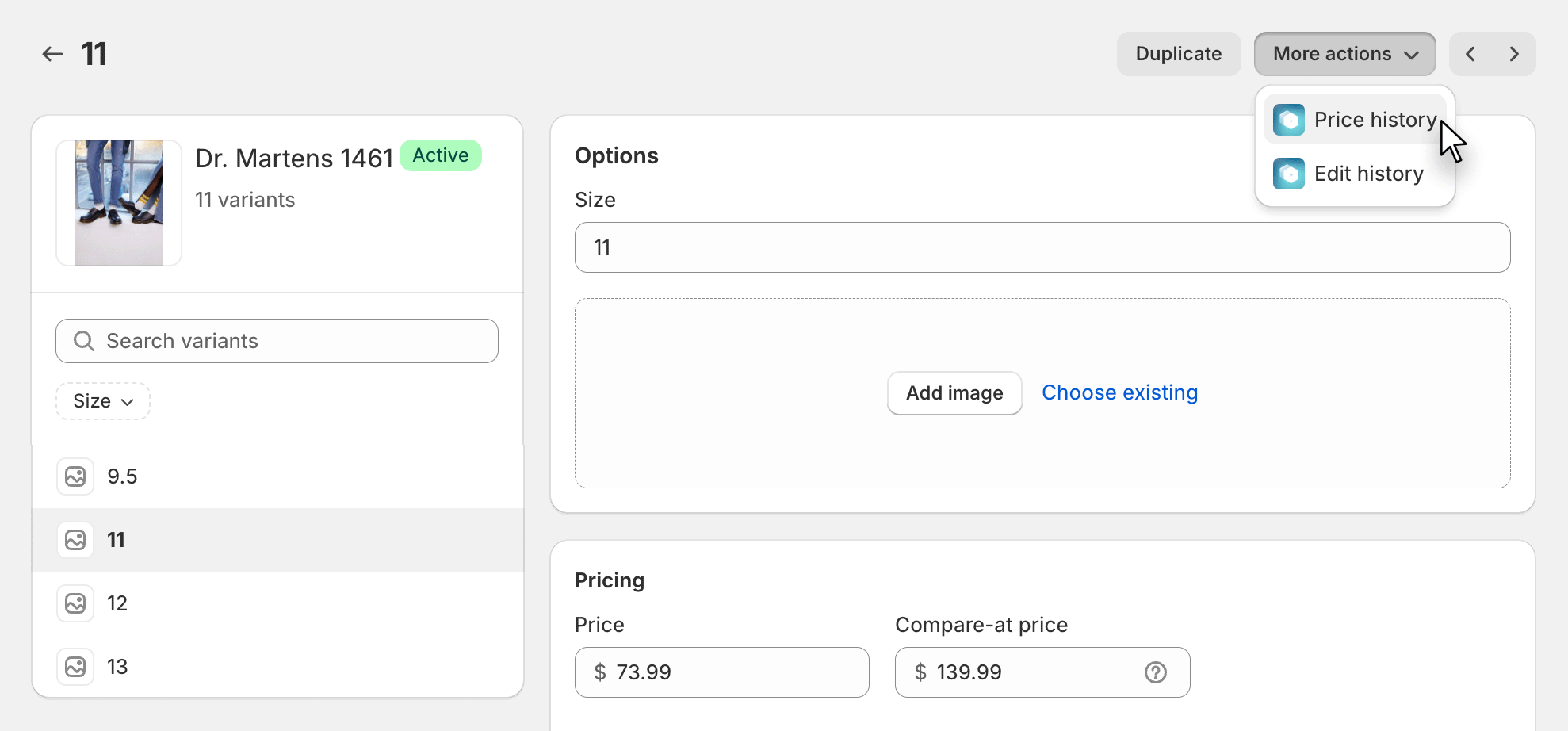
This should make it easier to follow changes for products that may have a lot of variants.
13 September 2024
Published on 2024-09-13
We’ve updated the edit history page to show which user performed an edit. This should make it easier for teams to keep track of which changes were made by whom. If you still want to view the time that a scheduled to be undone at, you can do so from the ‘Scheduled edits’ tab of the history page.
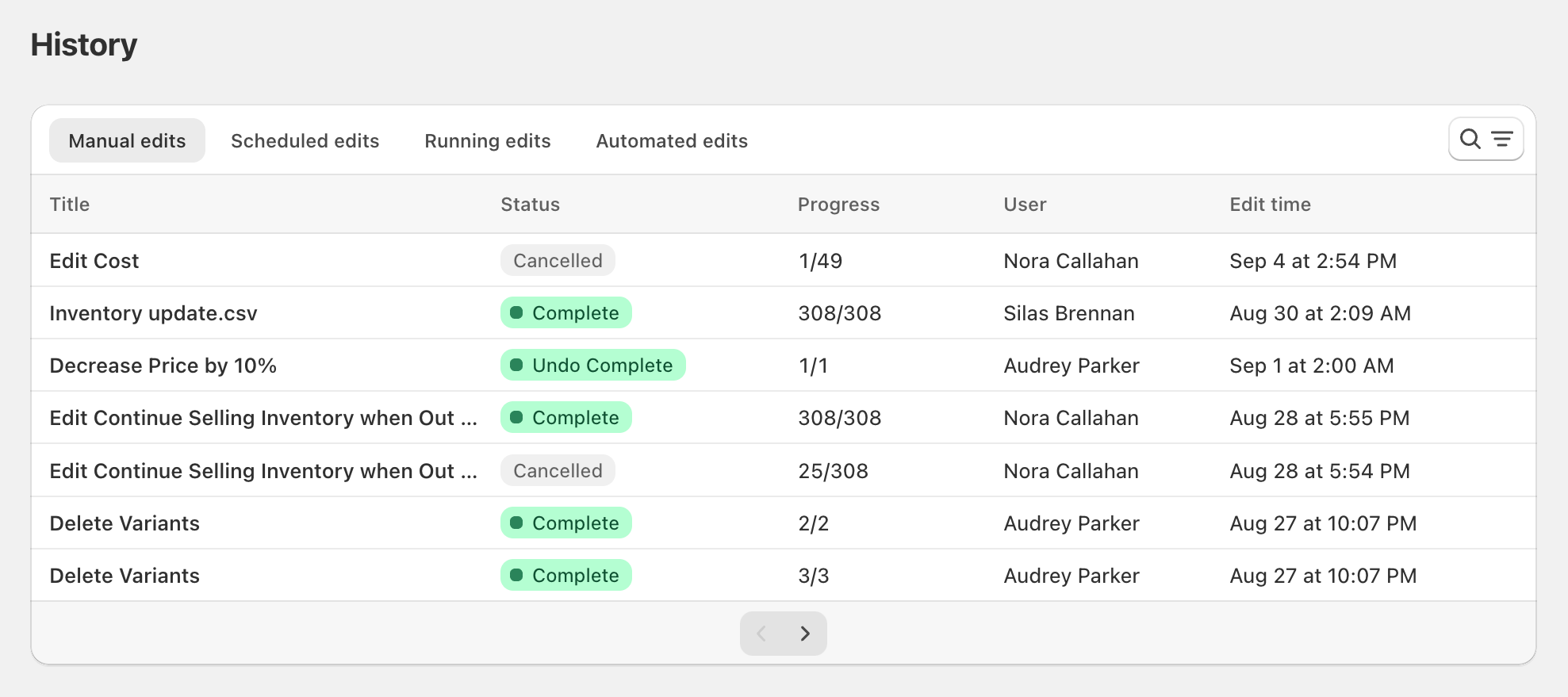
It’s also possible to see who performed an edit while looking at the edit detail page. Just click on More actions → View configuration and scroll down to the bottom of the popup window.
Read More12 September 2024
Published on 2024-09-12
We’ve made several improvements to how we process editing Shopify Market prices with a spreadsheet. These updates should improve the reliability of Shopify Market price updates, especially with newly-created markets. Uou may notice a slight pause when starting the edit as the app will need to check with Shopify to make sure it has the most recent markets data.
Learn more about editing Shopify Markets price lists with a spreadsheet.
Read More10 September 2024
Published on 2024-09-10
We’ve added a ‘Must match all variants’ option for when you’re filtering for inventory levels at a specific location. If this box is selected, a product will only show in the search results if all of its variants match the condition. If the box is not selected, the app could match on some variants but not the whole product.
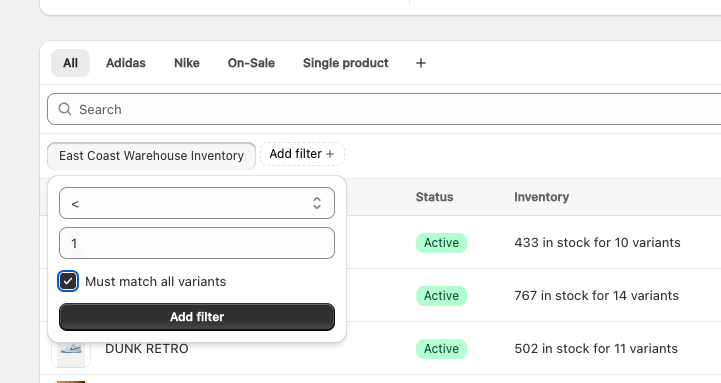
This can be useful when searching for products with multiple variants that are completely out of stock at a single location. Previously, if you did a search for “inventory at location is less than 1” the app could return products where one variant was out of stock but another variant is still in stock. When the ‘Must match all variants’ checkbox is selected a product would only display if all variants are out of stock at that location.
Read More5 September 2024
Published on 2024-09-05
We’ve added support for bulk editing link metafields directly in the app. Link metafields contain both a URL and text for the link and are a good way to manage links to external resources like product spec PDFs.
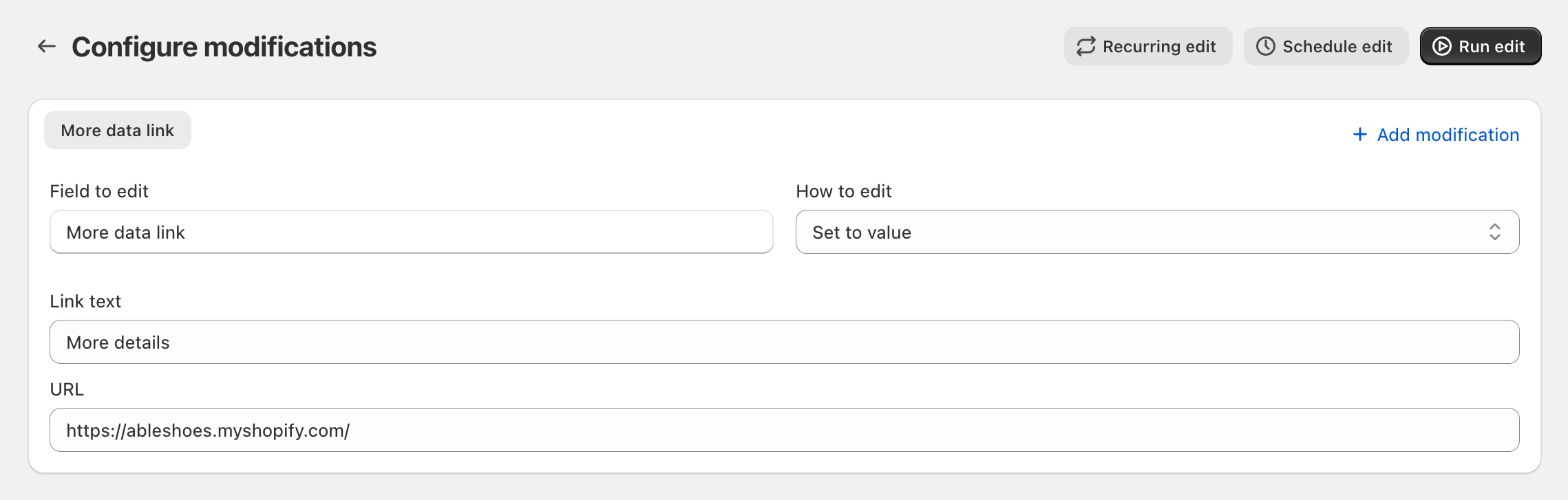
Learn more about bulk editing metafields in Shopify.
5 September 2024
Published on 2024-09-05
We’ve made improvements to spreadsheet processing, making it easier for you to work with any language or writing system. The app now auto-detects different character encodings in the upload files so text in non-Latin alphabets is displayed correctly, even right-to-left languages like Hebrew and Arabic.
Learn more about working with spreadsheetsworking with spreadsheets in Ablestar Bulk Product Editor.
4 September 2024
Published on 2024-09-04
We’ve enhanced product export processing to improve reliability, especially for large-scale exports. Previously, exports containing hundreds of thousands of rows occasionally failed. Today’s update addresses these issues, with the most significant improvements seen in Matrixify format exports.
2 September 2024
Published on 2024-09-02
Over the last month and a half, we’ve been gradually transitioning stores to the new version of our app, which is now embedded directly within the Shopify admin. As of today, all stores will default to using this new version.
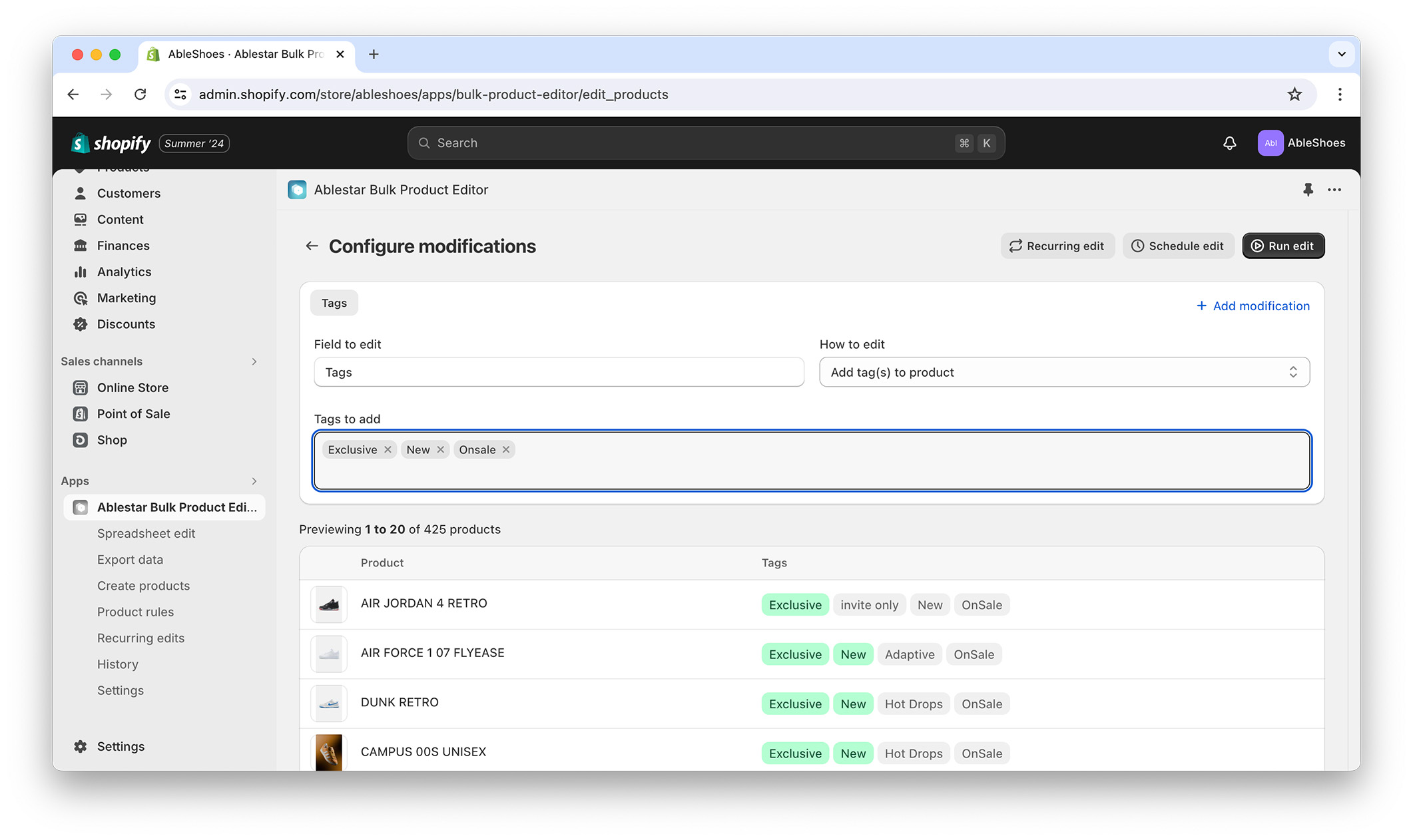
For now, it’s still possible to revert to the old version by navigating to Settings → Integrations and features and disabling the ‘Shopify admin’ integration. However, please note that the old version of the app will not be available long-term and will no longer receive new features or updates.
Read More26 August 2024
Published on 2024-08-26
We’ve added in-app support for bulk editing metafields that are a list of collection references (list.collection_reference metafield type).
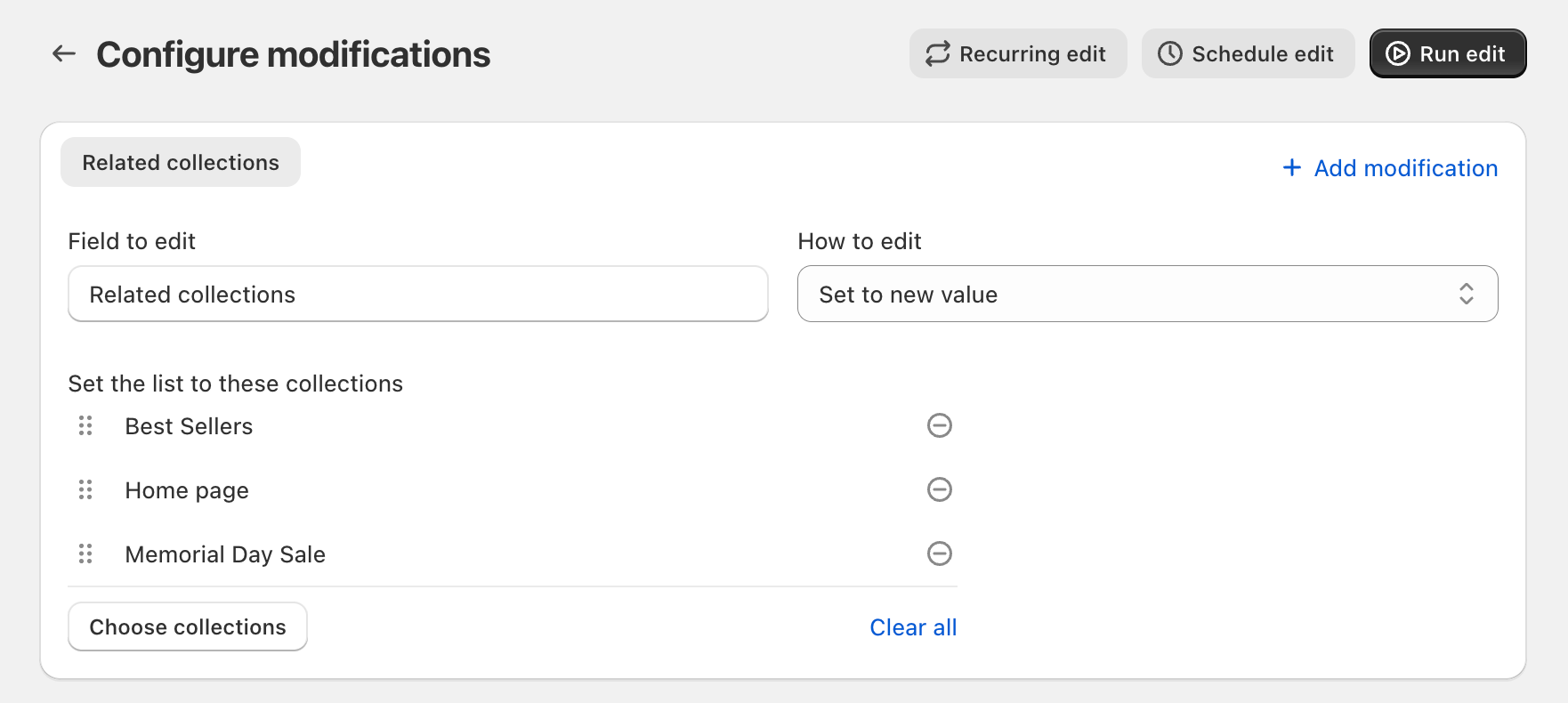
With the in-app edits you can now make the following changes to list of collection references:
- Set the list to a new value
- Add collections to the start/end of the list
- Remove collections to the start/end of the list
- Delete the metafield
Learn more about bulk editing metafields in Shopify.
Read More20 August 2024
Published on 2024-08-20
We’ve updated the interface for scheduling edits to allow you to select the exact minute you want the edit to start. When we moved Ablestar Bulk Product Editor to be embedded in the admin you were only able to schedule edits at the start or half-way through an hour but now you have more control over exactly when to start them.
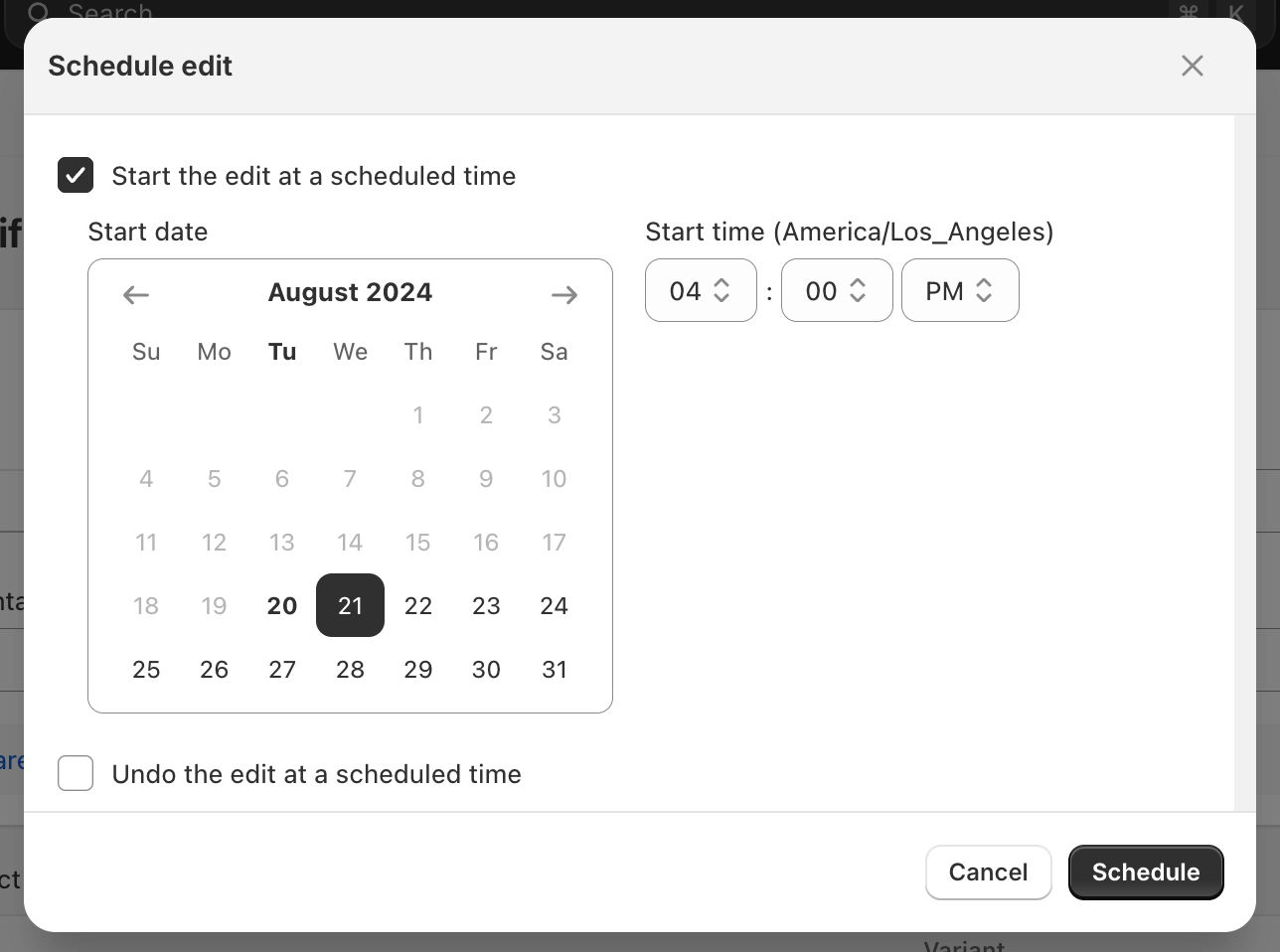
After you’ve scheduled an edit you can now see exactly when it will start or undo by going to the edit detail page and clicking on More actions → View configuration
Read More20 August 2024
Published on 2024-08-20
Based on feedback from Shopify we’ve made two updates to the app’s navigation:
- You’ll now see a homepage with metrics and onboarding information when you first open up the app
- The ‘Product rules’ and ‘Recurring edits’ menu items have been merged under a single ‘Automations’ item
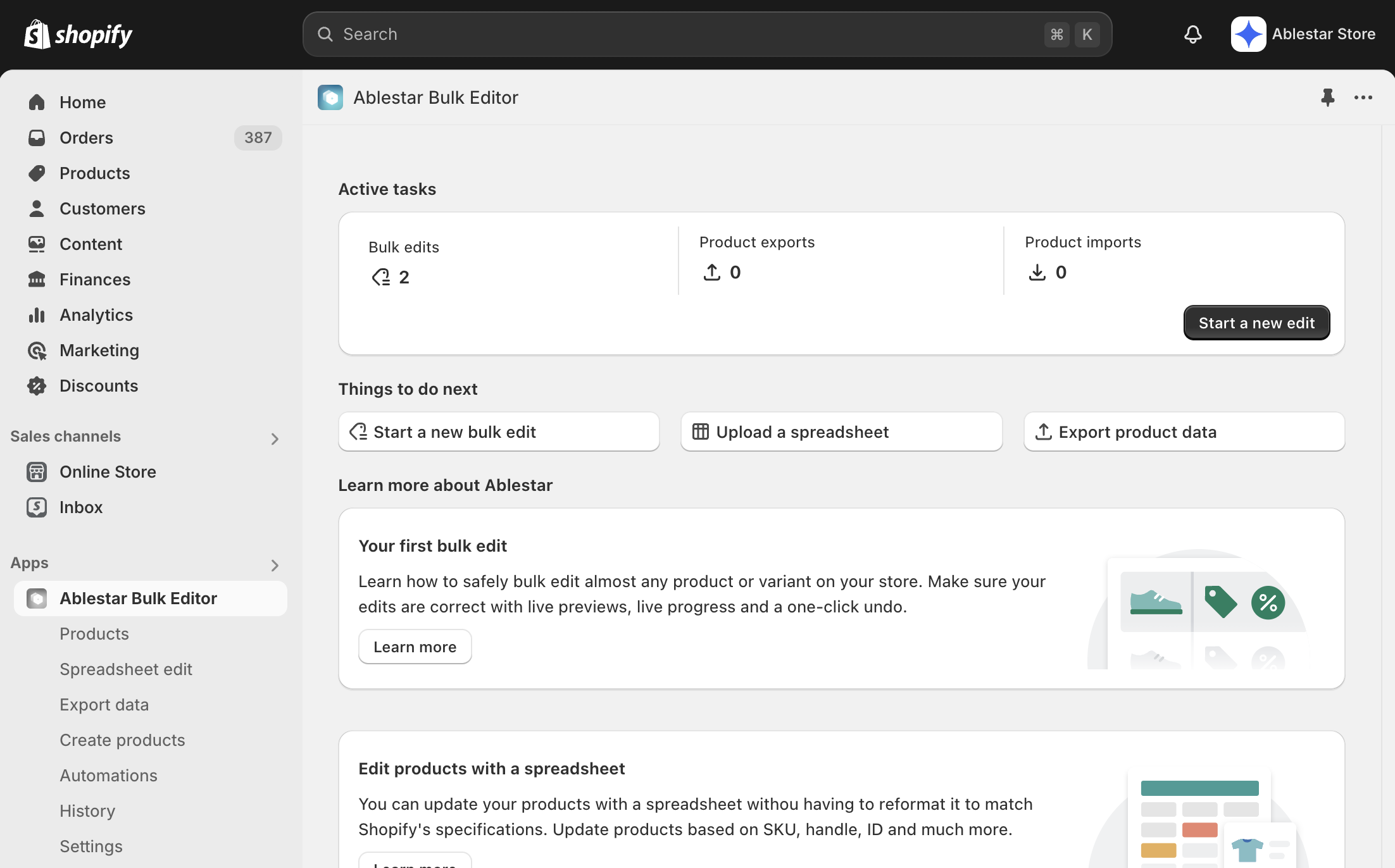
If you’d like to continue to go straight to the Product list page when you open up the you can toggle that feature by:
Read More6 August 2024
Published on 2024-08-06
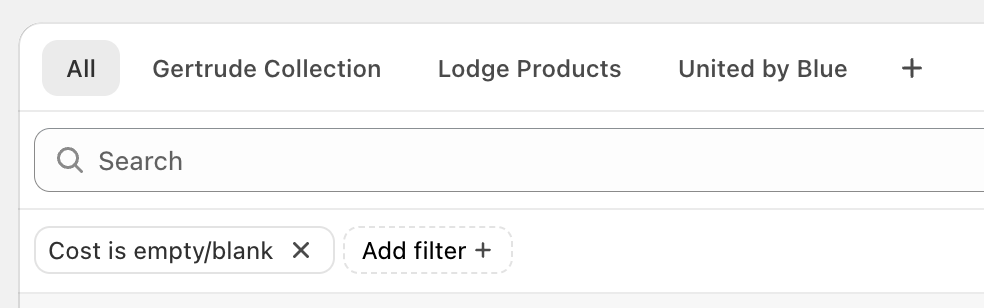
We’ve added an option to the ‘Add filter’ dropdown to make it easier to search for products where the cost field isn’t (or is) set:
See more search tips for Ablestar Bulk Product Editor
26 July 2024
Published on 2024-07-26
Now wildcard redirects will preserve URL query parameters through the redirect. For example, if there’s a wildcard redirect setup for:
/p/* → /products/*
A visitor to the wildcard redirect would be redirected like so:
https://myshopify.com/p/summer-hat?promo_code=SUMMER2024 → https://myshopify.com/products/summer-hat?promo_code=SUMMER2024
Preserving the values in the URL that come after the question mark can help for user attribution or for promotions.
Learn more about wildcard redirects in Shopify.