
24 September 2025
Published on 2025-09-24
You can now use an in-app edit to change Shopify Market prices. With this feature you can set fixed prices and compare-at price for different catalogs and use your own rounding rules.
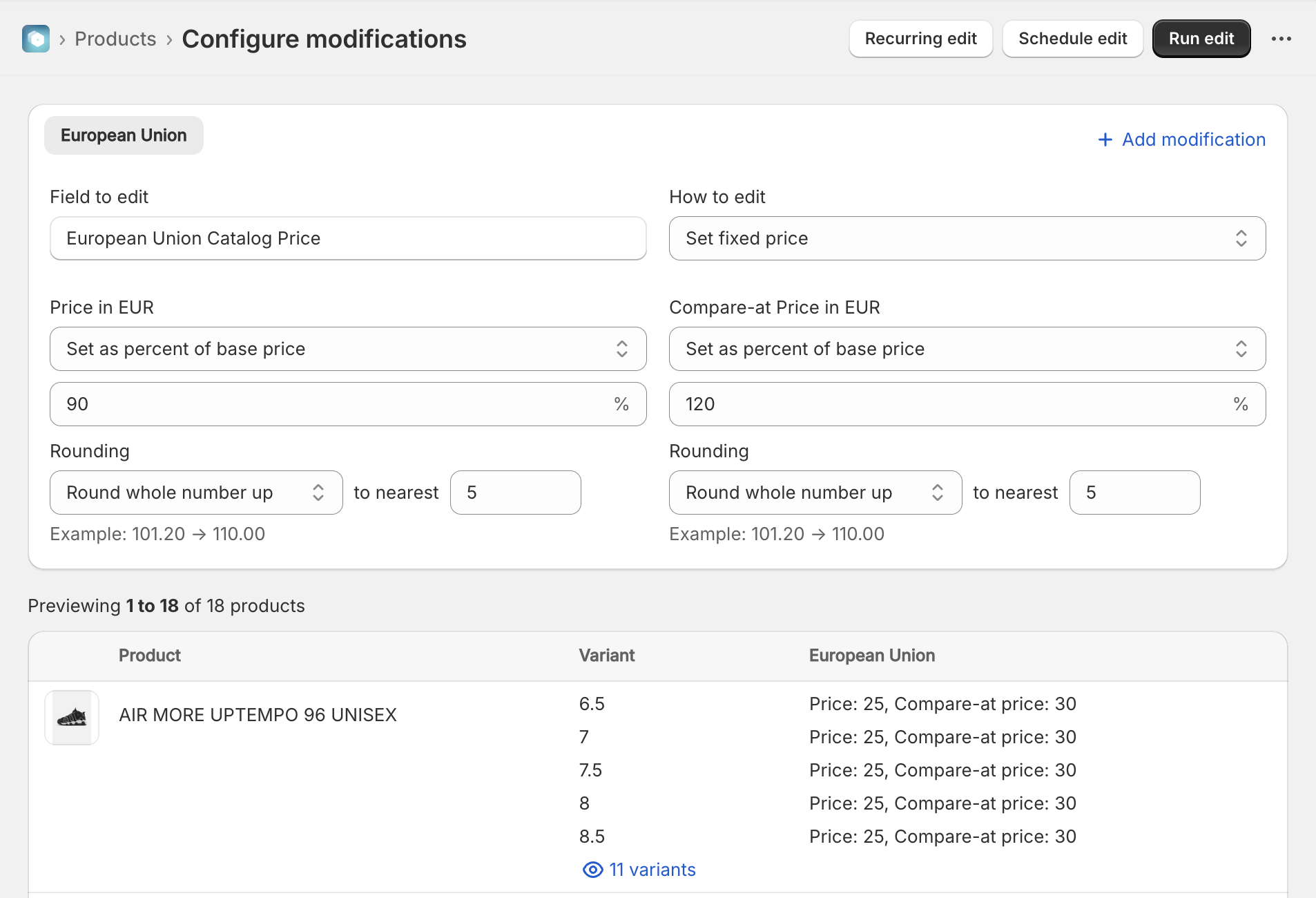
Previously it was only possible to edit these using the spreadsheet edit feature of the app. Now that you can also do this with an in-app edit it should be easier to quickly apply rounding rules to your different markets.
Read More17 September 2025
Published on 2025-09-17
We added a new rounding option labeled “Keep decimals, rounding down”. This will preserve two decimals in the final value, but always by rounding down. For example if the calculated value is 76.275, the usual output would be 76.28 but using this option you will get 76.27 instead. This gives more flexibility to those who need exact control over how the rounding works.
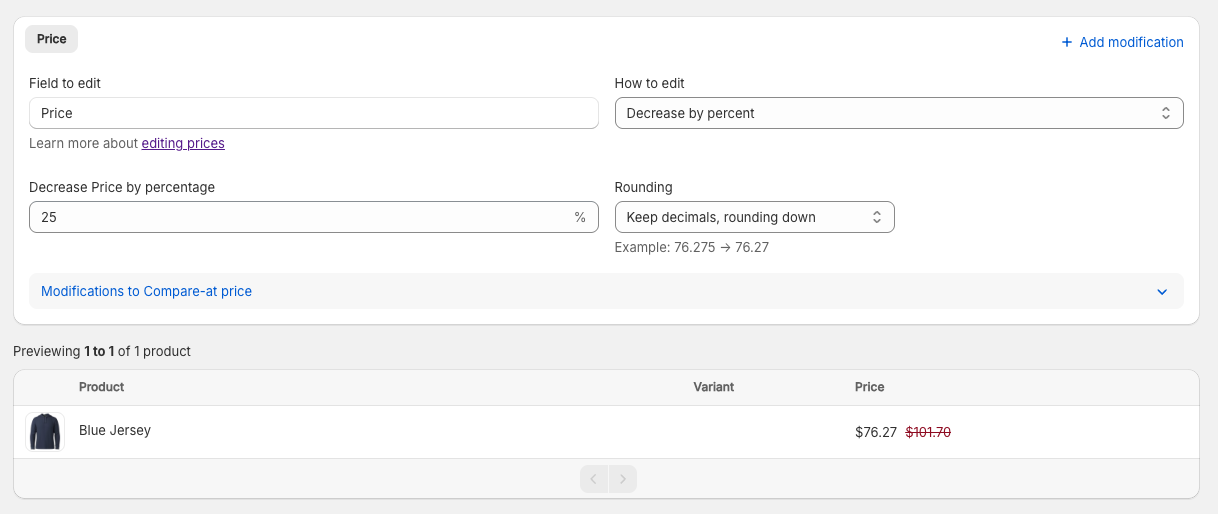
Learn more about rounding prices in Shopify.
Read More16 September 2025
Published on 2025-09-16
We’ve added two links to the product search result page to allow you to quickly view the product’s edit or price history:
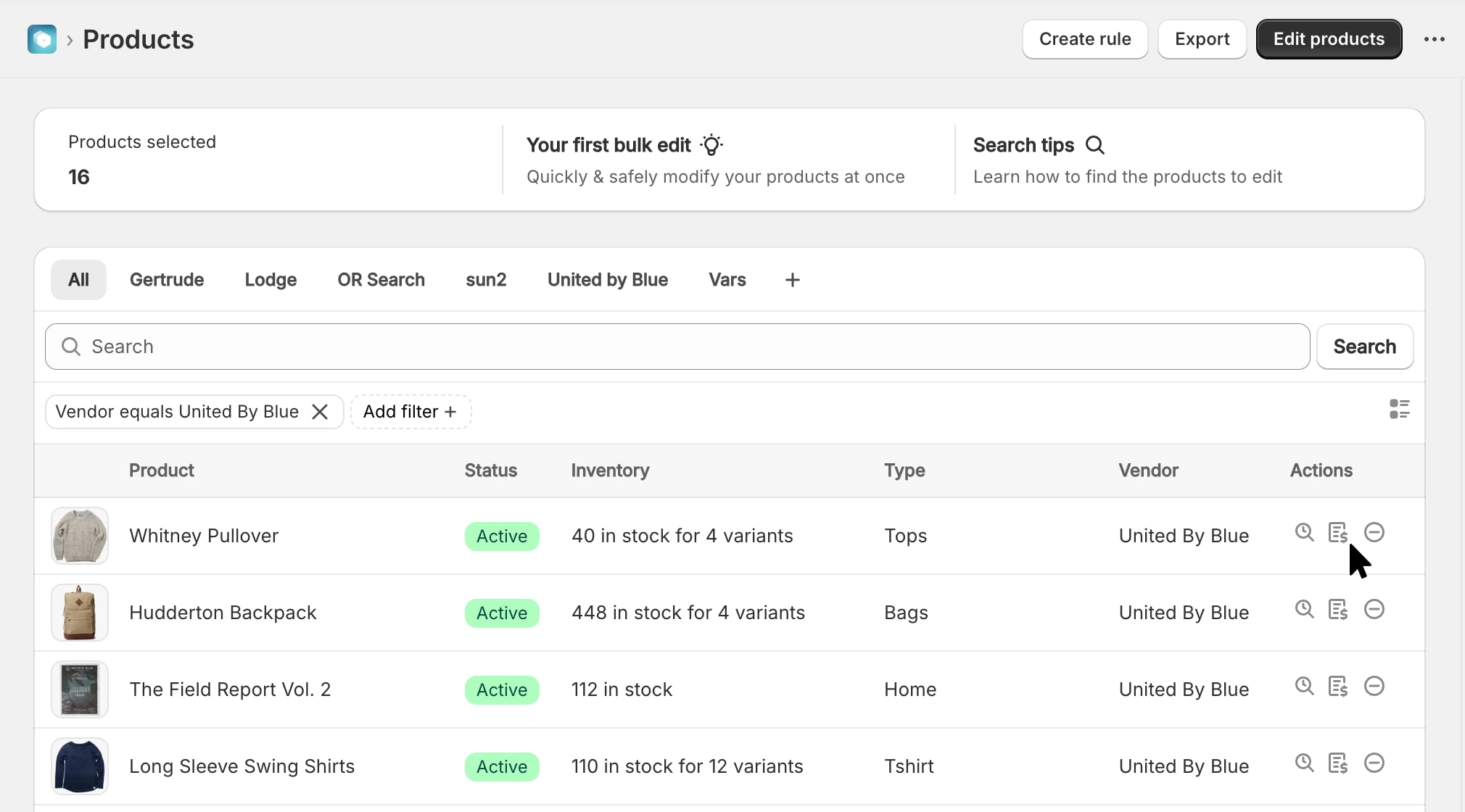
This should make it faster to see all the changes for a particular product while using the app. As a reminder, you can also see the edit history directlyin the Shopify admin by clicking on More actions -> Edit history from a product’s detail page.
15 September 2025
Published on 2025-09-15
We’ve improved the way that edit errors are handled and displayed in the app. Now, they will show up as a bullet list with error codes that link to documentation, if available.
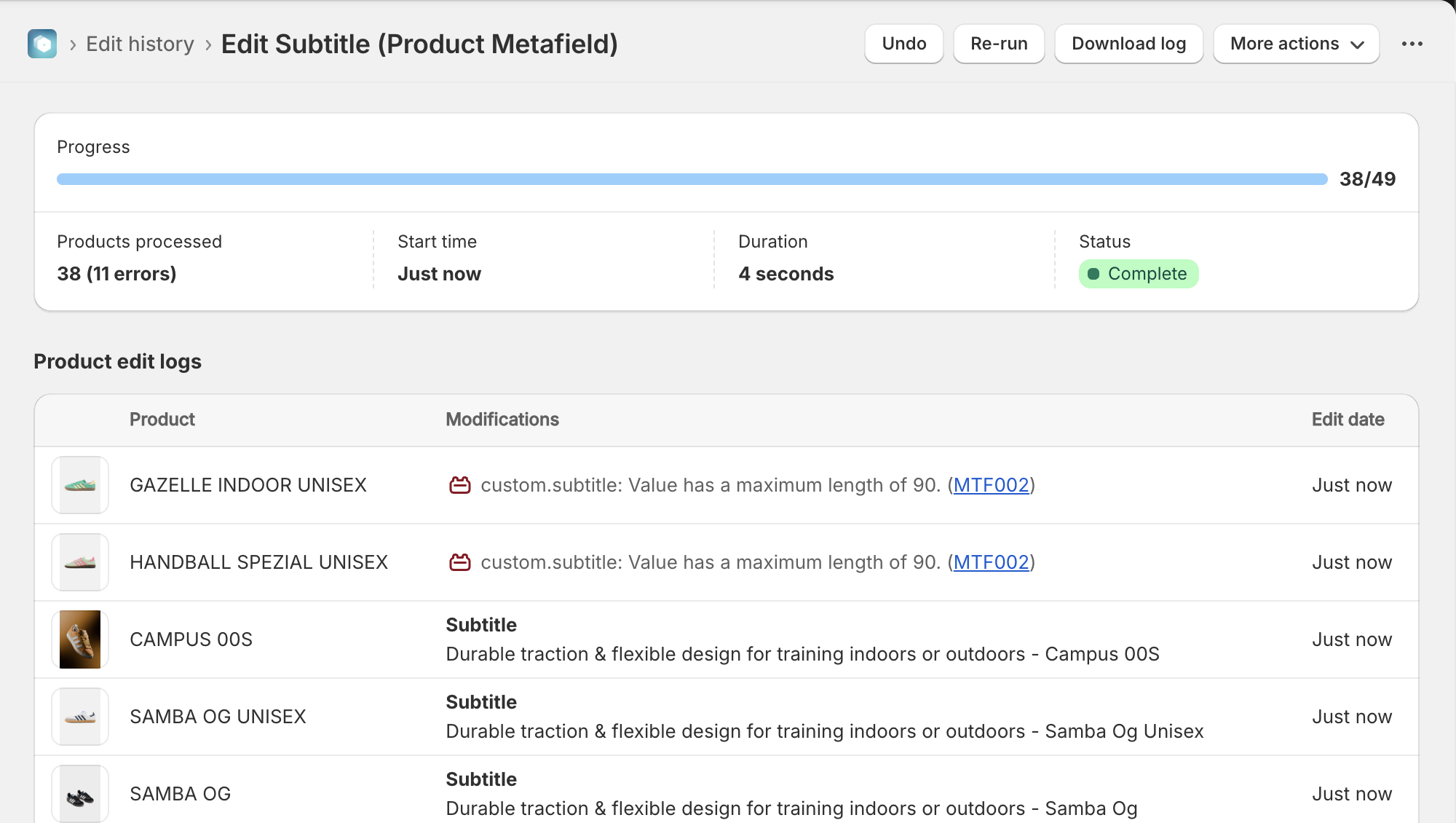
This should make it easier to identify and fix errors, especially related to setting metafields with different types of validations.
View a list of possible error codes in our knowledge base.
12 September 2025
Published on 2025-09-12
In addition to adding an admin block for viewing price history, we’ve also added one to display the edit history for a product.
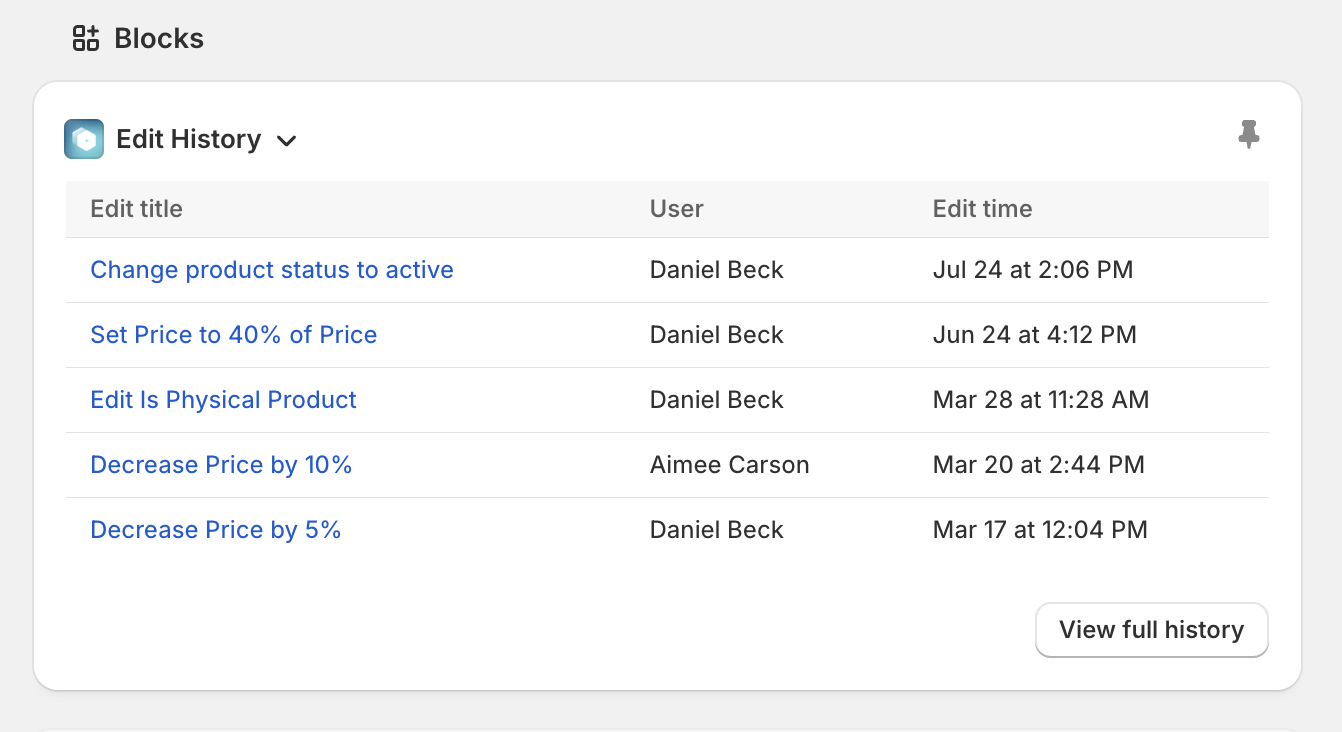
This allows you to see when the product was last modified without leaving your product detail pages in the Shopify admin.
Learn more about in Ablestar Bulk Product Editor.
12 September 2025
Published on 2025-09-12
You can now view a product’s price history directly from the Shopify admin. Just add ‘Price history’ block to your product or variant detail page and it will show up for all users.
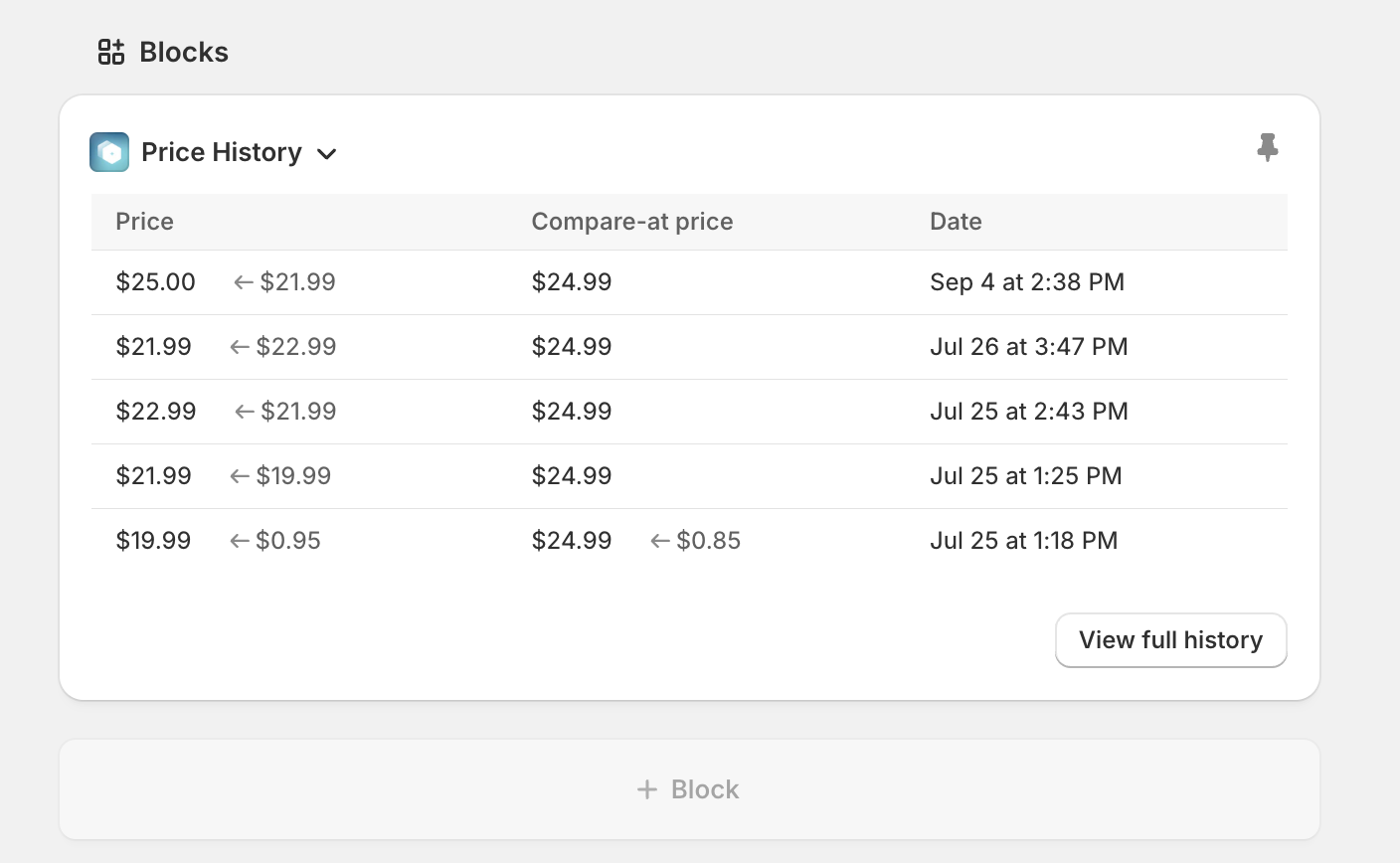
The price history keeps track of all price changes made whether it’s through the app or outside. This helps audit changes and track down problems.
Learn more about viewing price history with Ablestar.
Read More4 September 2025
Published on 2025-09-04
We’ve updated the top navigation in Ablestar Bulk Product Editor to make it match up with the new style in the Shopify Admin. The new navigation bar takes up less space than the old version, giving you more space to work and manage your products.
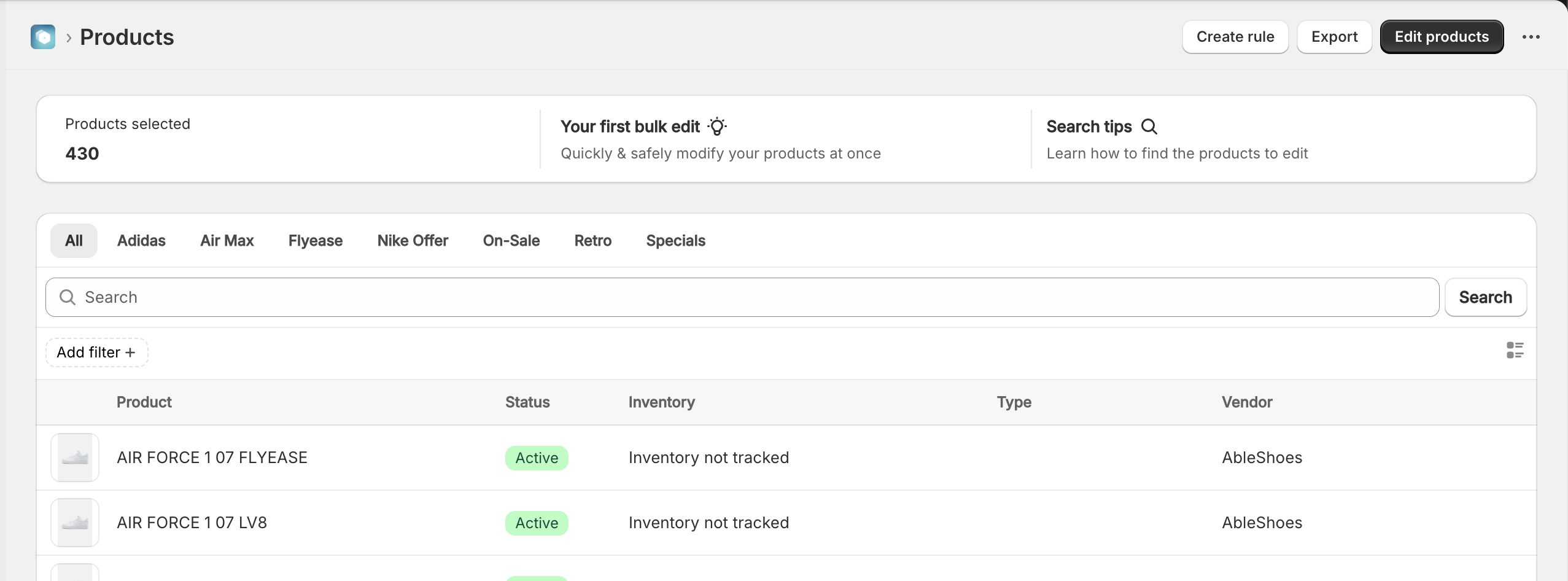
If you run into any issues using the new navigation bar please let us know.
21 July 2025
Published on 2025-07-21
You can add our new app‑embed block in Shopify Admin to display a dedicated card on each product or variant detail page. The card lets you set market‑specific prices and compare‑at prices right where you already manage the product, eliminating extra navigation and speeding up price adjustments.
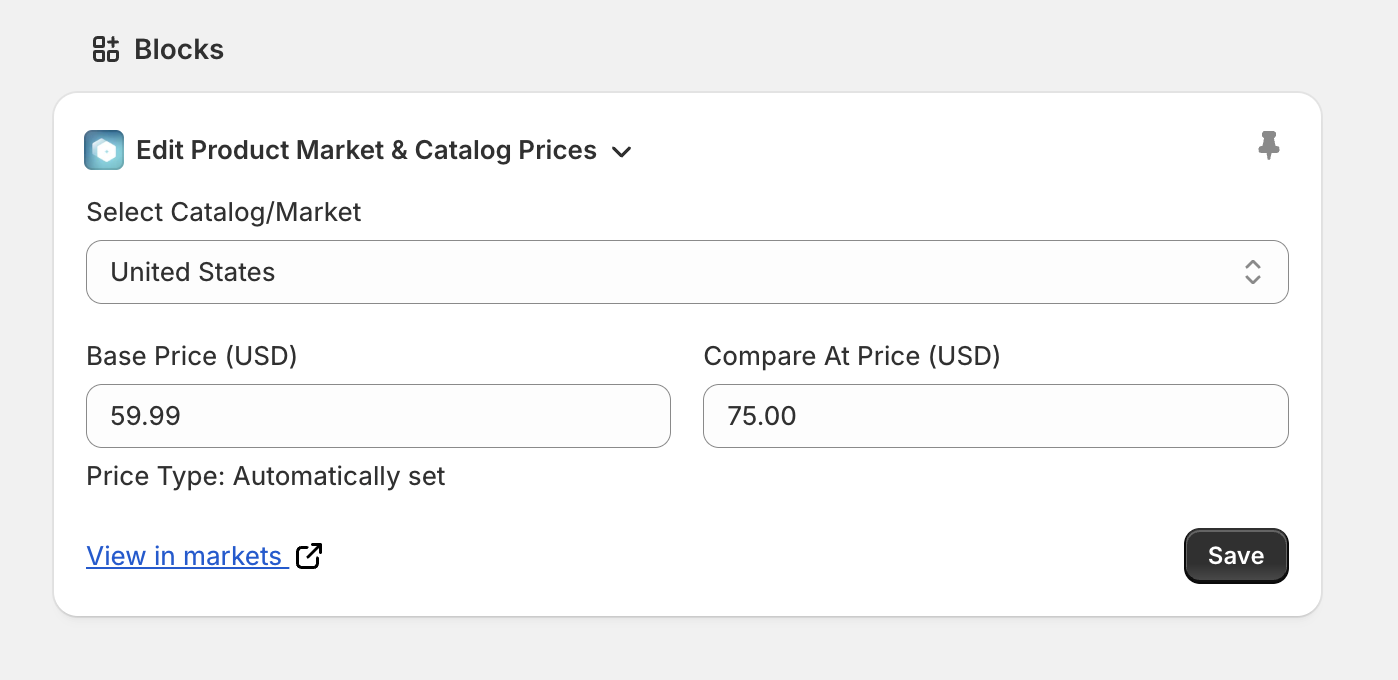
The embed is great for quick spot‑checks: it surfaces both the active and compare‑at prices for every market (information the standard Shopify Markets view doesn’t show) and still offers a one‑click link to open the product in Markets Admin when you need more details.
Read More21 July 2025
Published on 2025-07-21
Ablestar Bulk Product Editor now handles massive edits - those touching a million or more products - with dramatically lower memory consumption. The new engine allocates resources on demand and releases them sooner, keeping even the biggest jobs steady and predictable.
Because each large edit now occupies a smaller footprint, overall system load drops too. That means your own edits are far less likely to be slowed down by another store’s heavy task, giving everyone faster edits and greater reliability.
Read More21 July 2025
Published on 2025-07-21
Effective today, product import logs are automatically purged once they outlive your plan’s edit‑retention window, bringing imports into line with the existing policy for bulk edits and ensuring a consistent, predictable data‑lifecycle across the Ablestar Bulk Product Editor.
We still preserve lightweight metadata for imports beyond that window; if you ever need details from an older import, just contact support and we’ll retrieve whatever is still available.
17 July 2025
Published on 2025-07-17
You can now bulk edit the search engine visibility for products in Ablestar. Using the seo.hidden metafield you can quickly hide a set of products from search engines:
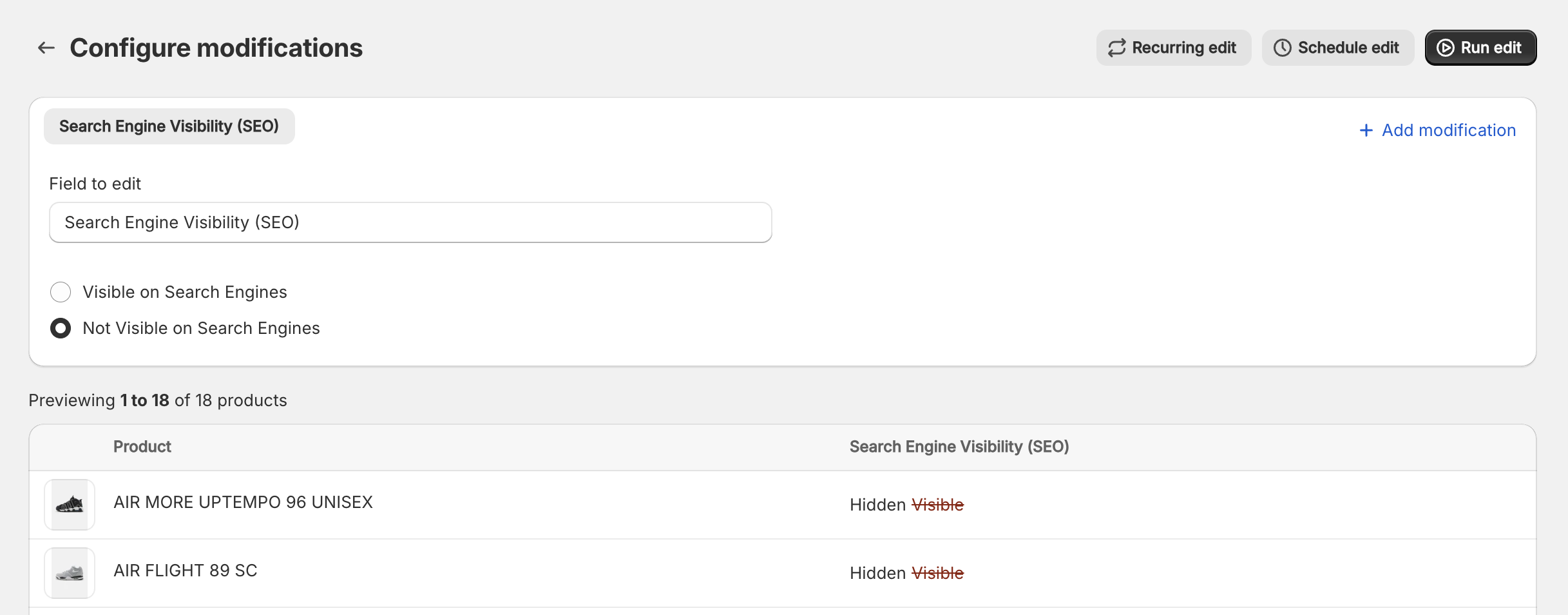
We’ve also added this field to the search filters so you can easily see if products are already being excluded from search engines.
Learn more about hidding products from search engines
23 June 2025
Published on 2025-06-23
In spreadsheet edits the first column is used to identify the product that will be updated. When you upload a file, the app attempts to automatically detect this column for you. For example, if the data appears to be barcodes, it will set the ‘Search by’ field to ‘Barcodes’ for you.
We’ve improved the automatic detection to support situations where the first column is the start of a SKU. Now, if the first column contains the start of a SKU, but doesn’t match entire SKUs, the ‘Search by’ field will automatically be set to ‘SKU starts with’:
Read More12 June 2025
Published on 2025-06-12
It’s now easier to control inventory when you run a spreadsheet edit in Ablestar Bulk Product Editor. When you set up a spreadsheet you’ll see two groups of inventory fields:
- Set quantity - replaces the product’s inventory with the value in your spreadsheet.
- Add quantity – adds (or subtracts) the spreadsheet value from the current inventory.
Need only one of those options? You can hide ‘Add quantity’ group under Settings → Integrations & Features.
Read More5 June 2025
Published on 2025-06-05
We’ve added support for bulk editing unit prices. Now you can bulk edit this field with either an in-app edit or via spreadsheet. Unit pricing is a feature that currently only appears in European stores but it should be available to all stores this summer.
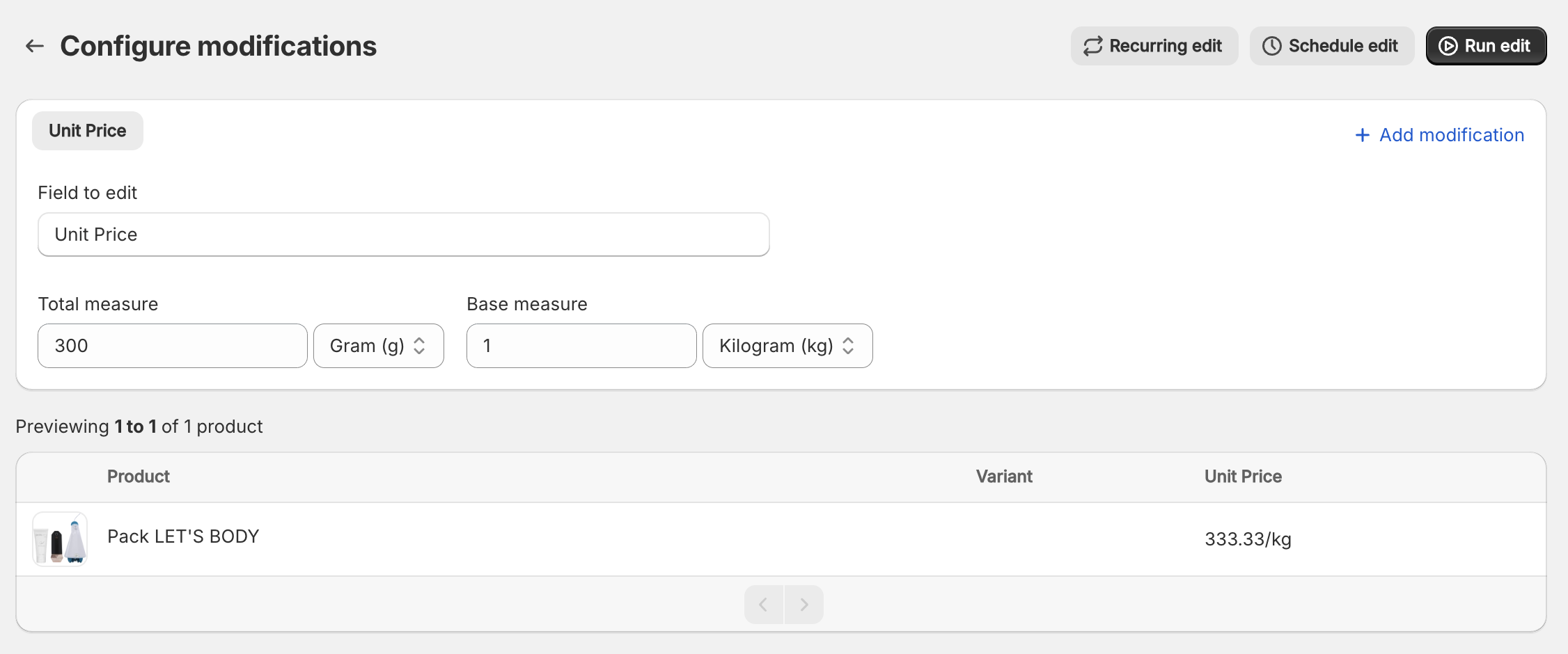
When editing unit prices with a spreadsheet you will need to include a JSON-formatted value that looks like this:
{"quantityUnit": "G", "quantityValue": 200.0, "referenceUnit": "KG", "referenceValue": 1}
5 June 2025
Published on 2025-06-05
You can now change the order of your product options with a bulk edit. For example, if your products have two options, Size and Color, you can now switch them so that Color is the first option. This can be helpful if you want to change the order in which customers see the options on your storefront.
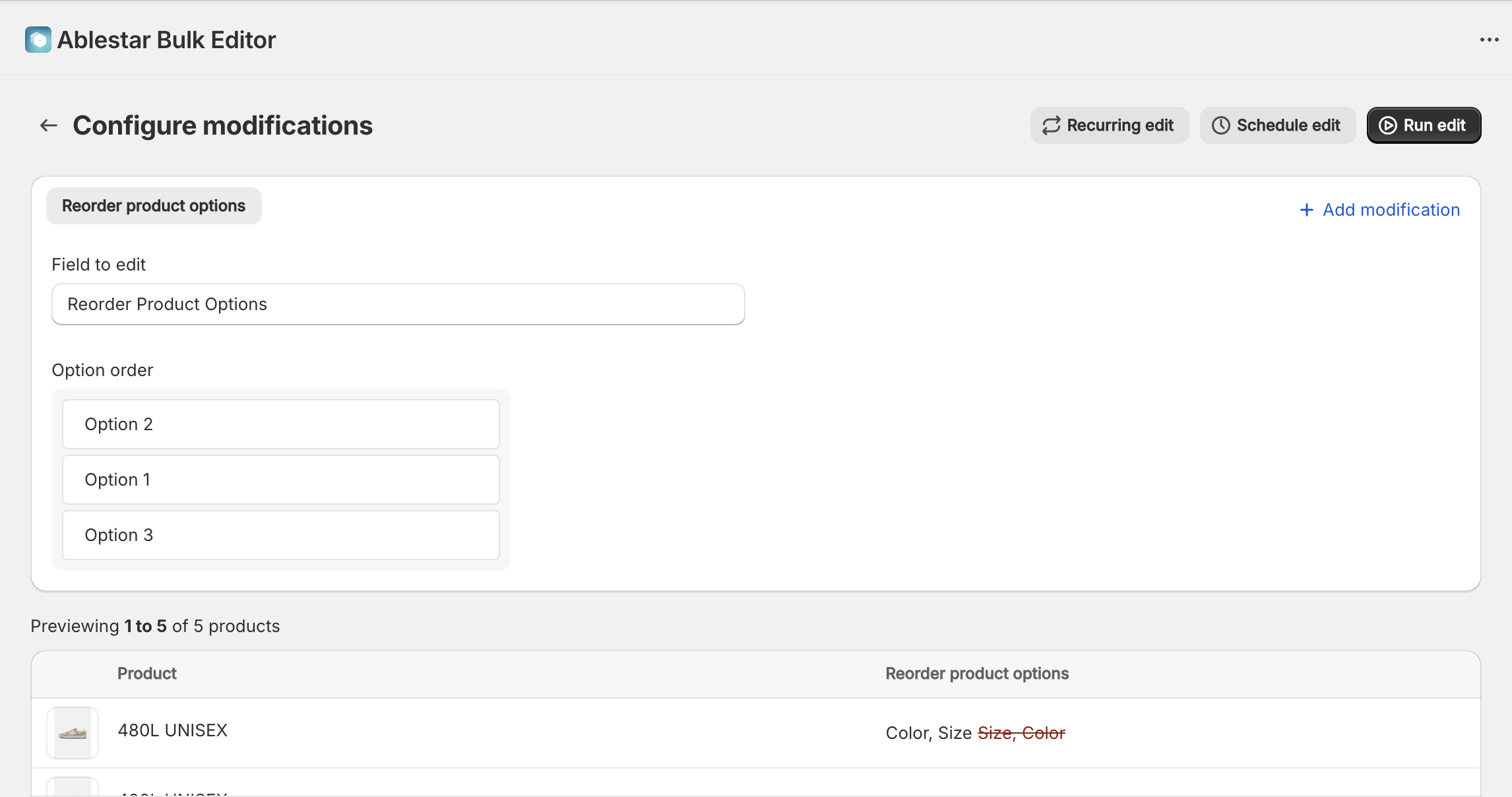
To bulk edit the option order, we recommend doing a search for the value of the first option’s name. In the example above, we would do a search for ‘Option 1 Name = Size’ and then reorder the options for the matching products. This ensures that we’re only switching the order of the options for the products that have that option first.
Read More5 June 2025
Published on 2025-06-05
You can now export media IDs for your products by selecting the Image IDs field when configuring your export:
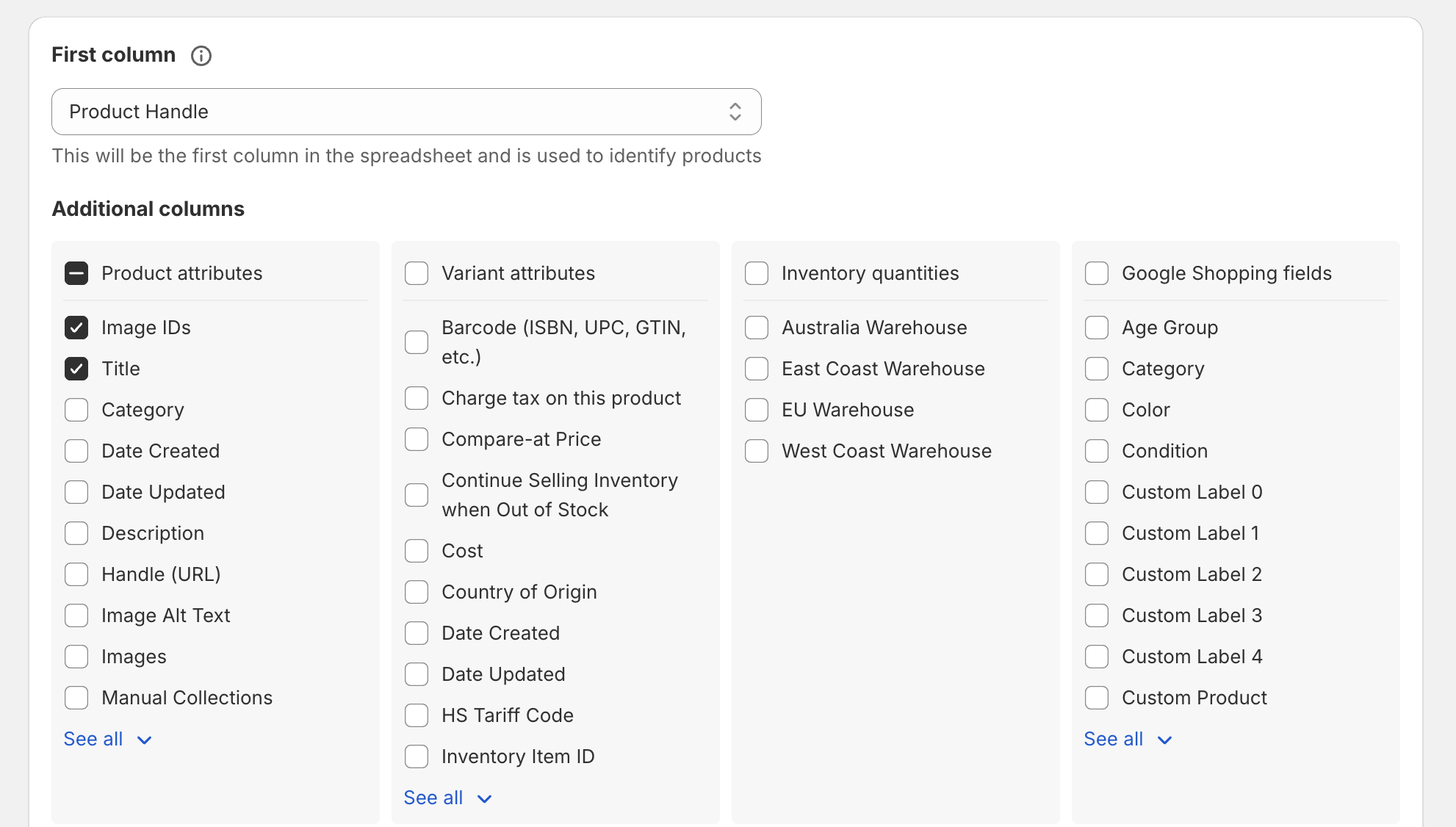
The media IDs are formatted like gid://shopify/MediaImage/34407958315233 and can be used in file reference metafields. The media IDs include images, videos and 3d models.
Learn more about exporting products from Shopify
27 May 2025
Published on 2025-05-27
We’ve updated the product import section of the app to add support for the following fields:
- Image Alt Texts
- SEO Meta Title
- SEO Meta Description
- Standard Product Category
Learn more about creating products in Shopify.
19 May 2025
Published on 2025-05-19
We’ve added the following fields to the product export page:
- Product Date Updated
- Variant Date Created
- Variant Date Updated
We already had the product’s ‘Date Updated’ field available but these additional fields should make it easier to identify exactly when variants were changed. When using the ‘updated date’ please keep in mind that inventory updates will also change this field. This means that if a product gets sold and the inventory decreases, the updated field will be changed.
Read More15 May 2025
Published on 2025-05-15
You can now save and reuse product import configurations in Ablestar Bulk Product Editor. The app would already remember previous mappings but explictly defining different presets should make it easier to import products from multiple suppliers.
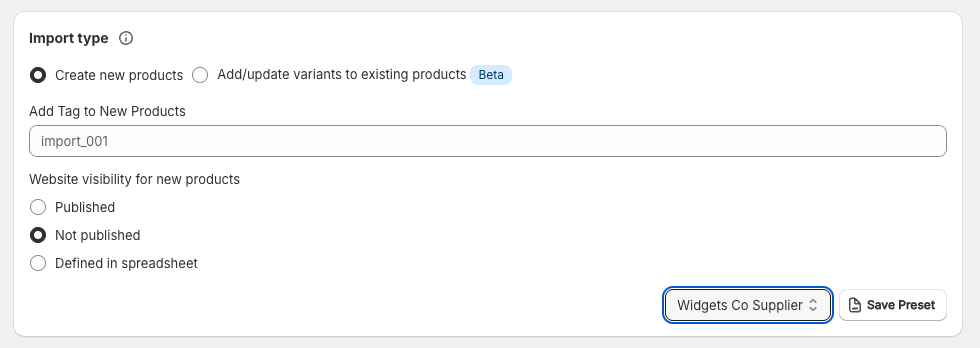
You can save a new preset either on the page where you map the fields or on the page where you view the status of an import. Import configurations can also be renamed or deleted in the settings section of the app.
Read More15 May 2025
Published on 2025-05-15
We’ve made performance improvements that should significantly speed up edit where you’re editing the published state across multiple sales channels or markets. Previously the app would publish (or unpublish) to each channel one-at-a-time but now it will do it all at once.
Learn more about publishing to sales channels.