
19 March 2025
Published on 2025-03-19
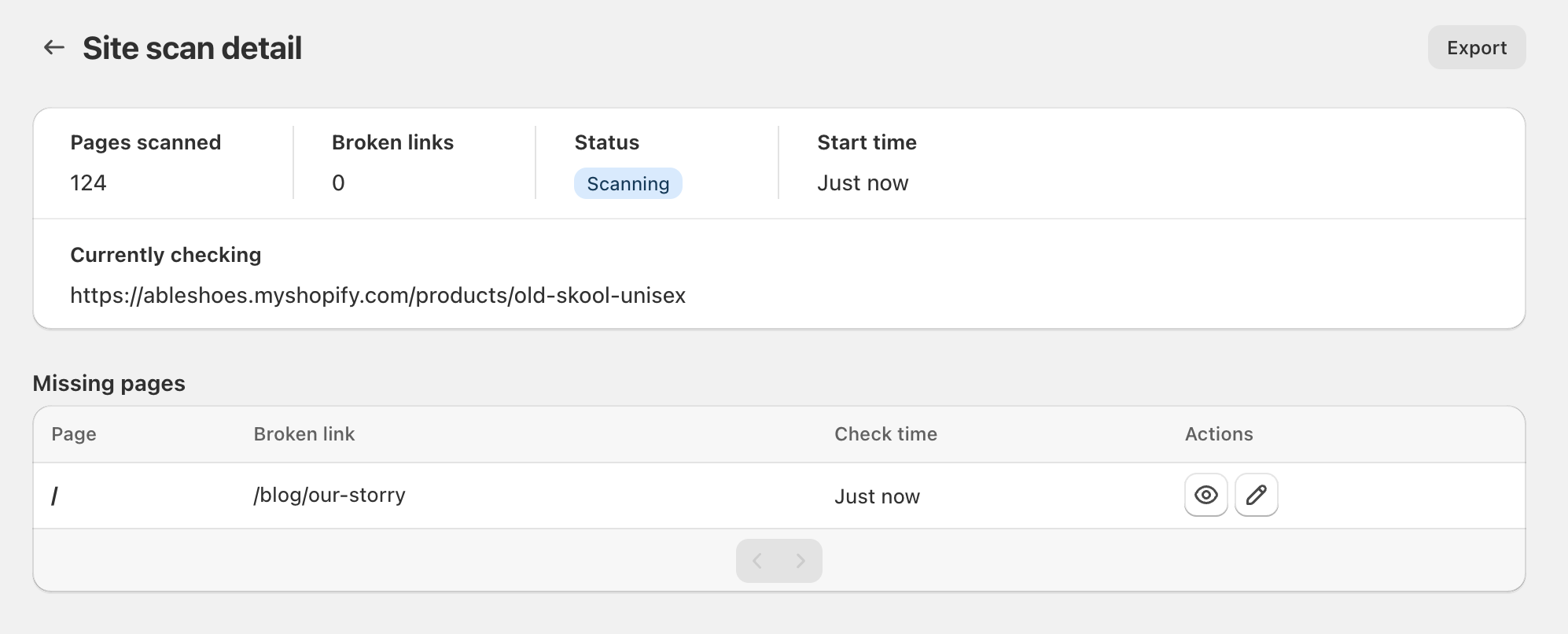
We’ve made improvements to the page that shows you the status of a site scan for broken links. Now, while the scan is running, you are able to see the current page being scanned and any broken links found so far. No more waiting for the scan to complete.
Learn more about scanning your Shopify store for broken links.
17 March 2025
Published on 2025-03-17
It’s now possible to change the time of a scheduled edit without having to clone the edit first. You can modify the start time of a scheduled edit anytime until it starts. After an edit runs you can still schedule an undo, even if you didn’t schedule one when creating the edit.
To edit the start or undo time go to the edit’s detail page and either:
- Click on the pencil icon next to the scheduled time
- Select ‘More actions → Edit schedule’ from the top menu
This should make the process of managing sales easier and remove the need to clone edits when you want to modify an edit’s schedule.
Read More14 March 2025
Published on 2025-03-14
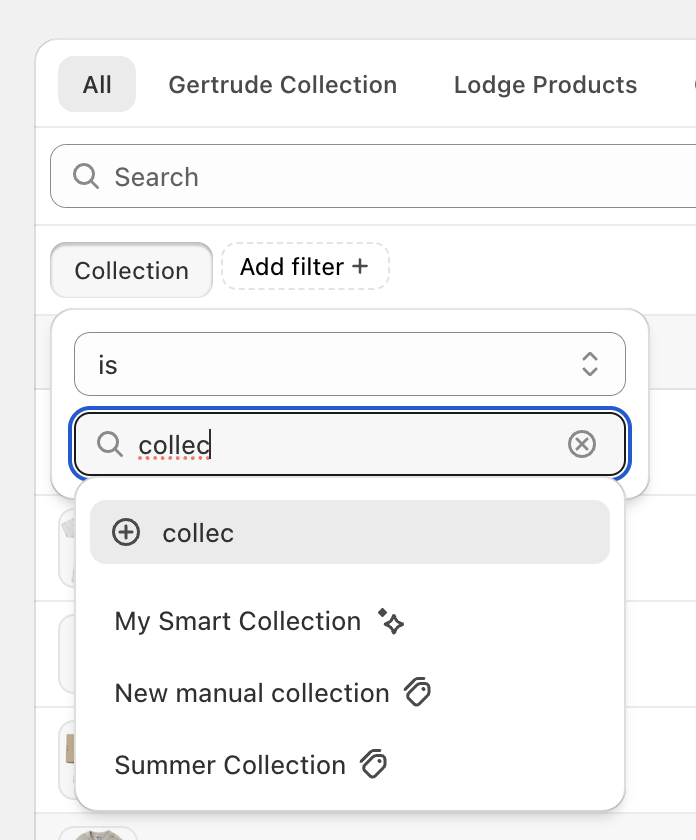
We’ve improved the collection search for products in Ablestar Bulk Product Editor. Now collections are matched by ID and include an icon next to them to identify if they are a smart collection (star icon) or a manual collection (tag icon). This should make it more easy to distinguish between collections with similar names.
Learn more about searching for products to bulk edit.
Published on 2025-03-06
On March 8, starting at 05:30 UTC, we will be performing database maintenance which will result in the Shopify apps being briefly unavailable. Scheduled tasks will run automatically once the maintenance completes but bulk edits running during that time may be interrupted and need to be restarted. We are trying our best to schedule the maintenance during periods of low usage, if you have any questions please reach out.
3 March 2025
Published on 2025-03-03
The next time you log into Ablestar WooCommerce Importer you may notice that Shopify prompts you to accept updated permissions for the app. These updates are necessary in order for the app to stay compatible with the latest versions of the Shopify API. Specifically, the permissions allow the app to continue to see the locations on your store and to publish uploaded products to your online store (if the products are active).
Read More14 February 2025
Published on 2025-02-14
We’ve upgraded the Shopify APIs that are used to bulk edit product categories. For the most part these changes should be transparent however there are a few things to note:
- The ‘Product category’ field is now renamed to ‘Category’ to stay consistent with how Shopify calls it
- Recurring edits, code snippets, and product rules that are configured to use the old category IDs should continue to work
- Code snippets now have access to a
taxonomy_categoryfield where you can see the category in Shopify’s product taxonomy format.
Learn more about editing product categories.
Read More13 February 2025
Published on 2025-02-13
We’ve made a large update to how we handle product images across our apps. While you shouldn’t notice any immediate changes, this paves the way for supporting additional types of product media like external videos and 3d models. If you do encounter any issues product images not updating in our apps please let us know and we’ll get them fixed right away.
If you are using Ablestar Bulk Product Editor you may need to update the app’s permissions for edits to work. You can do this by going to the Settings section of the app. If you see a yellow banner prompting you to update the permissions follow those steps.
Read More6 February 2025
Published on 2025-02-06
We’ve made two improvements to importing products with Ablestar Bulk Product Editor:
- When you configure the fields to map into Shopify we now display the column letter on the left. This can help when mapping files with a large amount of columns
- When the app encounters an error creating a product on Shopify (for example if you’re trying to set a numeric metafield to a value like “shoes”) the app will display that error message immediately and the row number from your file.
Together these should make it easier to configure and import product data. Learn more about creating products in Shopify.
Read More5 February 2025
Published on 2025-02-05
Because of changes to Shopify’s API, it is no longer possible to directly edit the Fulfillment Service field for product variants. Originally, variants could only be stocked with a single fulfillment service, and you could bulk edit that field through the app.
With changes starting in 2022, variants can now be stocked at multiple fulfillment services. As a result, the upcoming version of the Shopify API has removed the ability to modify the Fulfillment Service field.
Read More28 January 2025
Published on 2025-01-28
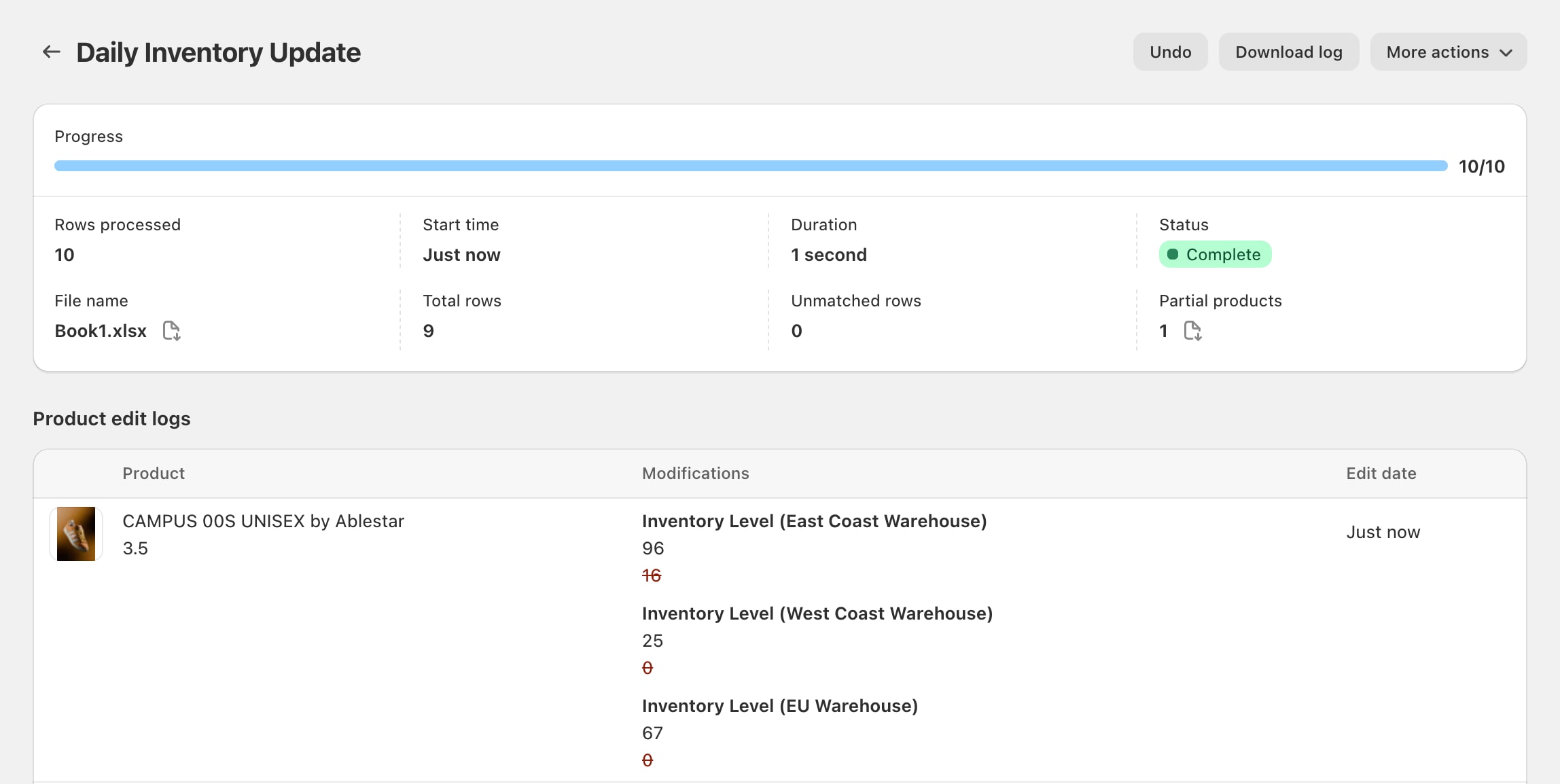
We’ve improved the edit logs when running an inventory level edit. Now, the location of the inventory will be shown to the right of the ‘Inventory Level’ label. This will make it easier to see what data has been changed, especially if the edit is updating multiple inventory levels at once.
Learn more about editing inventory levels.
28 January 2025
Published on 2025-01-28
We’ve added a ‘Download log’ button on the price history page which allows you to download a CSV file of the product’s price history:
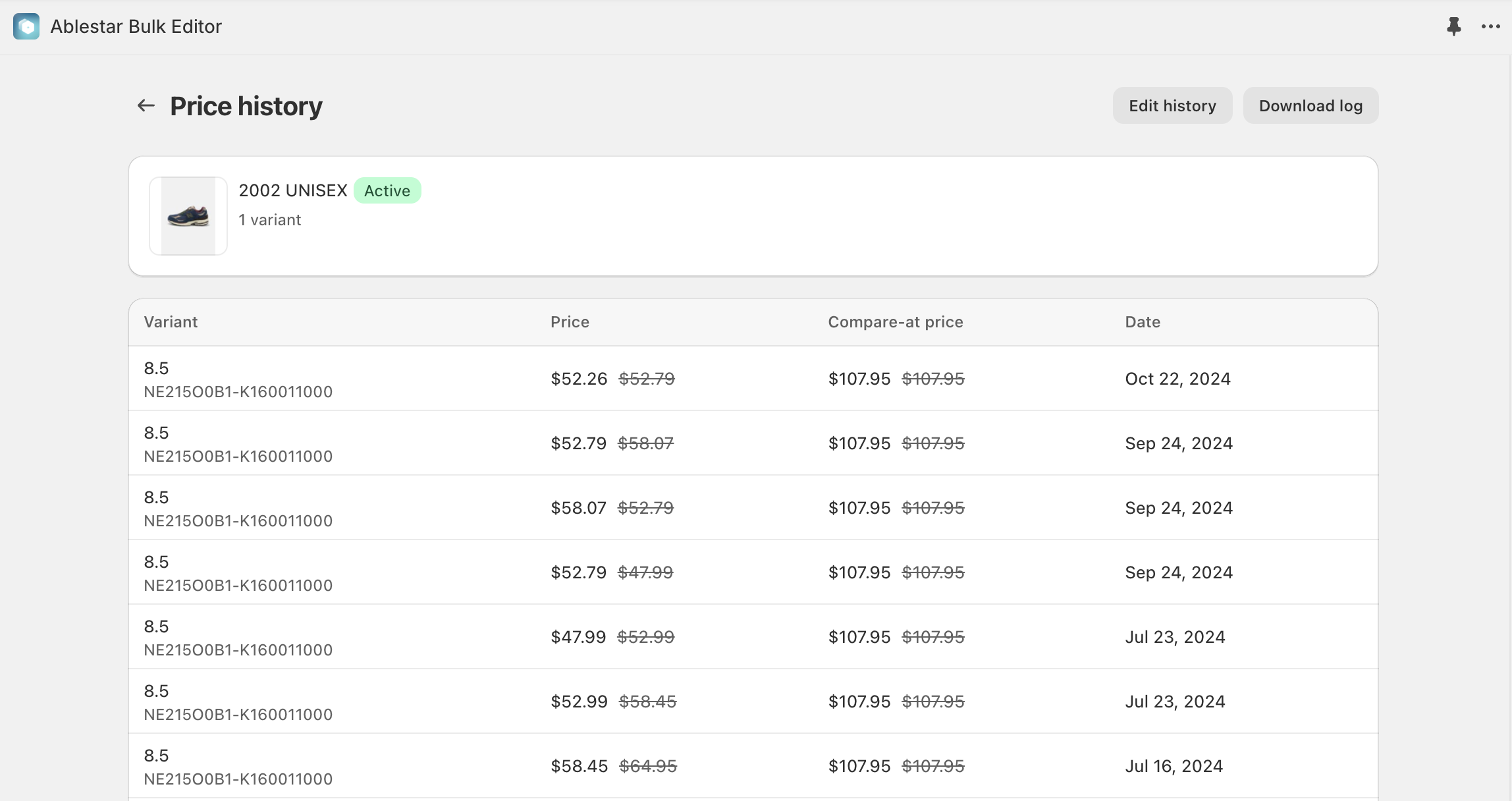
As a reminder, the price history page will show you all price changes that have occured while the app is active, not just changes that occured in the app. You can access the price history page by:
- Navigating to the product or variant in the Shopify admin
- Clicking on the More actions button at the top of the page and selecting Price history
Learn more about viewing a product’s price history in Shopify.
Read More24 January 2025
Published on 2025-01-24
You can use product rules to automatically enforce actions on your products—such as archiving any items that are out of stock. However, because of this flexibility, it’s also possible to create rules that loop, continuously toggling a product between two states. To prevent these loops, Ablestar Bulk Product Editor automatically pauses any rule that runs too frequently on a single product.
We’ve made it easier to identify which product triggered a pause. When you view the details of a product rule, you’ll see a link to the affected product and its edit logs. Reviewing these logs can help you determine what caused the product to be edited too many times.
Read More23 January 2025
Published on 2025-01-23
We’ve updated Ablestar Bulk Product Editor to make it easier to bulk edit an arbitrary list of products. Now, if you select Specific products under the ‘+ Add filter’ dropdown, you’ll see a popup window where you can quickly select multiple products by title:
This should speed up the process to select specific products when they aren't easily identifiable by other fields.Learn more about searching for products to bulk edit.
Read More23 January 2025
Published on 2025-01-23
When you run a spreadsheet edit in Ablestar Bulk Product Editor you have the option to limit the spreadsheet to a specific vendor. When you select the vendor the app will analyze the file to see how many products match each row.
Previously, this analysis could take several minutes, especially on stores with a large amount of products. We’ve made some changes that should significantly improve the speed of this analysis, allowing you to set up your edits even faster.
Read More14 January 2025
Published on 2025-01-14
We will be sunsetting our Ablestar Automatic Order Tags app on February 13, 2025.
When we launched the app in 2021 we felt there was significant room to improve order tagging automation. However, since then Shopify has invested significantly in Shopify Flow and made it available for all Shopify stores. Much of the functionality provided by our app is now available in Shopify Flow for free and we think this is a better solution for store automation.
Read More9 January 2025
Published on 2025-01-09
You can now connect products to multiple locations in a single modification. Previously, if you wanted to connect products to multiple locations in a single edit you would have had to click on ‘+ Add modification’ to include each new location. Now you can do this simply by selecting mutliple locations from the dropdown. The same process applies for disconnecting inventory from locations.
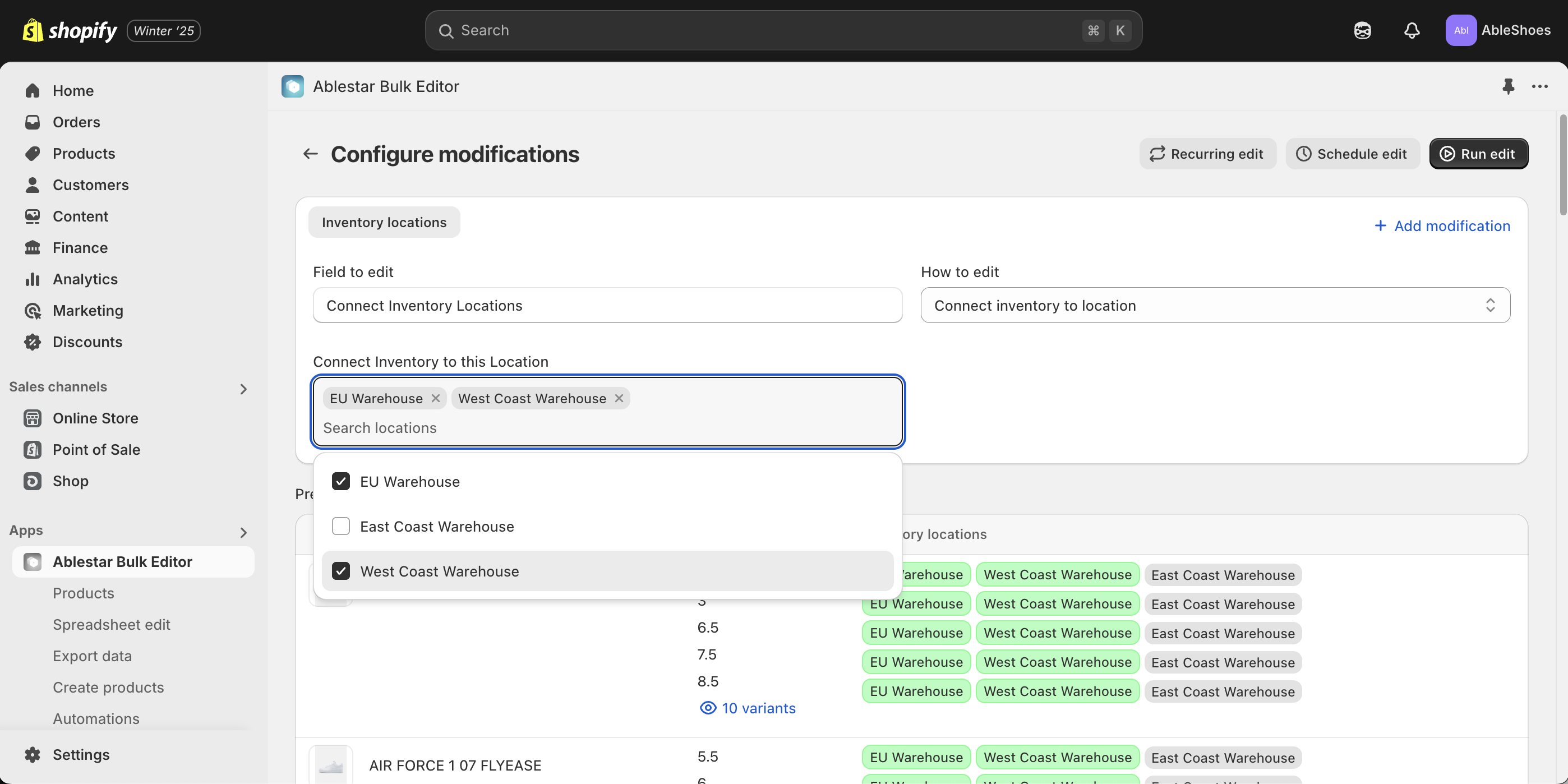
Learn more about connecting inventory to locations in Shopify.
Read More7 January 2025
Published on 2025-01-07
We’re very happy to announce that now the Ablestar WooCommerce Importer is now ‘Built for Shopify’. According to Shopify, the “Built for Shopify status is the highest level of recognition and achievement that an app can reach” and requires the app to meet specific design and performance standards. With this milestone you can be sure that the app has very low impact on your store’s speed and will function well within the Shopify admin.
Read More30 December 2024
Published on 2024-12-30
We’re happy to share the Ablestar Email Reports is now embedded within the Shopify admin. As with our Bulk Product Editor, Link Manager, and WooCommerce Importer apps, this app is now fully integrated into the Shopify admin and does not need to open in a separate tab.
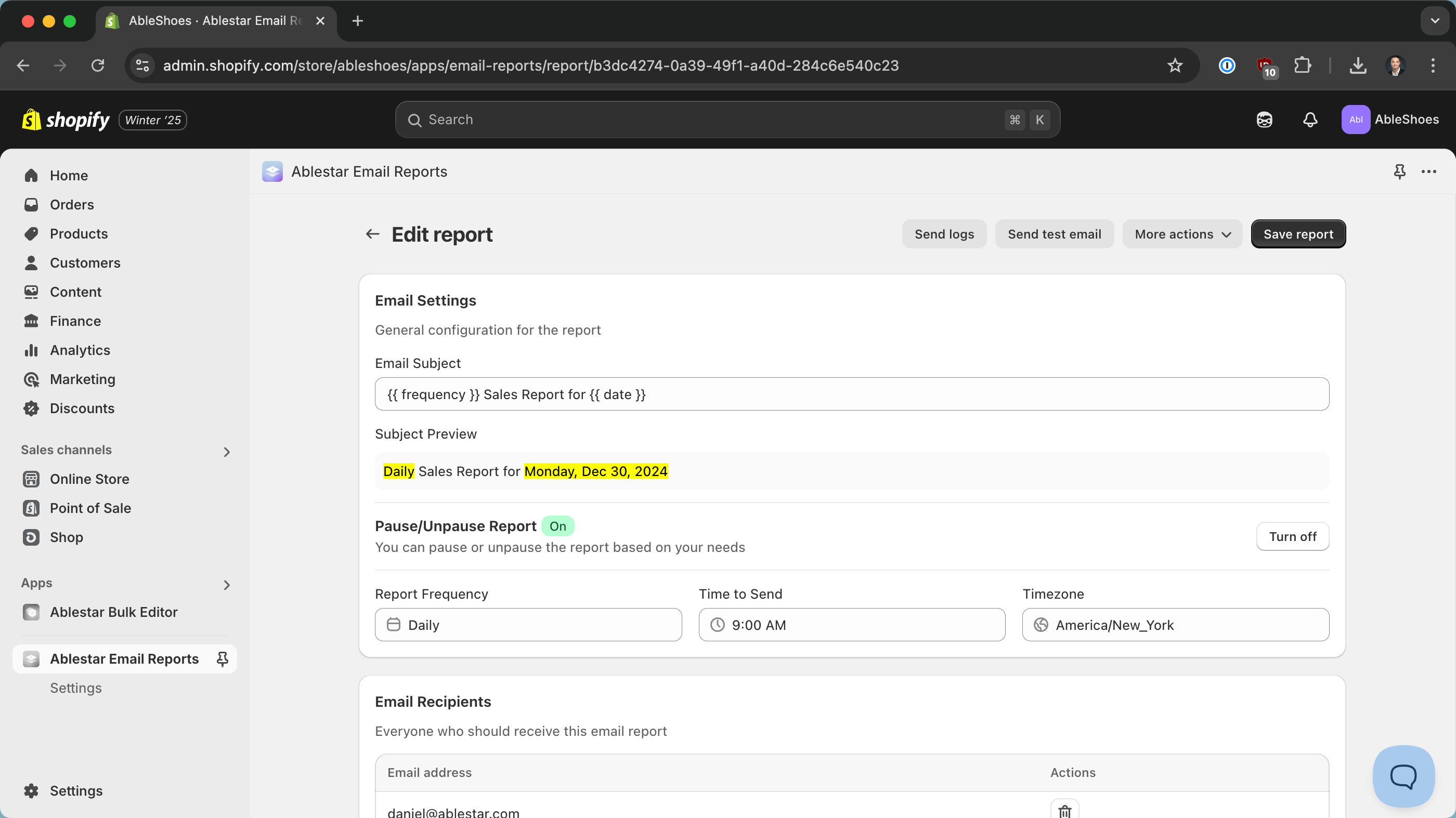
We’ve done our best to keep the experience consistent between the old and new versions of the app but please let us know if you run into any issues.
Read More22 November 2024
Published on 2024-11-22
We’ve improve the ‘Configure modifications’ page to make it easier to configure edits with just the keyboard. Now, the app will switch the highlight to the next field automatically and we’ve also improved the order of tabbing between elements.
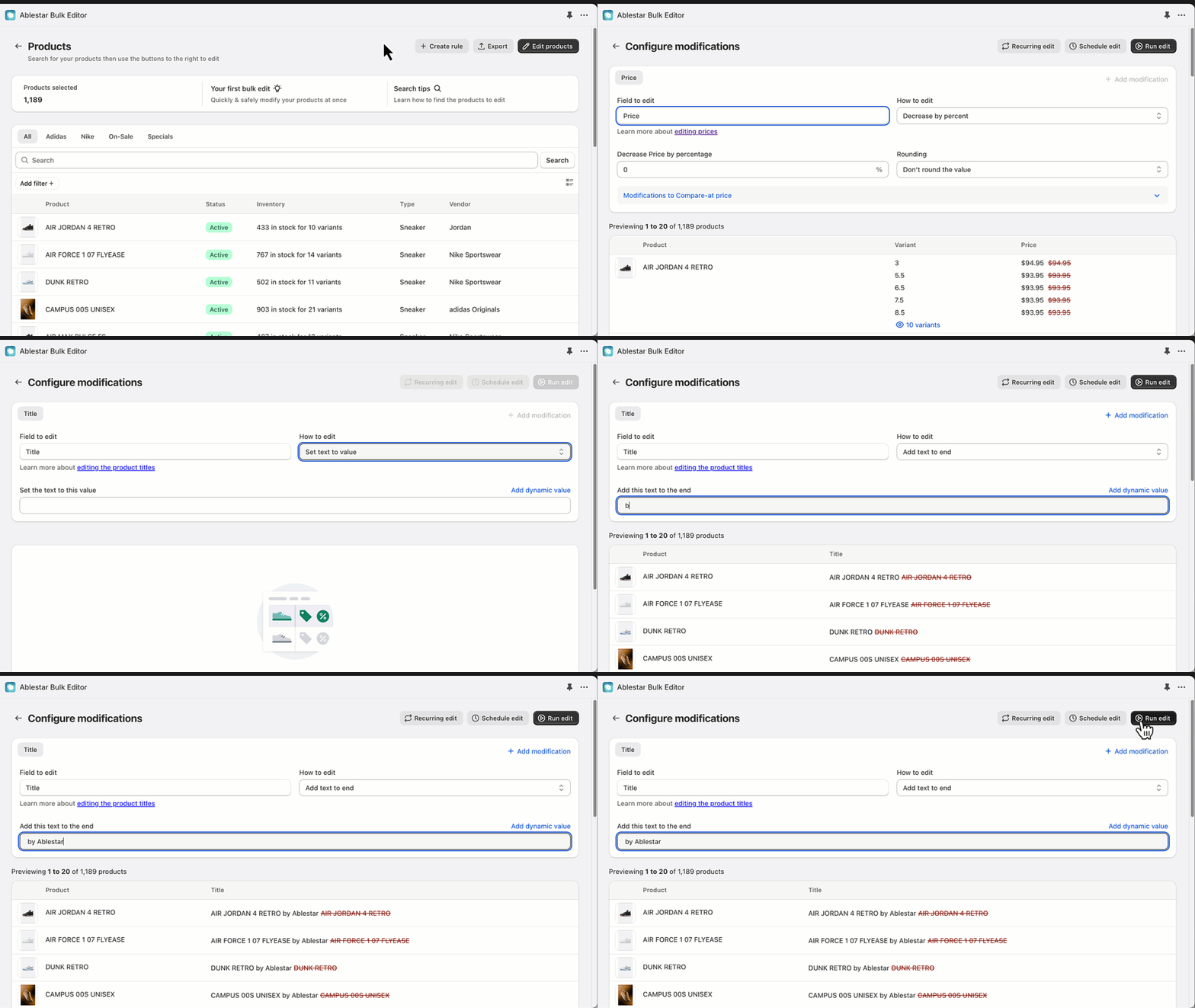
15 November 2024
Published on 2024-11-15
We are establishing a code freeze between November 25 and December 6. During this period we will only deploy critical fixes to our Shopify apps.
The idea behind a code freeze is to reduce the possibility of introducing bugs and unexpected system interactions that could cause problems during the peak holiday shopping days.
After December 6 we will resume deploying changes as usual.