
12 April 2023
Published on 2023-04-12
Our Shopify bulk editor for products keeps an up-to-date copy of your product data in its database so you can run custom searches for products. Each time a product is updated in Shopify the app receives the change notification (a webhook message) from Shopify and updates its database.
Due to limitations of the Shopify API, changes to the some data sources cannot be synced with the Bulk Product Editor app in real-time. If you have made changes to these data sources outside of the Bulk Product Editor you’ll need to manually trigger a data refresh.
Read More4 April 2023
Published on 2023-04-04
You can now generate, or rewrite, product descriptions automatically using artificial intelligence. Powered by ChatGPT, this feature allows you to efficiently create concise, engaging product descriptions, saving you time and effort.
To update your product descriptions, just open up the product in the app and click on the Rewrite button below the description:
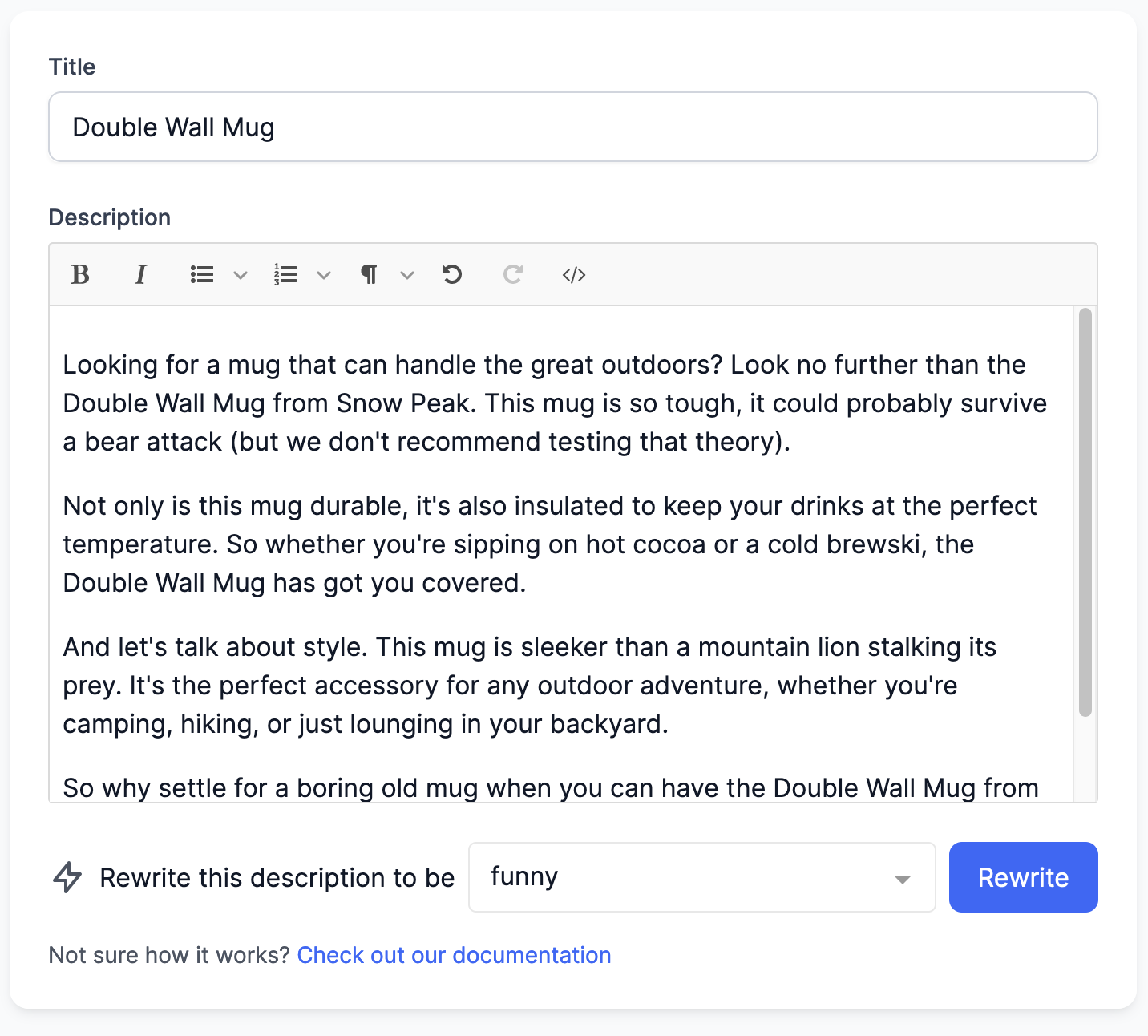
After a few seconds you’ll be presented with a fresh description that you can review and save. You can also rewrite the description multiple times to get the exact output you need.
Read More31 March 2023
Published on 2023-03-31
You can now connect product inventories to one or more locations with a spreadsheet edit. Previously you could connect inventories to different locations with an in-app edit but using a spreadsheet can make it faster if you have a lot of unique combinations of products and locations.
To connect inventory just upload a spreadsheet with an identifier and the location’s ID to the app and select ‘Connect Inventory to Location’ from the field drop down list:
Read More24 March 2023
Published on 2023-03-24
When filtering for the products you want to edit there can be cases where you want to manually exclude one or two products from the search results. For example, you might want to edit all products in a collection except for two products that are a special case.
Previously you could add an aditional filter to remove these products but it could be time consuming if there wasn’t any common, searchable, attribute between them.
Read More23 March 2023
Published on 2023-03-23
Previously, when you exported product data in CSV or Excel format the default file name would just be the name of the first column of the spreadsheet in lower case. For example, product_handle.csv. This naming convention could make it difficult to go back and find an downloaded export you were looking for.
We’ve updated the default file name for the exports so now they’re in the format of:
Product Handles 2023-03-23_090807.csv
21 March 2023
Published on 2023-03-21
You can now delete an arbitrary set of products directly with a spreadsheet edit. To do so just upload a spreadsheet with two columns, one to identify the products or variants and the other containing the text ‘delete’.
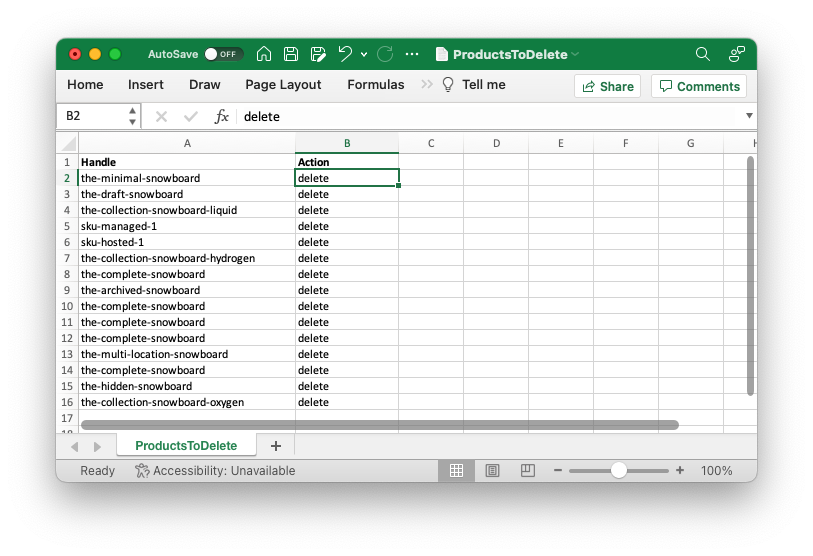
As with in-app edits to delete products, this action cannot be undone. In many cases is may be better to set the products to the ‘Archived’ state instead.
Learn more about bulk deleting products and variants in Shopify.
Read More16 March 2023
Published on 2023-03-16
We’ve made two changes to the page where you configure spreadsheet edits. The first is the addition of a Clear All button to reset all column mappings at once. When you upload a spreadsheet the app will try to guess which columns you want to edit but if you only want to edit one column this will save you from having to de-select each column.
The second change is that we’ve removed the column showing the number of matching products. We did this to save space and remove the need for excessive scrolling. Now, a warning will show up if a product matches more than one product or if it doesn’t match any products at all:
Read More14 March 2023
Published on 2023-03-14
You can now export the ‘Inventory Item ID’ field to a CSV or Excel spreadsheet. When you’re configuring your export, you’ll find the field under the ‘Variant Attributes’ list.
In the Shopify API, the Inventory Item ID field tracks a one-to-one relationship between product variants and ‘Inventory Items’. Inventory items store additional information about the variant and are also used for multi-location inventory.
13 March 2023
Published on 2023-03-13
You can now view and edit a product’s Google Shopping fields directly on the product detail pages. From the product search page click on the product you’re interested in. On the product’s detail page, the ‘Google Shopping’ tab allows you to see and edit the Google Shopping fields:
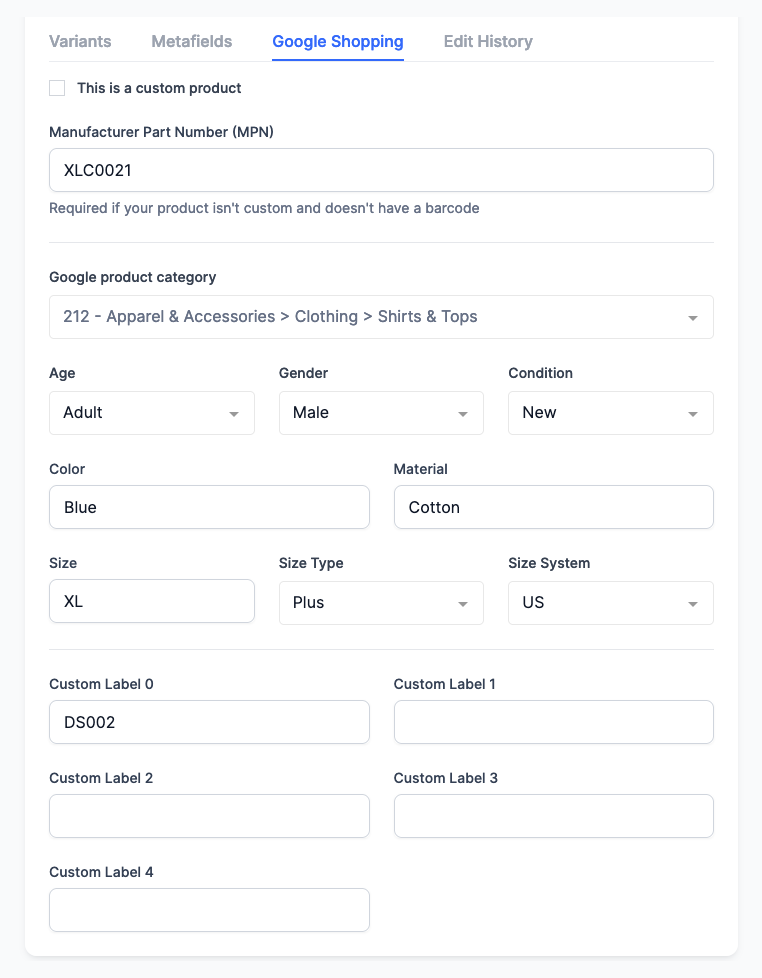
While the app is primarily used for bulk editing some times you may need to quickly check or edit a product. We’ve created these product detail pages within the app so you won’t have to wait for the Shopify admin to load in a new tab to view the products.
Read More13 March 2023
Published on 2023-03-13
We’ve added two options to in-app edits to make searching and replacing more powerful:
- You can now do a search and replace for individual elements within a metafield list of strings. This allows you to rename a single element in the metafield list regardless of its position.
- Searching and replacing text values now has the option to use a case-insensitive search. This makes it easier to standardize capitalization in your product titles or descriptions.
10 March 2023
Published on 2023-03-10
We’ve added the ability to save your product export configurations so you can retrieve them later. This way you won’t need to reselect all the fields you want to export if you’re switching between different export formats.
The export present will save your selection for all the fields you want to export as well as any delivery options to choose.
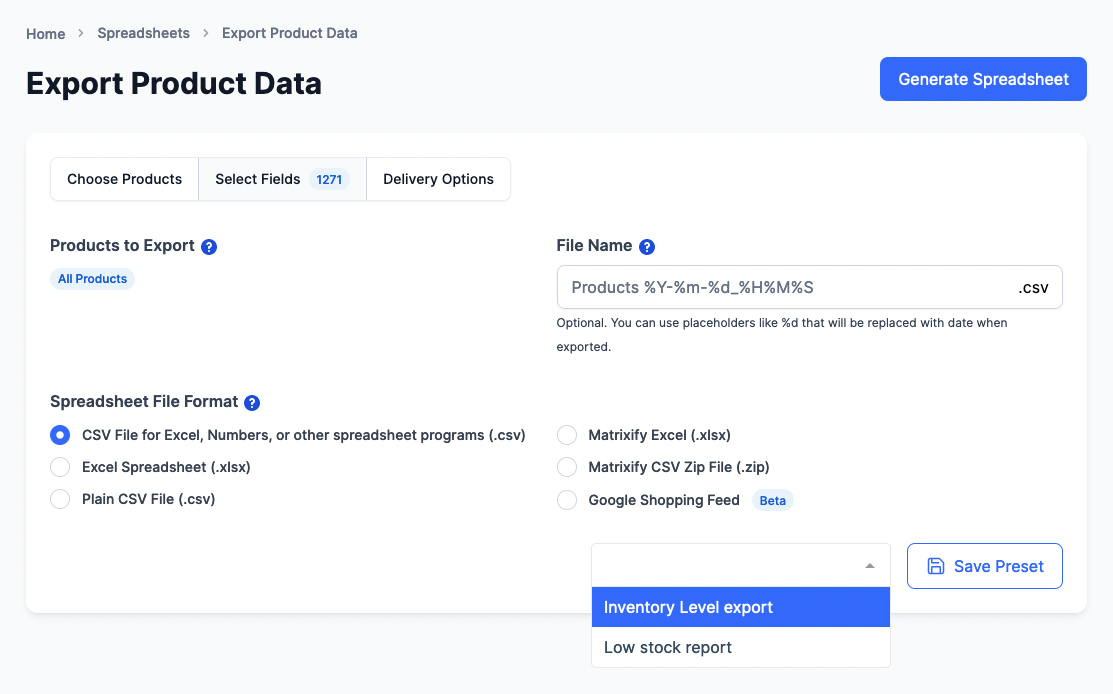
Learn more about saving product export configurations.
Read More10 March 2023
Published on 2023-03-10
We’ve added a search filter to the Bulk Product Editor for duplicate barcodes. If you choose ‘Has duplicate barcode’ from the ‘Filter’ drop down you’ll see a list of all products do not have a unique barcode.
This is similar to searching for duplicate SKUs and you can follow the same process to identify and fix duplicate barcodes.
3 March 2023
Published on 2023-03-03
If you’re adding new variants to products you might find yourself in a situation where some variants of a product don’t have a SKU set. You can now use the new “Product’s first tag” placeholder to set these variants to have the same SKU as the other variants for a product.
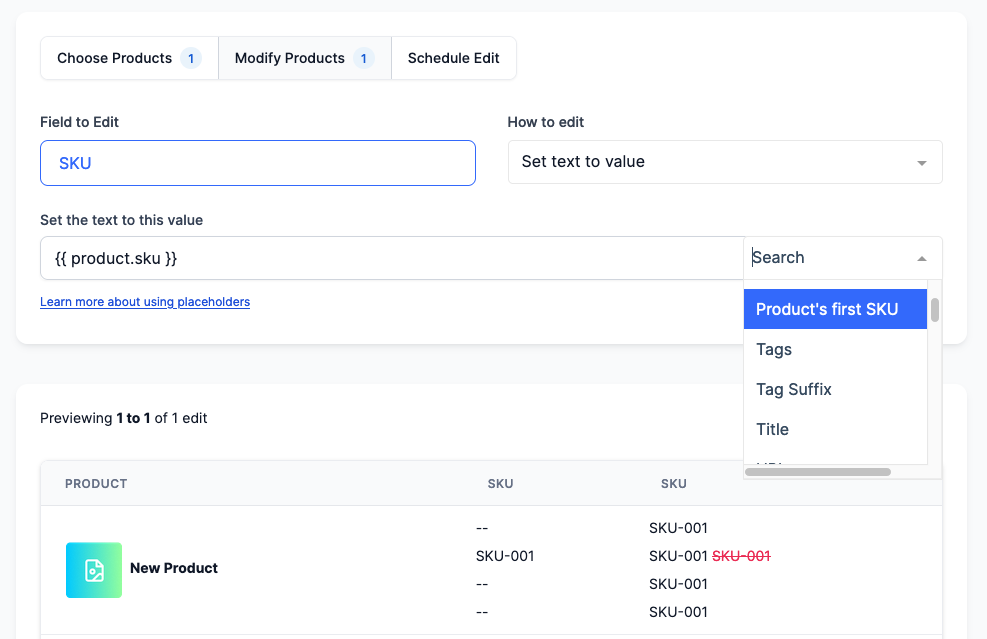
When editing the SKU field just select “Product’ first tag” from the “Add Placeholder” dropdown. This will set each variant’s SKU to be the first non-blank SKU from you product.
Read More3 March 2023
Published on 2023-03-03
When running a spreadsheet edit you can now use either the collection’s title or the collection’s handle when you are adding a removing a product from a collection. Previously we only supported collection titles. If the text in a cell matches on both a collection handle and title, priority will be given to the matching handle.
Learn more about bulk editing manual collections in Shopify.
24 February 2023
Published on 2023-02-24
You can now bulk edit Shopify rich text metafields in the app. These are metafield definitions with the type rich_text_field.
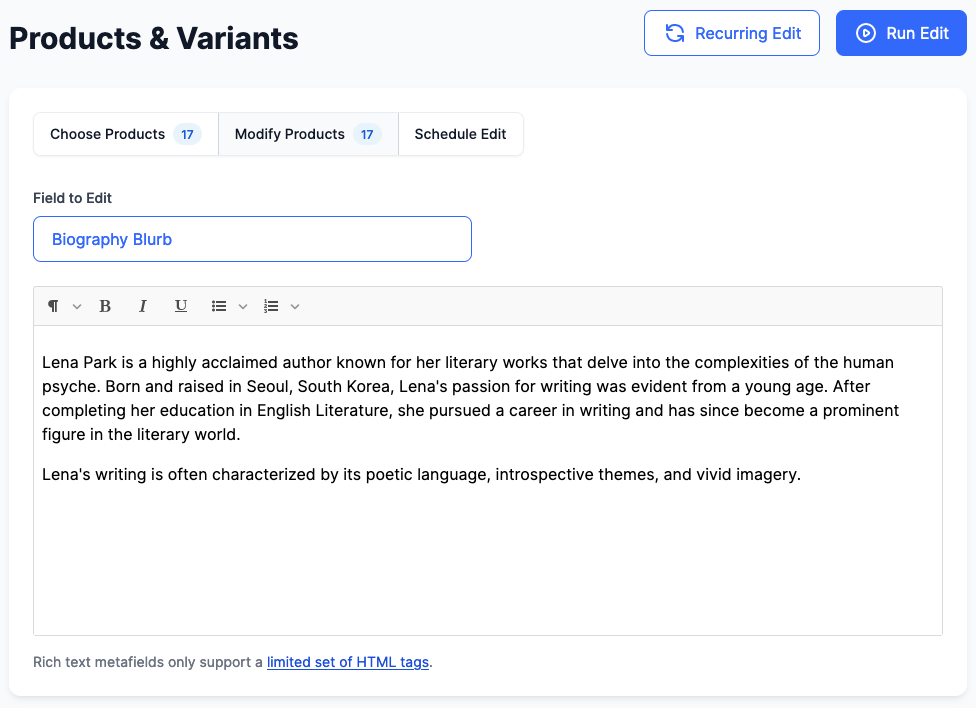
Shopify limits the HTML tags you can use in rich text descriptions. Basic formatting such as bold, italics and lists are available but you can’t insert images or arbitrary HTML.
Learn more about bulk editing rich text metafields.
24 February 2023
Published on 2023-02-24
We’ve update the labels for managing a product’s visibilty on the Online Store and Point of Sale channels. Before we had several different terms but in order to make them more consistent, internally and with Shopify, we’ve renamed them to the following:
- Visible on Online Store
- Visible on Point of Sale
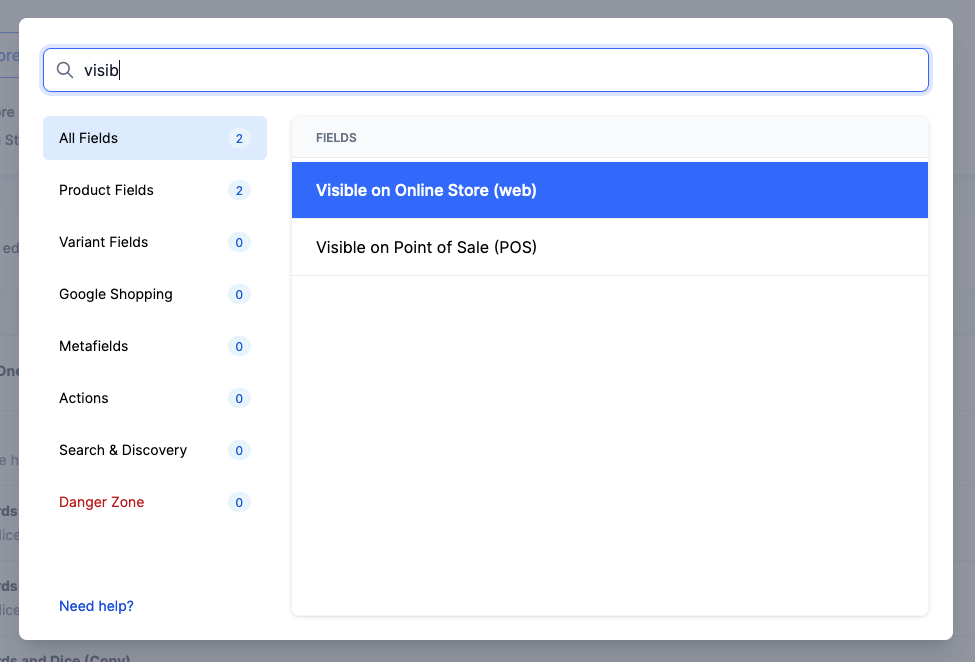
Now, whether you’re searching for products, editing the fields or exporting the data, these fields will have consistent labeling.
Read More23 February 2023
Published on 2023-02-23
Lots of Shopify stores use tags to store different attributes for their products. For example, the tag “brand=Supply Depot” might indicate the original brand of the product. You can now use placeholders to extract the final portion of a tag and add it to another field. For example, you could set the vendor of the product to be whatever value comes after the “brand=” text.
To do so, select the Tag Suffix option from the placeholder dropdown and enter the fixed part of the tag you are looking for (‘brand=’ for example).
Read More17 February 2023
Published on 2023-02-17
We’ve made two updates to improve the experience of editing product reference list metafields. This metafield type contains a list of links to other products and is also used by the Shopify Search & Discovery app for the ‘Related Products’ field.
Previously you needed to enter the Shopify IDs of products you wanted to reference but now you can select them from a popup window.
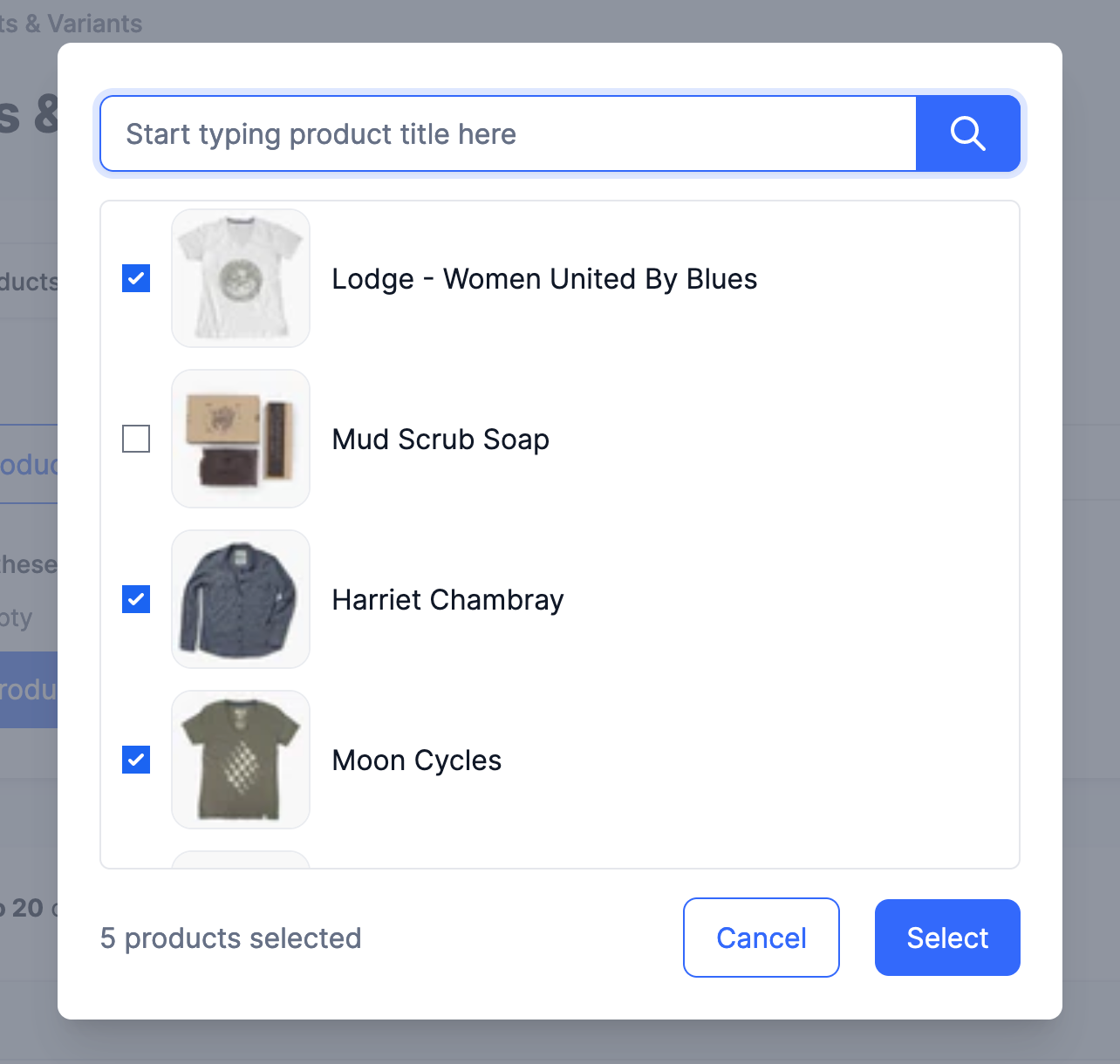
We’ve also added an option to exclude the matching product from the list of products you’re adding. If you select this option, the new product reference list won’t include a reference to itself. You can use this to easily have a group of products all relating to each other, without any self-references.
Read More16 February 2023
Published on 2023-02-16
In some cases product images would not be transfered from WooCommerce stores hosted on Wordpress.com. This was due to issues between the CDN used by Wordpress.com and Shopify’s servers trying to download the images. We’ve made some improvements to the app which should allow Shopify to process the images correctly, even if they’re hosted on Wordpress.com’s CDN.
14 February 2023
Published on 2023-02-14
You can now tag orders based on the order note attribute. Depending on your use-case you can tag:
- Orders with no note
- Orders with a note
- Orders with a note that contains, or does not contain, certain words
- Orders with a note that matches, or does not match, an exact string of text