26 January 2024
Published on 2024-01-26
We’ve add a ‘View Configuration’ button on the product export detail page.
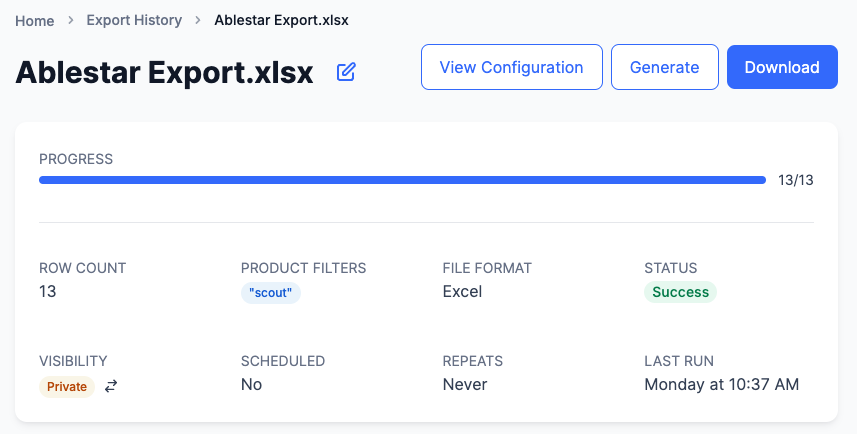
Clicking this button will show you the configuration for the export including:
- The search filters for the export
- The format of the export
- All the fields included in the export
This is similar to the ‘View Configuration’ buttons that already exist for the edit and import detail screens.
24 January 2024
Published on 2024-01-24
We’ve made several optimizations to how spreadsheet edits are processed. Due to this changes you may noticed increased speeds when runnning spreadsheet edits, especially for those that are only updating inventory or that have the ‘skip unchanged rows’ option selected.
24 January 2024
Published on 2024-01-24
When you run a spreadsheet edit the app will go through each row of the spreadsheet, find the matching products or variants, and update them with the values from the row. Many times the spreadsheet will have multiple rows for a single product. For example, if a product has five variants, there could be five rows in the spreadsheet, each with the SKU of one of the variants.
In some situations the spreadsheet might, unintentinoally, only be editing some of the variants for the product. This could be because the spreadsheet is missing data for one of the variants or perhaps the variant is mislabeled in Shopify. Either way, some product data isn’t being updated when it should be.
Read More22 January 2024
Published on 2024-01-22
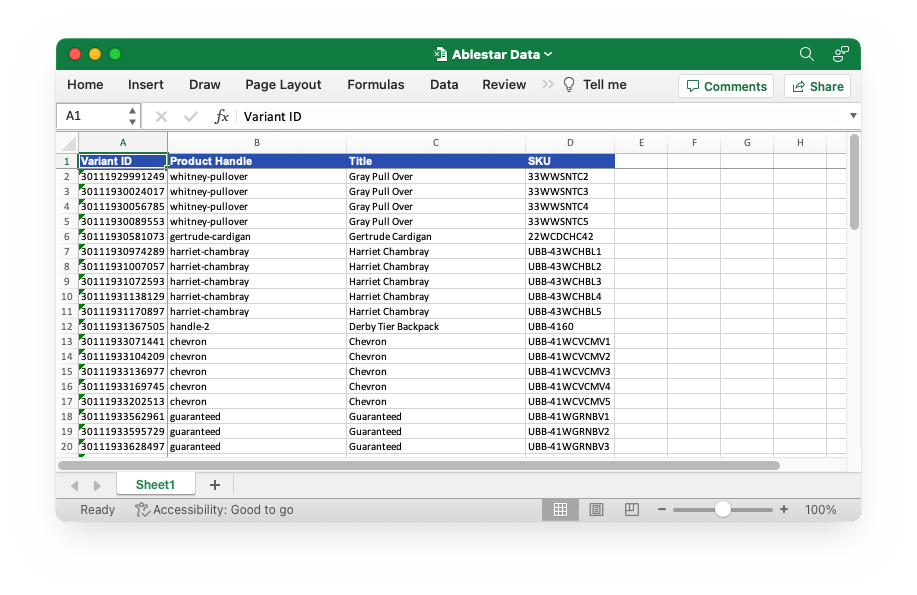
When you export products with the Bulk Product Editor you have the choice of different formats. We’ve made several updates to the Excel format which should make it easier to use:
- IDs will not display in the scientific notation format
- Wider column widths by default so you can see more data at a glance
Learn more about exporting product data in Shopify.
22 January 2024
Published on 2024-01-22
When you run a spreadsheet edit in the app there’s an option to download a report of the rows in your spreadsheet that didn’t match any products in Shopify. This can be helpful in identifying any Shopify products that are missing or mis-labled.
We’ve updated this unmatched rows report to include the column names from the original file. Previously the columns were numbered sequentially but now you’ll see the actual names of the columns which should make it easier to identify the missing products.
Read More19 January 2024
Published on 2024-01-19
When you look at the details for a spreadsheet edit in the app, there’s a View Configuration button on the top of the page which will show you the column mappings used for the spreadsheet edit. We’ve updated this screen to also show whether the ‘Skip unchanged rows’ option was selected for the edit:
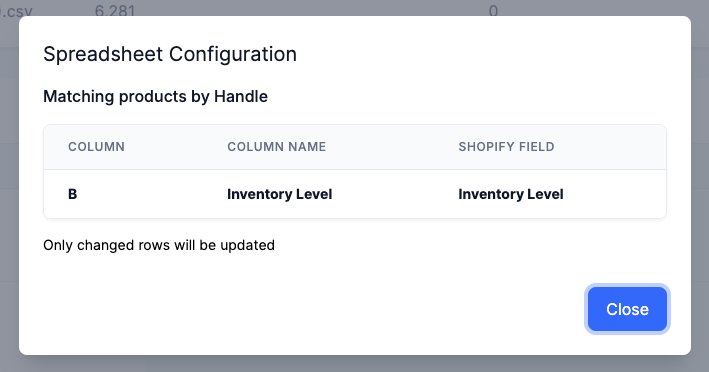
Learn more about skipping unchanged rows in spreadsheet edits.
19 January 2024
Published on 2024-01-19
We’ve improved the error message that’s displayed when you hit the daily variant limit with an in-app edit. Previously the app would just show that the edit errored out but now the message will tell you why.
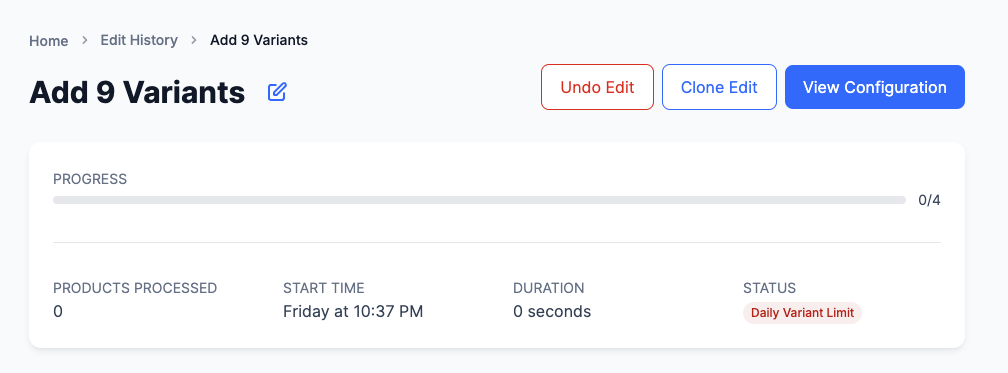
This message was already displaying if you hit the variant limit when creating variants with a spreadsheet but now will also appear when adding variants with an in-app edit.
17 January 2024
Published on 2024-01-17
When you upload an Excel spreadsheet to the Bulk Product Editor the app will automatically choose the first sheet in the workbook to use. Previously this could lead to a hidden sheet being selected if it was in the first position in the workbook. We saw this will working with some other tools that would automatically insert an hidden sheet at the start of the workbook when you export data.
Read More2 January 2024
Published on 2024-01-02
Previously the option to skip unchanged rows for spreadsheet edits would not work if the spreadsheet edit was only updating inventory levels. This was because the app uses different API calls to update inventory levels that’s faster than the typical edits.
Now, if you select ‘Skip unchanged rows’ for a spreadsheet edit, that will also work for edits that are just modifying the inventory levels.
You can find the option to skip unchanged rows for a spreadsheet edit by clicking on the Advanced button after uploading a spreadsheet to the app.
Read More14 December 2023
Published on 2023-12-14
When you create an text metafield in Shopify you have the option to limit the values to a set of choices. This makes it easier to ensure you don’t have unexpected or unhandled data in the metafield.
Now, when you go to edit these text metafields with a preset list of choices, you’ll see an dropdown with the available options:
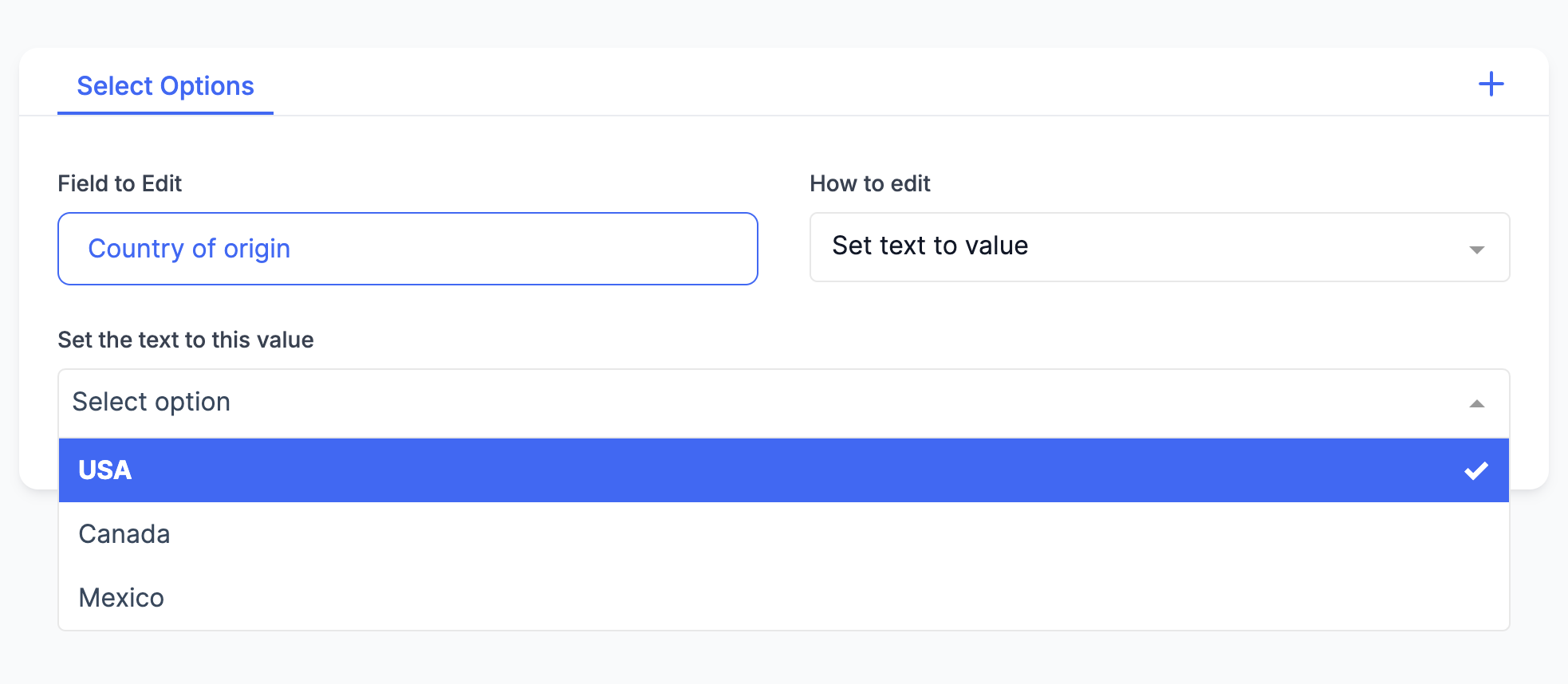
This will help prevent accidentally trying to set the metafield to an invalid value.
Read More14 December 2023
Published on 2023-12-14
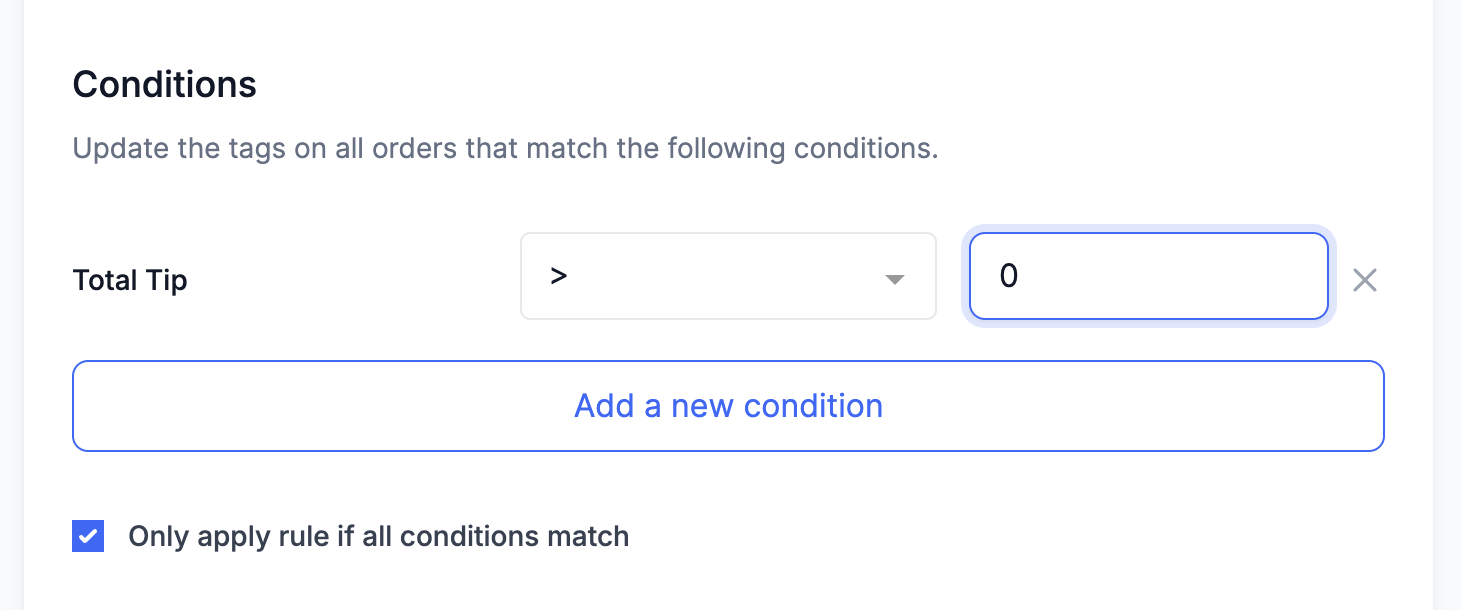
We’ve added a condition to the Order tags app that let’s you filter based on the total tip for an order. Now you can automatically add tags to orders that have a tip.
8 December 2023
Published on 2023-12-08
Now you can access properties about a collection through a collection reference metafield. Previously if you access a collection reference through a code snippet:: you would just see the ID of the object, like gid://shopify/Collection/1234567890.
With this change you now have access to the collection’s ID, title, handle, description, and the date it was published. This works for both collection references and lists of collection references.
Learn more about using Liquid code snippets to edit products in Shopify.
Read More29 November 2023
Published on 2023-11-29
You can now search for all products with a duplicate title from directly with in the app. When used with the ‘Date Created’ filter this will help manage duplicate products on your store.
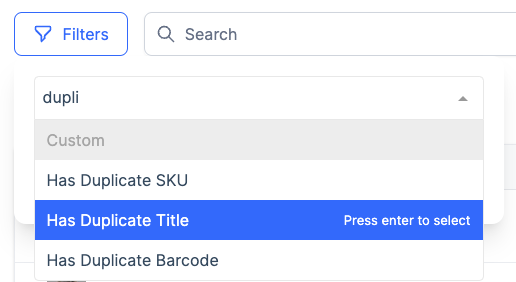
Learn more about searching for Shopify products with duplicate titles.
29 November 2023
Published on 2023-11-29
Code snippets allow you to write code in Liquid to set different product fields. We’ve released several updates to the Code snippets to improve their usability:
- The
parse_jsonfilter is more generous when converting a string to a JSON object. It will accept things like trailing commas in lists that aren’t part of the official JSON specification - Number and boolean metafields are now rendered as number and boolean objects instead of strings. For example, a number metafield will now render as
123instead of"123" - We fixed a bug where in some cases you could not read product metafields after setting one
Learn more about Code snippets.
Read More15 November 2023
Published on 2023-11-15
You can now use the Bulk Product Editor to edit metaobject references on your products and variants. You can do so through either an:: in-app edits or with a spreadsheet.
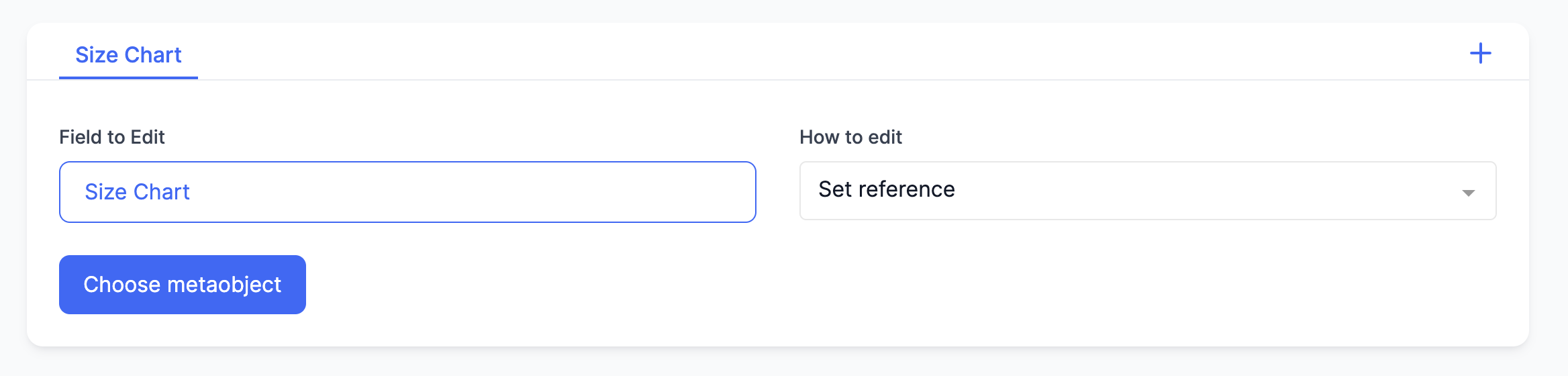
Learn more about bulk editing metaobjects in Shopify.
13 November 2023
Published on 2023-11-13
For the last three years we have implemented a feature freeze during the Black Friday/Cyber Monday season. The primary goal is to maintain the stability of our app.
We’ve found that, after a certain point, most of the bugs we encounter stem from recent changes or additions to the app. By refraining from making any changes or introducing new features for a brief period, we can minimize the chances of disruptions and ensure smooth operation throughout the holiday season.
Read More10 November 2023
Published on 2023-11-10
We’ve optimized the spreadsheet editing process in our app to make your edits faster and more efficient.
Now, when uploading a spreadsheet, you have the option to skip unchanged rows, allowing for quicker edits, especially when dealing with numerous products where only a handful differ. Simply utilize the “skip unchanged rows” option in the advanced settings during the upload.
For a detailed guide, check out our knowledge base article on skipping unchanged rows.
Read More10 November 2023
Published on 2023-11-10
We’ve streamlined the process of deleting metafields in our app for a more consistent and user-friendly experience. Now, you can delete metafields in two straightforward ways: either through an in-app edit by selecting “delete metafield,” or by formatting a spreadsheet with “delete” in the cell.
For additional details and guidance, check out our knowledge base article on bulk deleting metafields in Shopify.
10 November 2023
Published on 2023-11-10
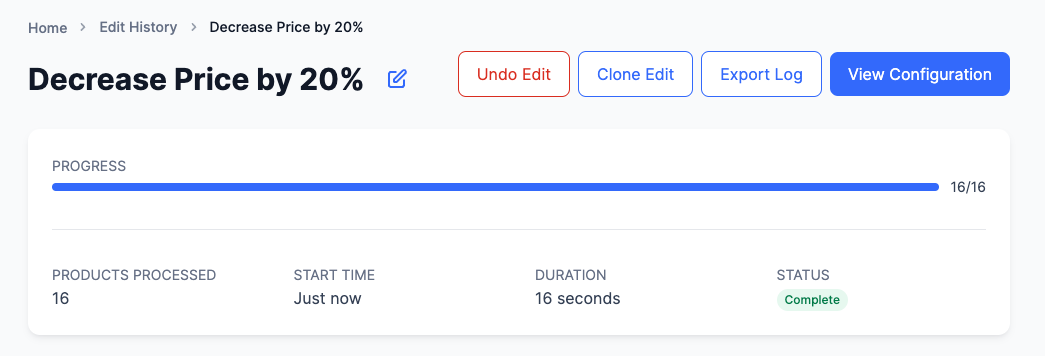
We’ve upgraded your editing experience by introducing more descriptive titles for edits. Instead of generic labels like “edit SKU” or “edit title,” you’ll now see specifics such as “decrease price by 20%.”
This improvement makes it easier to locate and identify your previous edits, streamlining your workflow.
2 November 2023
Published on 2023-11-02
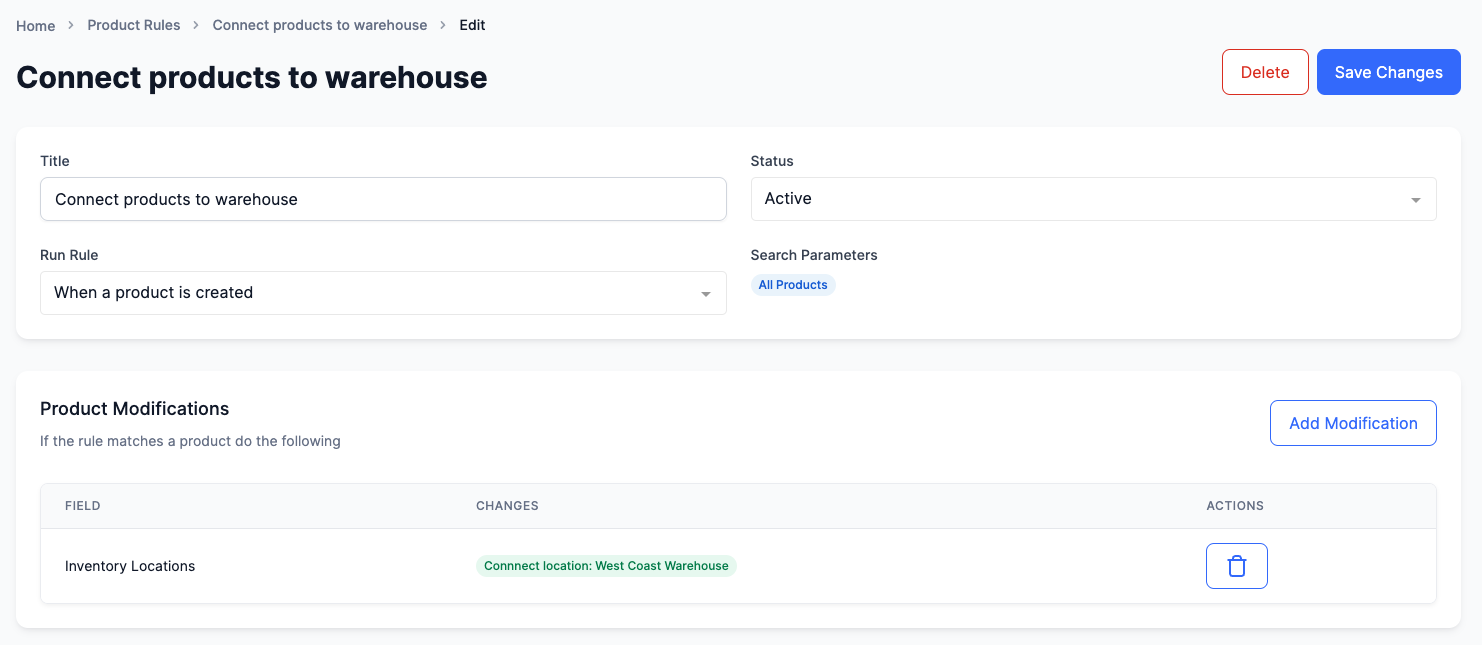
Now, you can effortlessly connect inventory to different locations in Shopify automatically.
With this update, you can use product rules to automatically connect and disconnect inventory to specific locations. This means that as soon as a product is added to your Shopify store, it will be associated with the correct inventory locations, saving you time and ensuring your inventory is always in sync.